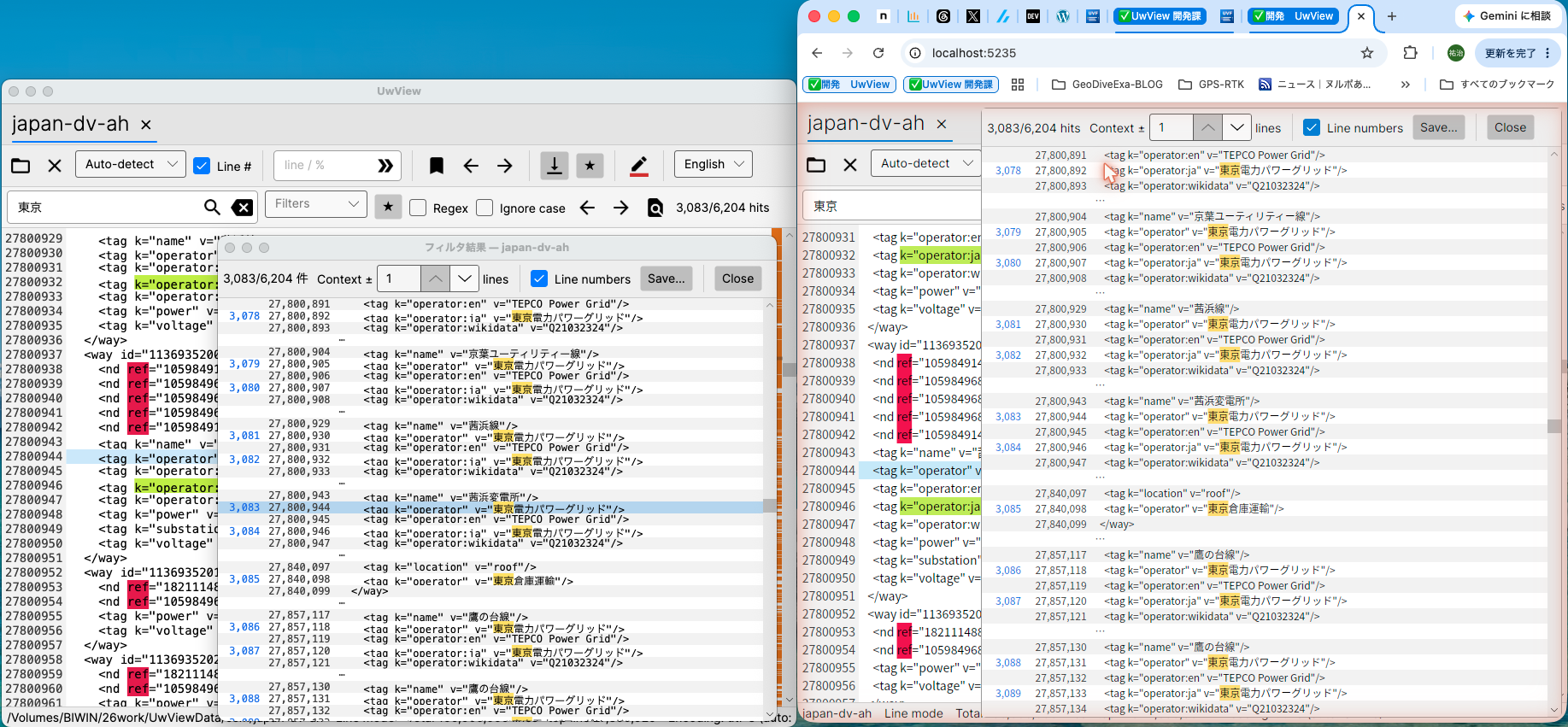
UwView, the large text-file viewer, runs both as a native desktop app (UVF) and in the browser (WASM) — the same code, the same feature set. Naturally, a different runtime means different speed. “It runs in the browser, so it must be slow, right?” To find out, I opened the exact same file in both and ran the same workflow, stopwatch in hand.
Test conditions
- File: one chunk of the full-Japan OpenStreetMap extract,
japan-dv-ah— about 3.16 GB / 100,000,000 lines of XML. - Same machine, same folder. Native UVF and browser WASM (served on
localhost), driven in turn. - Workflow: open → full-text search for “東京” (Tokyo) → show ±1 lines of context → jump to the middle and end → close.
- Timing is stopwatch-level (seconds). Hit counts were cross-checked between the two.
Results
| Step | UVF (native, free) | WASM (browser) | Gap |
|---|---|---|---|
| Page-mode instant display (the moment you open) | instant | instant | equal |
| Open → index complete (line mode) | ≤1 s | ~35 s | ~35× |
| Full-text search “東京” (6,204 hits — identical on both) | <1 s | ~15–20 s | ~15–20× |
| Show ±1 lines of context | instant | instant | equal |
| Jump from a hit to the source line | instant | instant | equal |
| Jump to middle (50%) / end (100%) | instant each | instant | equal |
(In the image, left = native UVF, right = browser WASM, both showing the same japan-dv-ah.)
What it shows
The “readable the instant you open it” experience is essentially the same on both. UwView’s core trick — instant page-mode open (never loading the whole file, drawing only what’s on screen) — works in the browser too: content appears the moment you pick the file. UI actions like ±1 context and jumping from a result to the source line are instant in WASM as well — they’re lightweight redraws, so the runtime barely matters.
The gap shows up in the heavy work: building the index and running full-text search. There, native wins big: ~35× on indexing and ~15–20× on search. WASM takes long enough to show a progress bar — about 35 s to index 100 M lines, 15–20 s to search “東京”. Native finishes both in about a second.
Crucially, the hit counts matched exactly at 6,204 — so the speed differs, but the results are identical. The browser build isn’t cutting corners on correctness.
Why the difference
- Native UVF runs as native .NET with a memory-mapped file, using disk and CPU directly.
- Browser WASM runs on WebAssembly (a step slower on CPU) and reads via asynchronous
Blob.slice. Even with the same OS cache state, “scan-the-whole-thing” CPU work — indexing, full-text search — is where the gap opens up.
Conversely, “only what’s visible” work like display and small redraws is plenty fast even in WASM.
Honest notes
- The native run had this file warm in the OS cache (hence ≤1 s to index). But WASM’s slowness is CPU-bound, so matching cache state wouldn’t change the trend.
- Timing is stopwatch-level (seconds).
- Other terms (Nagoya, Osaka) behaved the same (~15–20 s each).
Which to use
- The browser WASM build is about running UwView’s features on the spot with zero install — handy for a quick peek at a huge file, or trying it on a shared machine.
- For serious large-file work, use the free native UVF — indexing and search are an order of magnitude faster.
- And for the fastest of all — instant re-open, archive storage — that’s the paid UwView Pro.
“Same features work in the browser; real speed lives in the native build” — exactly as designed, and a satisfying result. UwView is free, so if you wrangle big logs, give it a try.
Related
- UwView v1.1 — reading giant logs by color: highlighters and built-in presets
- UwView v1.1.1 — right-click to colorize, reopen where you left off
Source
- amru195704/UwView (GitHub) https://github.com/amru195704/UwView


コメント