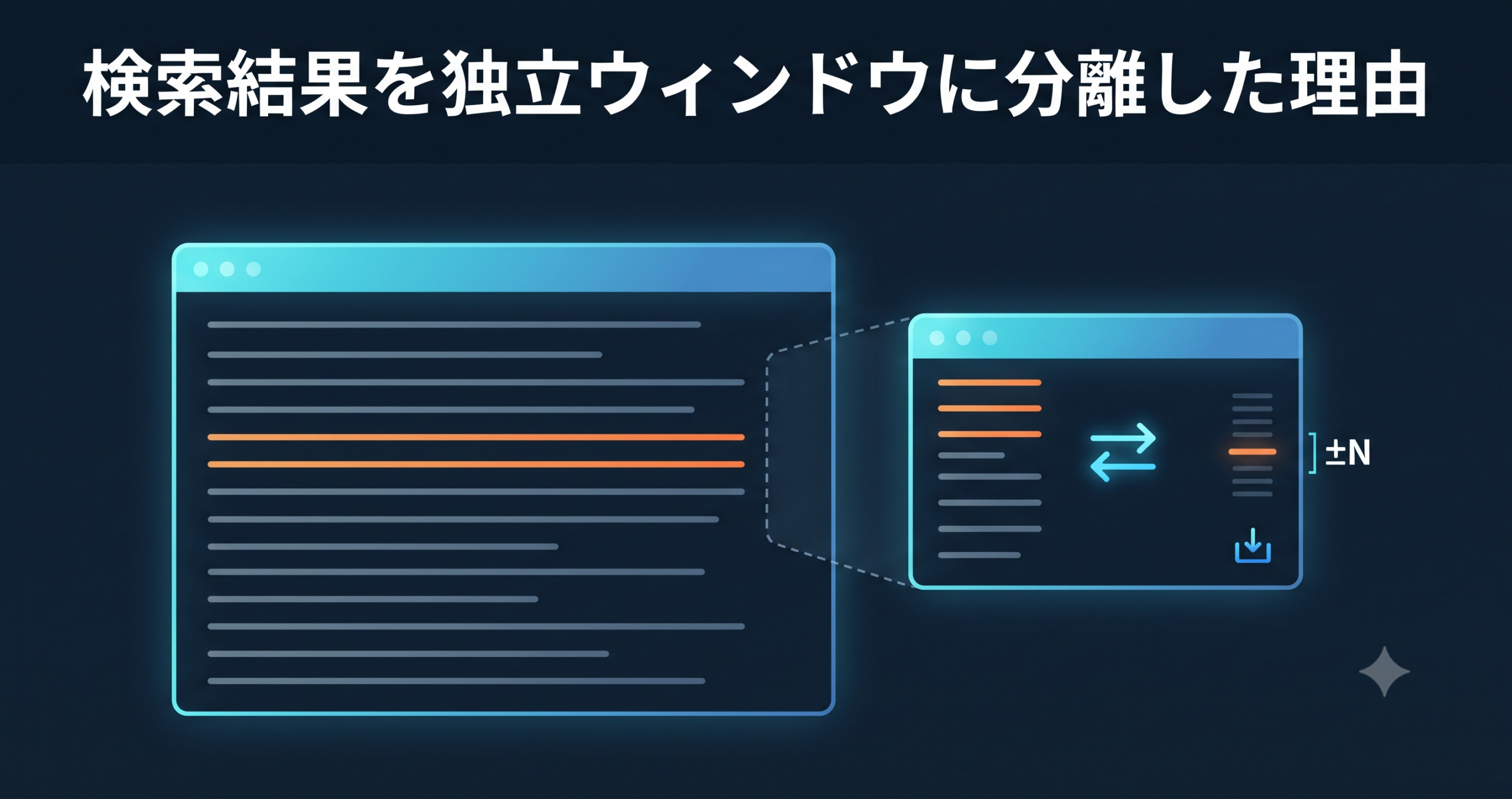
We’ve moved UwView / UwView Pro’s (UVF / UVP) search and filter results out of the inline, overwrite-the-main-view display and into an independent popup window. It sounds like a small change, but it fixes the one thing that kept getting in the way when reading huge logs: not being able to jump back to the original position while still looking at your results.
What Changed
Until now, filtering replaced the main text view in place, showing only the lines that matched your search. You could see the list of hits, but you couldn’t check the surrounding context in the original file or look at another part of the file at the same time.
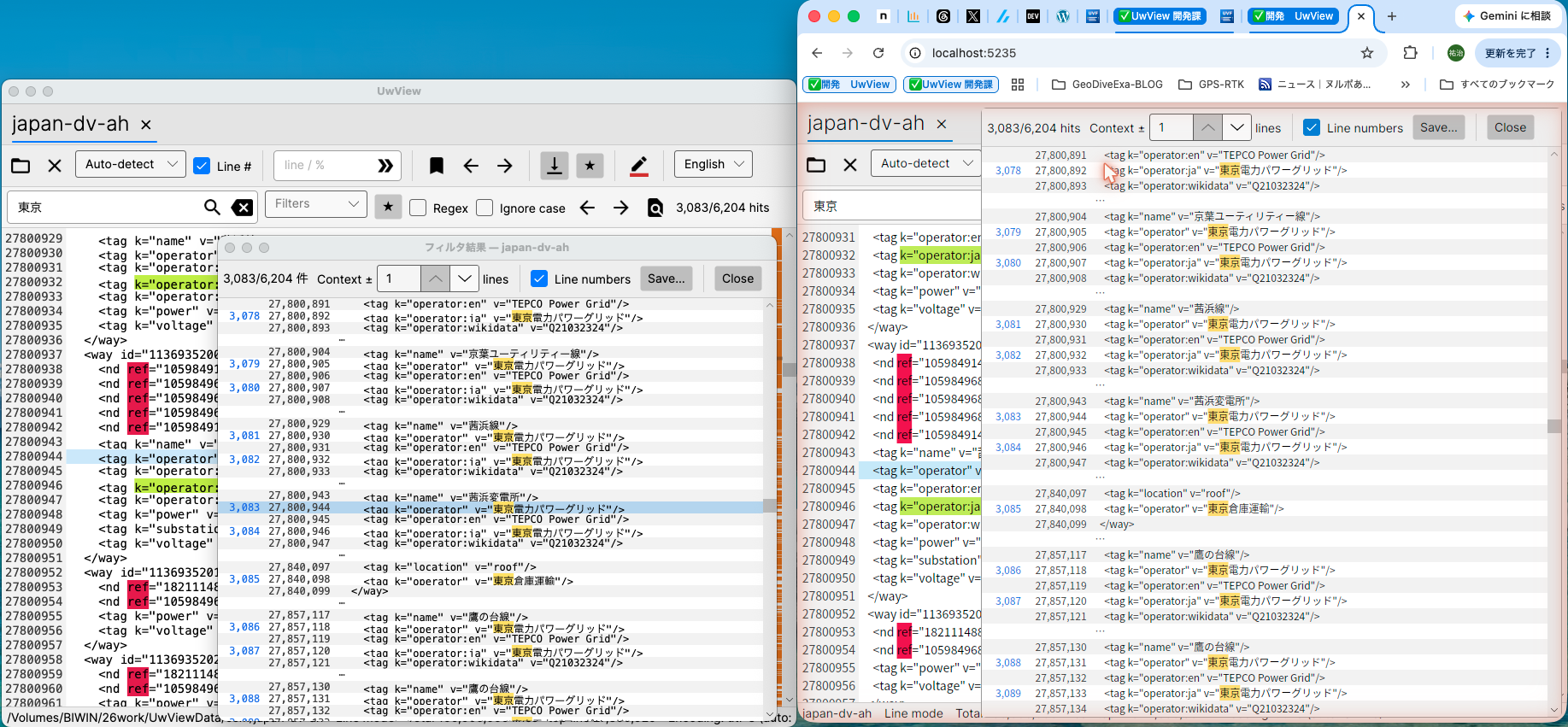
Now that filter results live in a non-modal, separate window, three things are possible at once.
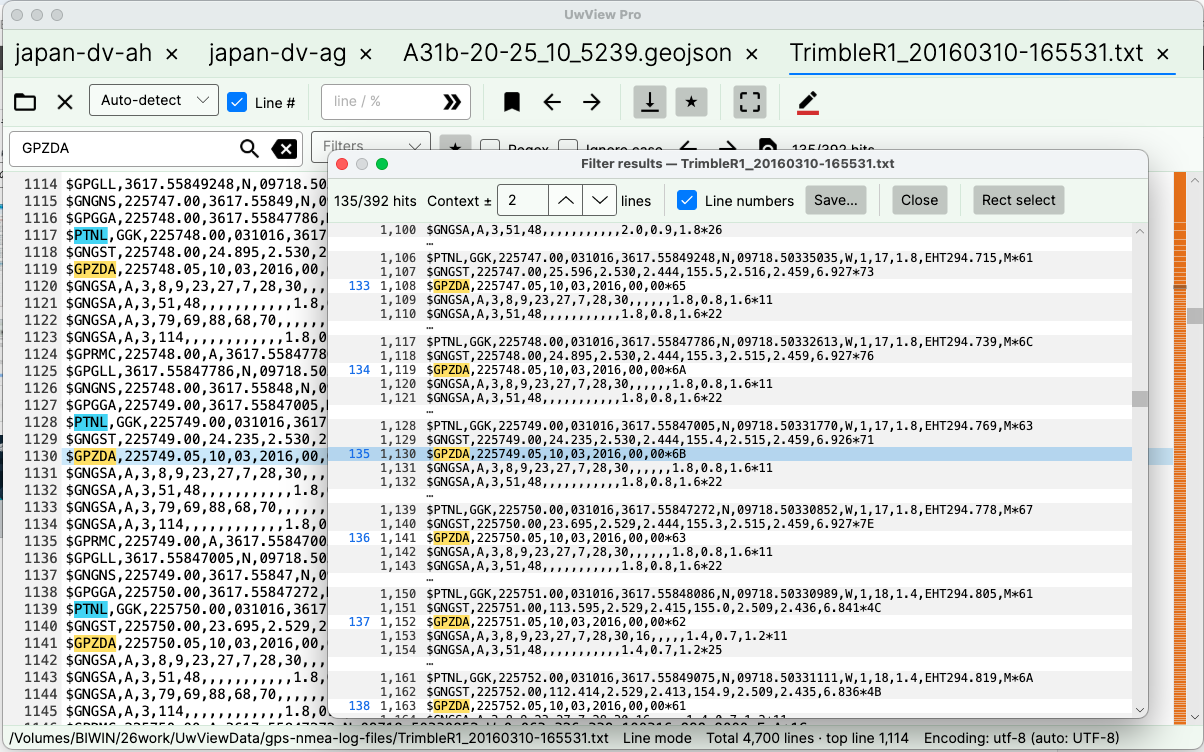
1. Jump — go from the result list straight to the matching line in the document
Double-click (or press Enter on) a hit in the popup, and the main view scrolls to that exact line and briefly highlights it. The popup stays open the whole time, so you can go back and forth between the result list and the document body as many times as you like.
2. Save — export the filtered results to a separate file
The “Save…” button in the toolbar lets you export the filtered results as their own file. You can combine “body text only / line numbers + body text” with “hits only / include surrounding context,” and the export streams line by line instead of loading everything into memory, with progress and cancel support. Even on logs with millions of matching lines, saving won’t freeze the app.
3. Context lines (±N) — see what the hit line alone doesn’t tell you
You can specify how many lines before and after each hit to show alongside it. When the context ranges of two nearby hits overlap or touch, they’re automatically merged into a single block so lines never appear twice (for example, if lines 100 and 103 both match and you’re showing 2 lines of context, lines 98–105 are shown as one merged block).
Free vs. Pro
We revisited how much of this to open up in the free version while building it. We originally planned to keep context-line display Pro-only, but ended up prioritizing the user experience and opening it up to the free version too, with a cap.
| Feature | UwView (Free) | UwView Pro |
|---|---|---|
| Popup window | Yes (one window, follows the active tab) | Yes (a separate window per tab) |
| Jump & Save | Yes | Yes |
| Context lines (±N) | Yes (N = 0 or 1 only) | Yes (N up to 64) |
| Rectangle selection inside the popup | No | Yes |
The free version caps context display at the hit line plus one line before and after (three lines max), while Pro lets you specify up to 64 lines of context. The free version’s popup is always a single window that follows whichever tab is active, whereas Pro can keep an independent popup open per tab at the same time. Drag-based rectangle selection and saving inside the popup remain Pro-only.
Why We Kept “Save” in the Free Version
Exporting search results was originally floated as a possible Pro differentiator in our early product strategy. But partway through implementation, we decided that the bigger UX problem — not being able to get back to where you were while looking at your results — mattered more, so we kept Jump and Save in the free version. We shifted Pro’s differentiation instead toward things that matter more for continuous, heavy-duty log operations: context lines up to 64, independent popups per tab, and rectangle selection.
Under the Hood (Briefly)
The display and the save path share the same logic. We built a single function that takes a set of hit lines and produces “blocks” that include N lines of context (with overlap merging), and both the on-screen view and the file export call that same function. On the display side, we use UI virtualization that lazily resolves rows block by block, so scrolling stays smooth even with millions of hits.
Summary
- We moved filter/search results out of the inline, overwrite-the-main-view display and into an independent popup window
- From the popup, you can now jump to the matching line in the document, save results to a separate file, and view ±N lines of context around each hit
- The free version limits you to one popup and up to one line of context; UwView Pro adds an independent popup per tab, context lines up to 64, and rectangle selection
- We prioritized the “use it while looking” experience by keeping Jump and Save free, and shifted Pro’s differentiation toward more advanced operational features
If you want to search a huge log while still being able to move around the document, try this popup feature in UwView (free, open source). If you want independent popups per tab and rectangle selection on top of that, take a look at UwView Pro (all OS, one-time or monthly).
Related Articles
- UwView Ver1.1.1 — Right-Click to Color-Code Instantly, Reopen and Pick Up Right Where You Left Off
- Shelve an Investigated Log at 1/9th the Size, Reopen It Tomorrow Right Where You Left Off — A Practical Archive × Session Restore Workflow
- UwView Pro Now Supports All OS — Windows, macOS, and Linux, “Instant, Anytime” for Huge Files
- Comparing Distance Formulas — Hubeny, Vincenty, and Karney (GeoConverterPro)
- Writing Unit Tests for Geodetic Calculations in C# — Validation-Value-Driven Development (GeoDiveExa)
From the developer: a list of my apps, Kindle books and public projects is on GitHub: amru195704.
Disclaimer
The information in this article is provided for reference purposes only, and we do not guarantee its accuracy or completeness. Features and figures reflect the state at the time of writing and may change in future updates. If you notice any errors or inaccuracies, please let us know in the comments and we will review and correct them.
コメント