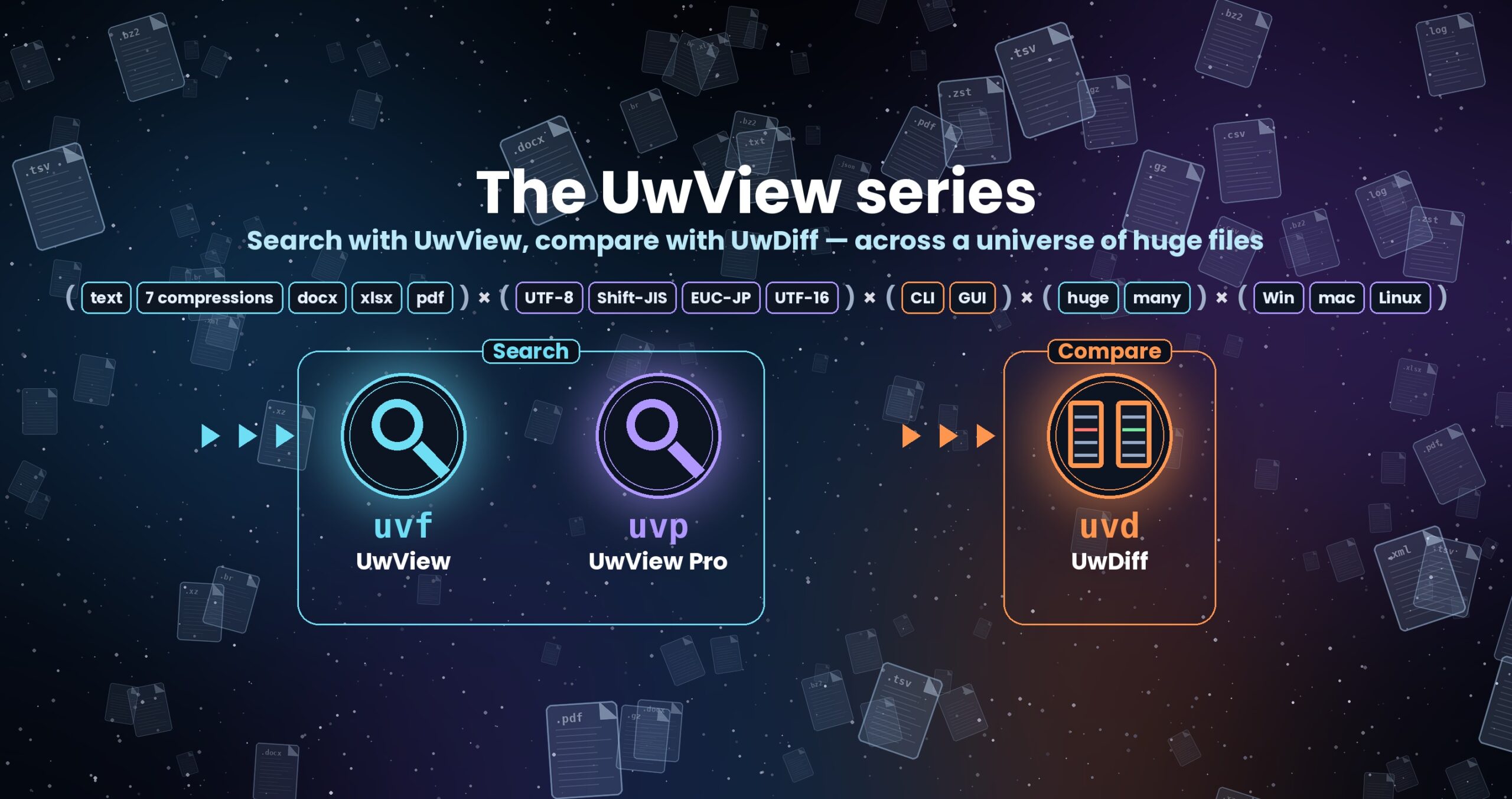
The UwView series — search with UwView, compare with UwDiff
Open and search huge files with UwView; compare two files or two folders with UwDiff. Both run on Windows, macOS and Linux. → UwDiff download
Download
Where do I download from? — three entry points
| What you get | Where | |
|---|---|---|
| 1. I want the free app | UwView (free, PolyForm Internal Use License) | GitHub Releases → details below |
| 2. I want to try or use Pro | The UwView Pro application itself | Direct download on this page → details below |
| 3. I need a license | Trial key (14 days, free) or purchase key | Polar (checkout & key delivery) → details below |
Important: downloading UwView Pro on its own gives you the same features as the free UwView.
The Pro features — instant reopen from a saved index, compressed-cache search, bundling several files into one index, searching inside zip and OSM pbf, drill-down search, sequence search, and editing — are unlocked by registering a license key.
To try everything first, get the 14-day free trial key (full features — viewing and editing, no payment details) → Get a trial key
1. Free version — UwView
Install with a package manager (recommended; the uvf command comes with it)
# Mac (Homebrew)
brew install --cask amru195704/uwview/uwview
# Windows (Scoop)
scoop bucket add uwview https://github.com/amru195704/scoop-uwview
scoop install uwview
# Linux (Snap Store — Ubuntu and others)
sudo snap install uwview
sudo snap alias uwview.uvf uvf      # use the command as uvf (once)
Homebrew and Scoop download from the official GitHub Releases and check the SHA256; the Snap is built from the same Releases files. To update: brew upgrade --cask uwview / scoop update uwview / sudo snap refresh uwview.
About the Snap: by Snap’s rules it can read files inside your home folder only. For USB and other removable drives (/media, /mnt), run sudo snap connect uwview:removable-media once. For files elsewhere, such as /var/log, copy them into your home folder or use the tar.gz build below. The Snap Store can lag a little behind GitHub Releases.
The current release is v1.9.0 “Full Spectrum”. The free edition is a CLI (uvf) plus GUI set. From v1.9.0 it also searches the text inside Word, Excel and PDF files (and adds dark theme, font and key-binding settings, bookmarks in the result list, and brace patterns {a,b}). From v1.8, the window’s Command Line (Ctrl+Shift+K) takes the same arguments as uvf, so you can search from the window. The CLI (uvf) searches several files at once and mixes plain text with seven compressed formats (gz, bz2, xz, lzma, zst, lz4, br) in a single run. Add -open and the results appear straight in the GUI → release notes · uvf command manual · UwView User Guide
To install by hand, get the latest build from GitHub Releases. Pick the file for your OS and architecture (no .NET installation required).
| File | Target |
|---|---|
UwView-<version>-mac-arm64.dmg |
macOS (Apple Silicon) |
UwView-<version>-mac-x64.dmg |
macOS (Intel) |
UwView-<version>-win-arm64.zip |
Windows (ARM64) |
UwView-<version>-win-x64.zip |
Windows (x64) |
UwView-<version>-linux-aarch64.tar.gz |
Linux (ARM64) |
UwView-<version>-linux-x86_64.tar.gz |
Linux (x86_64) |
- macOS: open the dmg and drag
UwView.appto Applications. Signed with a Developer ID and notarized by Apple, so it launches without a warning. - Windows: unzip and run
UwView.Desktop.exe(the GUI; the CLI isuvf.exein the same folder). If SmartScreen warns, choose More info → Run anyway. - Linux: extract the tar.gz and run
./UwView.Desktop(if it will not start,chmod +x UwView.Desktop uvffirst). Not needed if you installed the Snap (see “Install with a package manager” above).
You can also download the free build directly from this site (for environments where GitHub is not reachable — the files are identical to the Releases ones). latest always points to the newest build, and the file names carry no version number (so scripts can fetch them from a fixed URL).
| OS | File |
|---|---|
| macOS (Apple Silicon) | UwView-mac-arm64.dmg (58.3 MB) |
| macOS (Intel) | UwView-mac-x64.dmg (61.2 MB) |
| Windows (x64) | UwView-win-x64.zip (53.6 MB) |
| Windows (ARM64) | UwView-win-arm64.zip (51.0 MB) |
| Linux (x86_64) | UwView-linux-x86_64.tar.gz (53.3 MB) |
| Linux (ARM64) | UwView-linux-aarch64.tar.gz (50.9 MB) |
SHA256 (integrity): verify against SHA256SUMS (SHA256SUMS-1.9.0.txt on GitHub Releases; macOS / Linux: shasum -a 256 <file>; Windows: certutil -hashfile <file> SHA256). VERSION tells you which build is currently in latest. Older releases are on GitHub Releases.
Want to try it without installing anything? Run the WASM demo in your browser (Chromium-based browsers recommended).
2. Paid version — UwView Pro (application download)
Display and search any huge file from the moment it opens. UwView Pro saves the index and the compression, so from the second open it comes up instantly with line numbers, searches faster, and stores logs at roughly 1/9 the size. Here is what the current release, v1.9.0 “Full Spectrum”, does. Windows, macOS and Linux — one license covers all of them.
- CLI (
uvp): builds an index (.uwvz) and, from the second time on, searches without reading the original file. Bundles several files into one.uwvz, searches inside zip and OSM pbf, reads and writes seven compressed formats, and does multi-stage narrowing and tallies.-openhands the results straight to the GUI. - GUI: searches while it opens, and from the second time opens instantly with line numbers. Drill-down search, sequence search, tallies, block selection and up to ±64 lines around each hit. Opens a bundle and, from the file list, the original files in tabs. From v1.8, the window’s Command Line runs the same arguments as
uvpand can bundle several files right in the window (ranges, masking and formatted collection are rebuilt as tabs in the result window). - Editing (Edit Upgrade): non-destructive diff editing that never rewrites the original, replace-all, pause and resume.
Packages are downloaded directly from this site (you can get them before buying; register a license key to use the Pro features).
Packages (latest = always the newest build; file names carry no version number)
| OS | File |
|---|---|
| macOS (Apple Silicon) | UwViewPro-mac-arm64.dmg (60.8 MB) |
| macOS (Intel) | UwViewPro-mac-x64.dmg (63.9 MB) |
| Windows (x64) | UwViewPro-win-x64.zip (54.1 MB) |
| Windows (ARM64) | UwViewPro-win-arm64.zip (51.6 MB) |
| Linux (x86_64) | UwViewPro-linux-x86_64.tar.gz (55.7 MB) |
| Linux (ARM64) | UwViewPro-linux-aarch64.tar.gz (53.2 MB) |
Checksums: SHA256SUMS — current build: VERSION
Supported: Windows 10/11, macOS 11+, Linux (glibc-based). Verify the same way as the free version above.
- macOS: open the dmg and drag
UwView Pro.appto Applications. Developer ID signed and Apple notarized — no security warnings. - Windows: unzip and run
UwView.Pro.App.exe(the GUI; the CLI isuvp.exein the same folder). Currently unsigned — if SmartScreen appears, choose More info → Run anyway. - Linux: extract the tar.gz, make the binary executable and run it.
At this point it behaves exactly like the free edition. Pro features — instant reopen, compressed-cache search, bundling several files, zip / pbf, drill-down search, sequence search, editing and the
uvpCLI — become available once you register one of the license keys below.
3. Licenses (trial & purchase) — Polar
All keys are issued through Polar (checkout and key delivery). Keys arrive by email. Launch the app and register the key on the License screen.
| What it gives you | Price | Get it | |
|---|---|---|---|
| Trial | 14 days, full features (viewing + editing). No payment details required | Free | Get a trial key |
| View License | Everything for reading and searching huge files (instant reopen, compressed-cache search, drill-down search, sequence search) | One-time or monthly (prices) | Buy now |
| Edit Upgrade | Adds editing on top: non-destructive edits that never rewrite the original (replace-all, pause, resume the next day). Requires an active View License | One-time or monthly (prices) | Add editing |
- The trial key also unlocks editing — you can evaluate the Edit features within the 14 days.
- When the trial expires the app simply returns to free-edition behaviour; no uninstall needed, and your saved indexes and
.uwvzcaches remain usable. - One license covers Windows, macOS and Linux (up to 3 machines).
→ Product page (pricing & features) / the UwView Pro guide / the uvp command manual
In the GUI of UwView / UwView Pro, you can read and search the whole file the moment you open it, even on the first open; the index is simply built in the background (other viewers show only the head until indexing finishes). UwView Pro is instant from the second open onward because the index is already saved. See the product page for measured numbers and conditions.
License (free version)
UwView (free) is provided under the PolyForm Internal Use License 1.0.0 — free for personal use and for a company’s internal business use; redistribution / bundling / resale require a separate commercial license. See About.
- May I package UwView and distribute it? Yes — the unmodified official binaries, free of charge, may be placed as packages on Flathub, Snap, the AUR, Linux distribution repositories and so on. The conditions are in the “Additional Permission” section of LICENSE: use the official files from GitHub Releases without modifying the program (unpacking, placing them in the package layout and adding desktop entries or icons is fine), make sure the hashes match the release’s
SHA256SUMS, include or link the LICENSE and state that the software is not open source, do not suggest the package is made or endorsed by the author, and charge no fee for the software itself. - Not covered: builds from source, modified binaries, bundling into another product, and UwView Pro. Please ask via GitHub Issues.
From the developer: a list of my apps, Kindle books and public projects is on GitHub: amru195704.