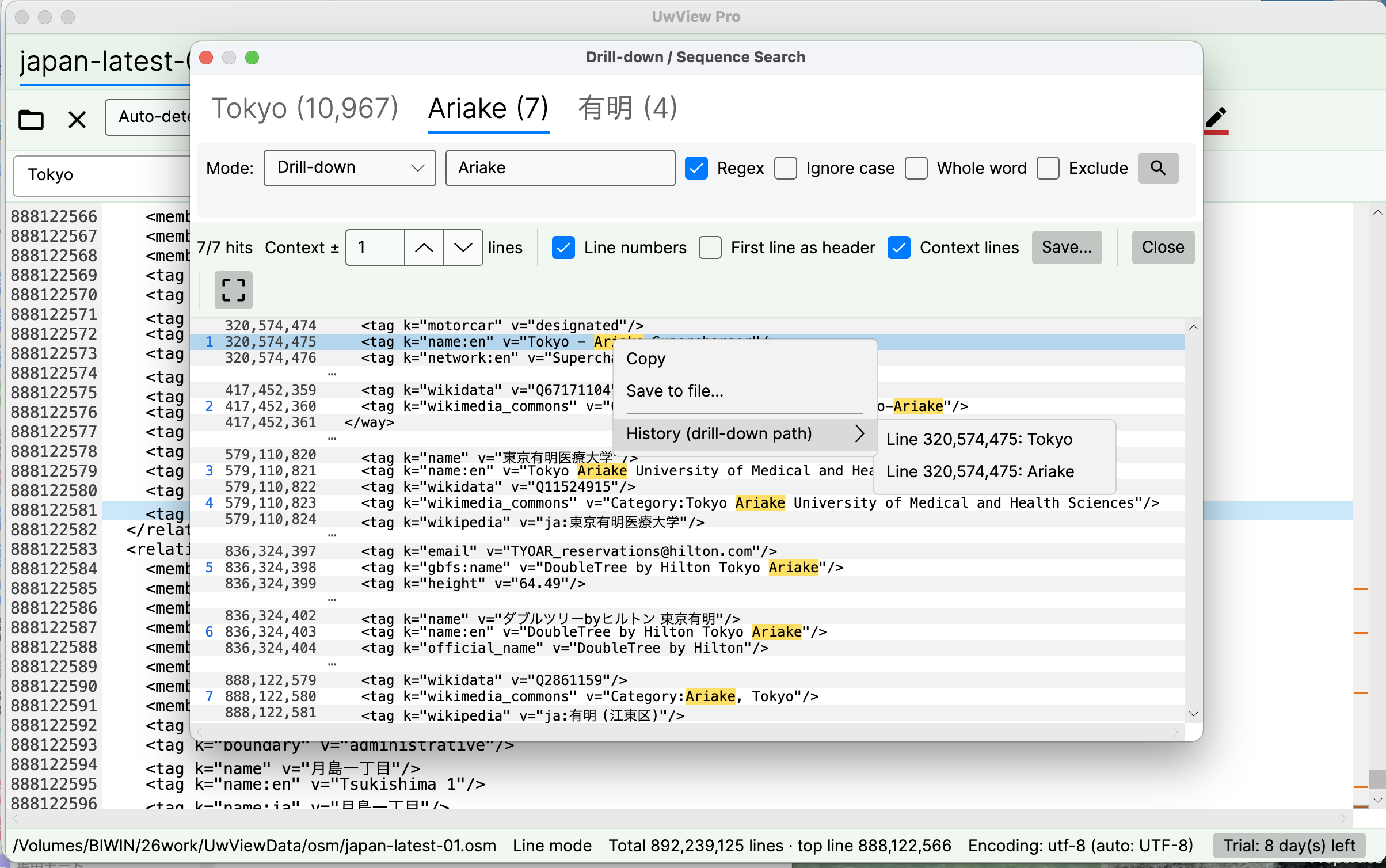
A follow-up to Drill-down Search: the same tabbed UI now has a second mode, Sequence Search.
What does searching by “order” mean?
Drill-down finds words that occur near each other. Sequence Search finds order: only the places where w1 → w2 → w3 appear in that sequence.
In log terms: you want only the spots where “login → timeout → restart” happened in that order. An and/or search can only say “all three words are present” — but an incident is a story, and stories have order. A different order is a different incident.
In the security world this is exactly Elastic EQL’s sequence and Splunk’s transaction — but both require the data to be ingested into a server first. Almost nothing lets you do this against a multi-gigabyte file sitting on your own machine.
Real example: 1,246 “New York → Central Park → coffee_shop” flows in 4.5 billion lines
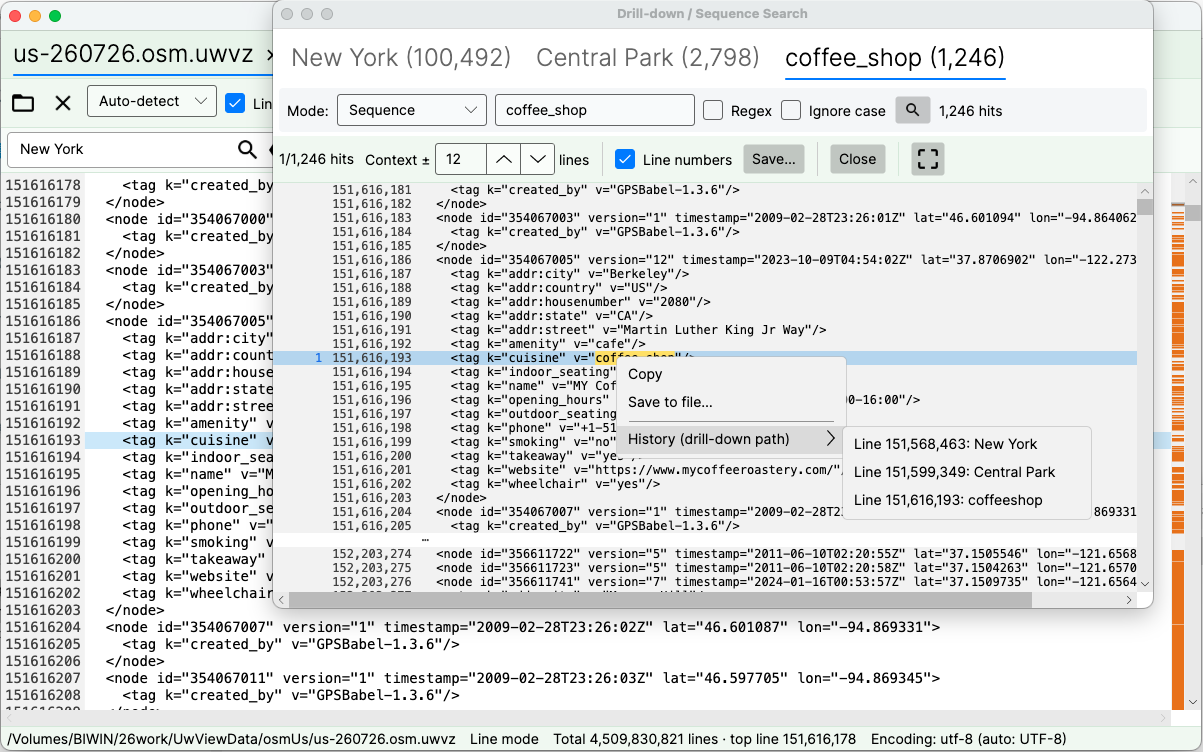
The screenshot above is the entire US OpenStreetMap extract — 258.68 GB, 4,509,830,821 lines, searched directly from its compressed .uwvz archive:
New York (100,492) → Central Park (2,798) → coffee_shop (1,246)
“New York” appears 100,492 times. 2,798 of those are later followed by “Central Park” — and 1,246 flows continue on to “coffee_shop”. Note how different this is from Drill-down on the same three words (100,492 → 226 → 3): Drill-down finds the words near each other; Sequence links occurrences in order, however far apart — the flow in the screenshot chains hits tens of thousands of lines apart (line 151,568,463 → 151,599,349 → 151,616,193). Usage is identical to Drill-down: switch the refine bar’s mode to “Sequence” and keep adding words.
If an earlier word reappears mid-match, the automaton restarts from it (New York → Central Park → another New York? Matching resumes from the new New York). What survives is only the clean, uninterrupted flow.
The path itself is visible — the History menu
My favorite part of this implementation is the right-click menu on any result.
Open History (drill-down path) and you see the position of every word that formed that sequence — e.g. “line 151,568,463: New York → line 151,599,349: Central Park → line 151,616,193: coffee_shop” — and you can jump to the file at any of those lines.
No reverse-engineering “why did this line match?” in your head. You see the actual path of the matched flow, and you can walk it. Even EQL and Splunk don’t show it this directly.
Speed
Each stage of Sequence Search scans the file body starting from the previous stage’s result positions. The starting points are narrowed, but the processing itself is equivalent to a full-text search — so each stage takes roughly as long as a full-text search. This is the one way it differs from Drill-down, where stages after the first are instant (Drill-down only re-searches inside the previous stage’s ±N context blocks). As with Drill-down, the ±N context lines are set independently per stage.
Get it
Drill-down and Sequence Search ship in UwView Pro — released and available now (introduced in V1.3; current release v1.7.3.6 “Wide Field”). The free edition keeps the classic single-stage search with ±1 context and result export.
UwView Pro is available on Polar (V1.4.0 added the Edit Upgrade for non-destructive editing). Every license comes with a 14-day free trial — get a trial key on Polar, no payment details required.
- UwView Pro — View License (Polar — one-time or monthly; 14-day free trial; prices on the product page): https://buy.polar.sh/polar_cl_37MuoKb8WjSfLZ7hhjaTTzwAVBxu2XyqbnuWe3aGzbj
- UwView Pro — Edit Upgrade (one-time or monthly — requires an active View License): https://buy.polar.sh/polar_cl_JTfnSNp9cywCIKbvOMMzRuqdeUvw4T9bMrIZ53dMJQ1
- UwView Pro (Edit) — 14-day Free Trial (free; full View + Edit features, key expires after 14 days): https://buy.polar.sh/polar_cl_Iidw8Bhz2KibMCWLMKYPT04MqdqTixrdUkQ630Im06l
- UwView Pro product page: https://uvp.y42u.net/en/pro-en/
- Free UwView: https://github.com/amru195704/UwView
The “UwEditor Pro” in the screenshot title bar is the build name of what is now UwView Pro’s Edit Upgrade license (V1.4.0 and later), which adds non-destructive editing (replace-all, pause, resume) on top of the View License.