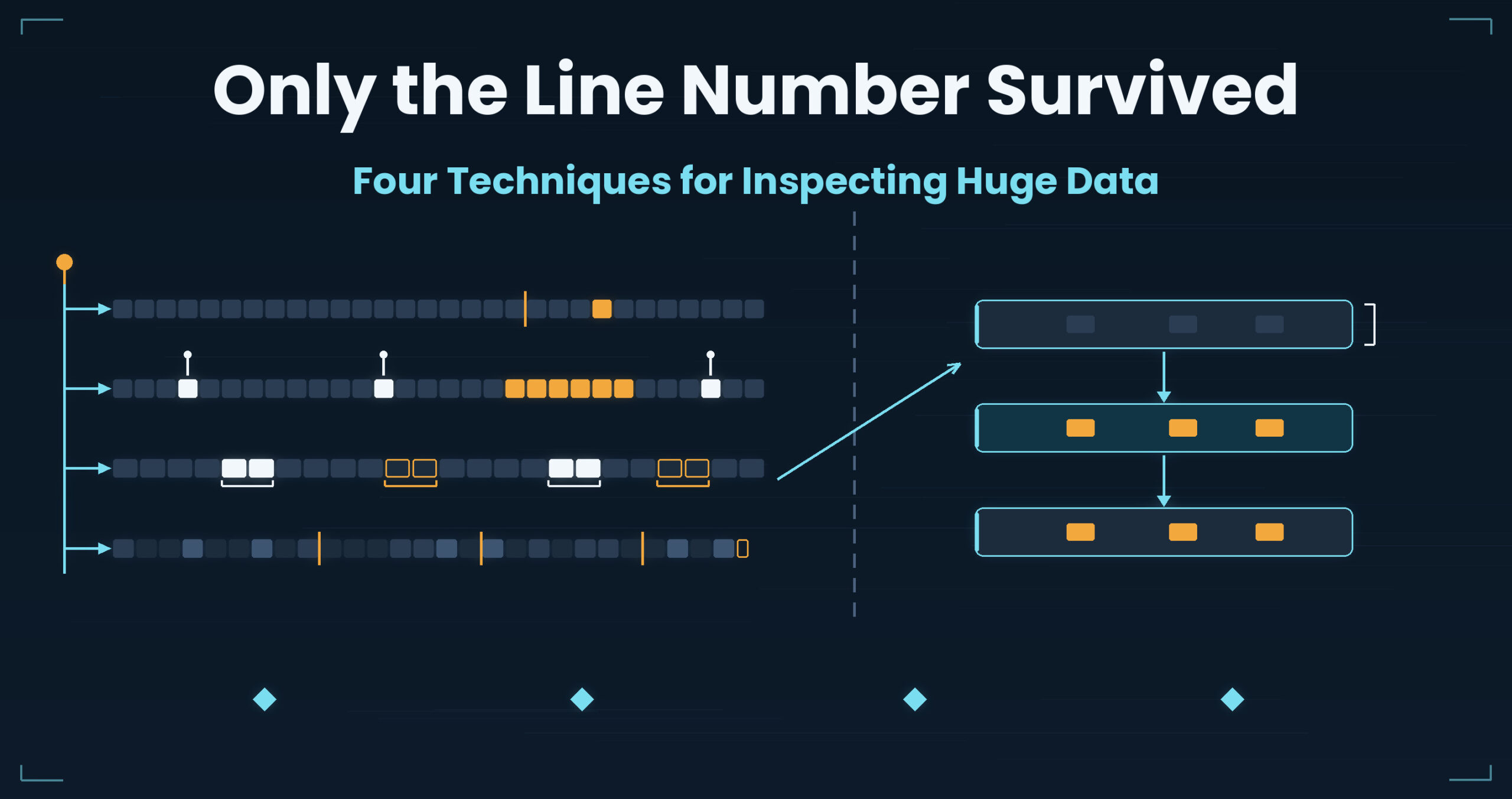
It died at line 8,342,119.
That is the entire lead. The file is 12 GB and the migration sign-off is the day after tomorrow. Can you go and look at that line right now?
A line number is not an address.
Data inspection looks like incident response but is a different job. An incident ends when you know the cause. An inspection ends only when you can say “I looked at all of it.” And on a migration, inspection runs across several days: you stop halfway, and the next morning you start by opening the same file again.
Four situations: pinning down the line a parser died on, inspecting hundreds of millions of rows in full, judging duplicates, and mixed line endings. Different tasks; all four jam on the same single point.
- Up front: UwView jumps to a line number and lets you read around it in the original, and with UwView Pro’s Edit Upgrade your fixes accumulate in a diff sidecar (.ewvz) — so you can correct a multi-gigabyte file without rewriting the original, stop halfway, and resume the next day (measured during development: 21,994 replacements across a 10 GB, 100-million-line file in 16.8 s on one setup; results vary — details at the end)
- 1. You have the line number. You cannot see the line
- 2. Getting to where you can say “I looked at all of it”
- 3. 120,000 duplicates — and no way to tell which ones may go
- 4. Three parties, three different row counts
- What the four had in common
- The tool I use
- Links
Up front: UwView jumps to a line number and lets you read around it in the original, and with UwView Pro’s Edit Upgrade your fixes accumulate in a diff sidecar (.ewvz) — so you can correct a multi-gigabyte file without rewriting the original, stop halfway, and resume the next day (measured during development: 21,994 replacements across a 10 GB, 100-million-line file in 16.8 s on one setup; results vary — details at the end)
1. You have the line number. You cannot see the line
Situation
You feed the migration CSV to a loader and it stops with this:
ParserError: Error tokenizing data. C error: Expected 12 fields in line 8342119, saw 14
12 GB, roughly 42 million rows. The error is generous — it gives you the line number, the expected field count and the actual one. And still you cannot see the line.
Why it happens
Because a line number is not bound to a position in the file.
A text file has no table of contents. Reaching line 8,342,119 means counting 8,342,118 newlines from the start. On 12 GB, that scan runs every single time. The smallest possible operation — look at that line — costs you the size of the file.
There is a nastier layer. The line number may not even be right. CSV allows newlines inside quotes. One value like "note","effective from\nApril 2026" and the parser’s logical line count diverges from what wc -l counts, for the rest of the file. When the parser says “line 8342119”, there is no guarantee that this is physical line 8,342,119. The break is usually not on that line but somewhere before it.
And as an inspection task, this is where the real cost starts. Fix one record, rerun, and it dies on the next bad row. One run reveals one defect, which turns the week into whack-a-mole.
What general tools do, and where they stop
Cut the line out. That’s the standard move.
sed -n '8342119p' migration.csv                    # the line
sed -n '8342100,8342140p' migration.csv            # with surroundings
awk 'NR>=8342100 && NR<=8342140' migration.csv
grep -c '"' migration.csv                          # how many quotes are there
One line to write. That isn’t where it stops.
Three limits. First, every change of width re-runs the scan. Forty lines isn’t enough, so you widen to two hundred — a decision you can only make after looking. Yet sed insists you choose the range beforehand, and counts from the top again each time you change your mind. The reopening wait from Part 10 shows up here many times inside a single investigation.
Second, nothing bridges the logical and physical line numbers. sed only knows physical lines. When the slice taken at the parser’s line number turns out to be irrelevant, nothing in this workflow tells you where to look instead.
Third, fixing it means rewriting 12 GB. sed -i, or writing out from awk, both regenerate the whole file. A one-character correction costs the size of the file in time and disk. And if the rewrite dies partway, you now begin by working out which of the original and the new file is correct. This last step is why inspection has such a high failure cost.
2. Getting to where you can say “I looked at all of it”
Situation
You are signing off on a migration set of a few hundred million rows. With no read on how the corruption is distributed, you check the first thousand rows, the last thousand, and a random sample of ten thousand.
The reply to your report: “Does that mean you’ve seen all of it?“
Why it happens
Because corruption isn’t spread evenly.
Migration defects usually cluster. One period of the old system. One vendor’s batch. Records containing one particular character. When there is a single cause, the blast radius is a single region.
Random sampling is designed to catch anomalies that are thin and widely spread. Pull ten thousand rows out of a few hundred million and the sampling rate is tiny — an anomaly packed into ten thousand rows slips straight through the mesh. “The sample showed nothing” is not evidence of absence. It can hold up as statistical quality assurance and still fail an acceptance test where one missed record means re-running the migration.
Inspection also doesn’t finish in a day. You scan hundreds of millions of rows repeatedly with changing conditions, and you cross midnight. The next morning starts with remembering how far you got.
What general tools do, and where they stop
Sample, look, change the condition.
awk 'NR%1000==0' huge.tsv | less                   # every thousandth row
shuf -n 10000 huge.tsv > sample.tsv                # random sample
awk -F'\t' 'NF!=18 {print NR": "NF}' huge.tsv      # line numbers with wrong field counts
awk -F'\t' '$7 !~ /^[0-9]{4}-[0-9]{2}-[0-9]{2}$/ {print NR}' huge.tsv | head -50
The third and fourth are good moves. They run the machine over everything and hand you a list of line numbers.
Three limits. First, a list of line numbers is where it stops. “120,000 rows match” doesn’t tell you whether those are genuine defects or whether your predicate was sloppy. Finding out means looking at the rows — and looking at a row is Part 1’s problem, waiting for you 120,000 times.
Second, what you looked at leaves no trace. The place you scrolled to in less, the conditions you typed — gone when the terminal closes. Tomorrow’s you retypes yesterday’s conditions from memory. Writing “which conditions covered which range” into the sign-off document has sent more than one person back through the whole thing a second time.
Third, the number of reopens is the schedule. Inspection is the act of going back in with a different condition. If one scan takes minutes, ten scans take an hour. The data you decided to keep in Part 4 becomes, here, the thing that charges you that wait every time you open it.
3. 120,000 duplicates — and no way to tell which ones may go
Situation
A duplicate check on master data. You sort, pipe through uniq -d, and get 120,000 hits.
You have the count. Nothing moves after that.
Why it happens
Because business rules decide what counts as a duplicate.
A machine can only judge equality. Real data mixes at least three cases: genuinely identical rows; rows sharing a key with different contents (a human decides which is authoritative); and rows that are identical and legitimately present more than once — routine in history tables and many-to-many join tables.
Breaking the 120,000 into those categories is human work, and the judgement has to be recorded with its basis. Sign-off wants “120,000 flagged as duplicates; 80,000 deleted, 40,000 judged legitimate; criteria as follows.”
Then the huge-file constraint lands on top. The moment you ran sort, the original order was gone. You cannot answer “which two lines of the original is this duplicate?” The deletion instruction has to be written in the original’s coordinates, and those coordinates are no longer in your hands.
What general tools do, and where they stop
Sort and count.
sort -t, -k1,1 master.csv | uniq -d -f0 | wc -l    # how many duplicates
awk -F, 'seen[$1]++ {print NR": "$0}' master.csv   # second-and-later, with line numbers
sort -t, -k1,1 master.csv | uniq -c | sort -rn | head -20
The second one has the right shape: counting with an associative array instead of sort, so the original line numbers survive.
Three limits. First, memory decides which technique you get. An awk associative array holds one entry per distinct key. Hundreds of millions of rows with tens of millions of distinct keys, and it dies. When it dies you fall back to sort, and sort costs you the line numbers.
Second, sort wants scratch space. Sorting hundreds of millions of rows takes working space in /tmp about the size of the input. No space left on device on the work server is a familiar way for an inspection to stall.
Third, you cannot write the judgement back. Suppose you review the 120,000 and decide “delete these, keep those.” Applying that to a multi-gigabyte original is still ahead of you. With whole-file rewriting, you get the inversion where the write-back is riskier than the judgement. The line from Part 9 — “once you’ve transformed it, it isn’t the original any more” — arrives here in its sharpest form, because in an inspection the transformed file is the deliverable.
4. Three parties, three different row counts
Situation
Three reports on the same file. wc -l says 42,108,551. The migration program’s log says 42,108,549. The person on the legacy side says 42,108,554.
Five rows apart — and you cannot tell whether five records vanished somewhere or three tools simply count differently.
Why it happens
Because “a line” means different things to different tools.
wc -l counts LF bytes. A file with no trailing newline therefore reports one line short. CRLF contains an LF and gets counted, but a lone CR — from old Macs, or born midway through a mainframe conversion — does not. Most parsers and text editors, meanwhile, do treat a lone CR as a line break. That is where the numbers separate.
There is also the raw CR sitting inside a field, typically a newline pasted into a web form and stored verbatim. Whether that one byte is a record separator turns one record into two. Same shape as the line drift from Part 11: the cause is one invisible byte.
You cannot let a row-count gap slide, because it becomes records attached to the wrong entities. Read a file that is five rows out with a fixed-layout reader and, past a certain point, every record belongs to somebody else.
What general tools do, and where they stop
Line up the counting methods.
file data.txt                        # does it say "CRLF line terminators"
grep -c $'\r' data.txt               # lines containing a CR
grep -c $'\r$' data.txt              # lines ending CRLF
tr -d '\n' < data.txt | wc -c        # for reference: bytes without LF
cat -A data.txt | sed -n '100,120p'  # make ^M and $ visible
Once you get to cat -A, the cause is usually identified.
Three limits. First, you don’t learn where the mixing is. grep -c returns a count, not a distribution. In migration data the mixing should cluster in one batch or one period, and the distribution is the diagnosis. A count alone won’t take you there.
Second, cat -A only shows what you piped through it. Jumping to the mixed region somewhere inside 42 million rows returns you to Part 1’s problem.
Third, the repair is blunt. dos2unix and tr -d '\r' rewrite the original. Beyond the cost of regenerating tens of gigabytes, they flatten the deliberate CRs inside fields along with everything else. “Fix only the CRs that act as line separators, keep the ones inside values” is not something a blanket conversion can express. And once you have rewritten, the baseline you would compare against is gone.
What the four had in common
| Situation | What the machine produced | What a human needs to confirm | Where general tools stop |
|---|---|---|---|
| The line a parser died on | one line number | what surrounds that line | no jump from a number to the actual line |
| Full inspection of 100M+ rows | a list of matching lines | where the defects cluster | coverage and conditions leave no trace |
| 120,000 duplicates | a count of matches | which ones may be deleted | counts come back, coordinates don’t |
| Mixed line endings | three different row counts | where the mixing occurs | repairing means rewriting the original |
The gap between columns two and three is what this job actually is. Every machine answer here is correct. The line number, the count, the discrepancy — all facts. Work stops because there is no way to put those numbers against the actual data. Inspection ends with a person looking and signing. You cannot sign a number.
Column four agrees. It always stops at the moment you think “right, let me look at that line.” And past that sits a heavier wall: repairing means rewriting the original. Rewriting tens of gigabytes is slow, and when it fails you lose the original with it. On work you do once every few months, that failure cost sets the caution level for the entire project.
Three things are needed.
- A jump from a line number to the actual line, without waiting — Part 1’s “a line number is not an address” solved, and room to widen the surroundings once you land.
- Coverage and conditions that persist — inspections span days. You should be able to resume tomorrow where you stopped, and to state in the sign-off which conditions covered what.
- Repair that doesn’t rewrite the original — corrections accumulating as a diff, the original left intact, the work interruptible, and a way back if it goes wrong.
Back to “it died at line 8,342,119.” What decides whether this inspection takes days or a week isn’t the precision of the error message. It’s how long it takes for that line number to produce the actual line, and whether repairing it means betting the original.
The tool I use
I build UwView (free), a viewer that displays, scrolls and searches a huge text file from the moment it opens. Indexing runs in the background and line numbers appear when it completes (most other viewers show only the head until indexing finishes). Nothing is split and nothing is extracted: the original stays one file, unmodified.
- Jump by line number: Part 1’s line 8,342,119 opens where it is. You land in the original, so you can widen the surroundings as much as you want — no range to commit to in advance the way
seddemands. - Save the conditions and resume tomorrow: frequent searches can be kept as predefined filters, and the session is restored. Against Part 2’s “coverage leaves no trace”, the conditions themselves become an artefact you keep.
- Narrow a result, then narrow that: drill-down search runs a new search against the previous result. Part 3’s “sort 120,000 duplicates into categories” stacks on screen with no extract file created, and every entry jumps back to its line in the original, so the coordinates are never lost.
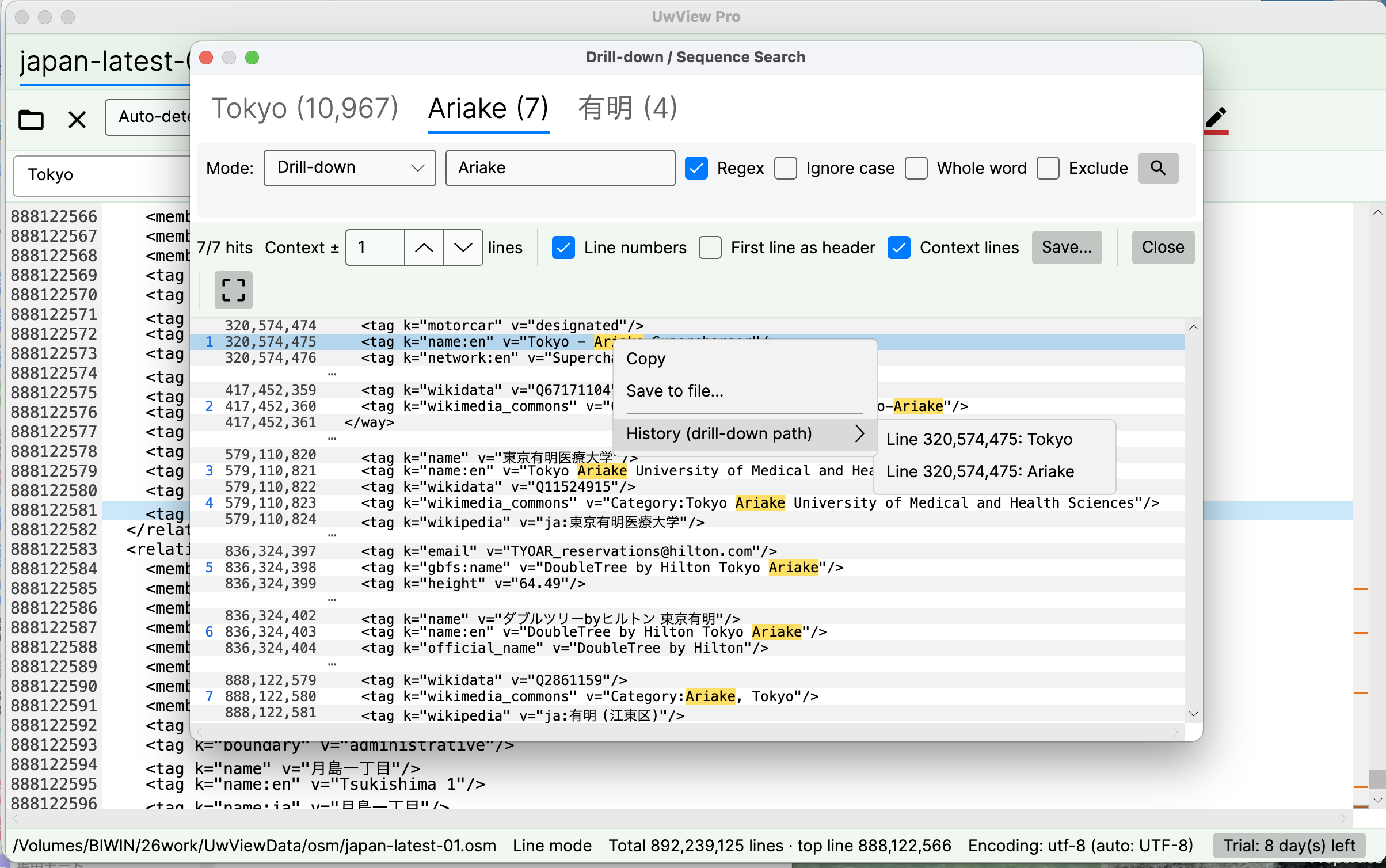
This screen is the answer to sections 1 and 2. The tabs keep every stage with its count — Tokyo (10,967) → Ariake (7) → 有明 (4) — and the right-click History (drill-down path) lists Line 320,574,475: Tokyo → Line 320,574,475: Ariake: which term caught the row, at which original line number. That original line number is precisely what a sort or a grep pipe throws away. Here it survives on an 892-million-line file, and you can jump to it. When it’s time to write “which conditions, how far did we check” into the sign-off document, that path is the evidence.
– Make reopening cheap: UwView Pro persists the index and compression, so every open after the first comes back with line numbers already there (measured at 0.02–0.07 s on a 47.73 GB text file, on one specific setup; results vary). Across Part 2’s multi-day return trips into the same file, that difference shows up in days.
And the part this series has kept running into — repairing means rewriting the original — is what the Edit Upgrade in v1.4.0 addresses.
- It never rewrites your original. Corrections and mass replacements accumulate in a diff sidecar (
.ewvz). The original stays put, so your baseline for comparison is still there at the end. - The cost of a fix doesn’t scale with file size. Measured during development: 21,994 replacements across a 10 GB, 100-million-line file in 16.8 s (the measurement write-up — macOS, external SSD, an already-
.uwvzfile, one run; results vary). - Stop, and continue tomorrow. You can pause and resume without re-saving the whole file — the property that multi-day work in Parts 2 and 3 actually needs.
To be straight about it: UwView is not a validation tool. Part 2’s “pull every row with the wrong field count” belongs to awk; this tool’s turn is after that, putting the resulting line numbers against real data. It does not understand CSV columns — no sorting by column name, no type checking, no schema inference, so expecting a “huge CSV editor” will disappoint. It does not aggregate, either; counting Part 3’s duplicates is work for sort and uniq. And the Edit Upgrade operates on .uwvz files: the design is to convert first and then edit, not to patch a raw CSV in place. The Edit Upgrade is an add-on to the View License and does nothing on its own. What it does is find things, show you the actual data, and let you fix it without breaking the original.
The same things, from the command line
v1.6.0 added a uvp command (and uvf for the free build). It uses the same .uwvz as the GUI, so an index built from the shell is already there when you open the file in the app. One thing to state up front: typing a line number to jump, and Edit Upgrade’s editing, are GUI features — neither exists on the command line. The shell side finds things and writes them out; the repair stage you hand over with -open. Mapped onto this article’s four parts:
# Part 1: pull the broken record by a distinctive string, with three lines of context
uvp export.csv 'ORD-9F31A' -C 3

# Part 1, continued: hand it to the GUI to jump by line number and widen further
uvp export.csv 'ORD-9F31A' -C 3 -open

# Part 2: keep the condition and the result in a form you can attach to the sign-off
uvp export.csv -E '^[^,]*,,' -out check-empty-key.txt

# Part 3: sort 120,000 duplicates into categories by key frequency
uvp export.csv -uniq '^([^,]+),' -head 30

# Part 4: once it's a .uwvz, the same query still runs after the original goes back
uvp export.csv.uwvz 'ORD-9F31A'
Exit codes are grep’s — 0 found, 1 not found — plus 2 when a limit is hit and the output is cut off (no limit by default; only when you set one with -limit N). For part 2’s “I looked at all of it”, where the same checks run the same way every time, if uvp export.csv -E '^[^,]*,,'; then gives you an inspection script that branches on whether anything turned up.
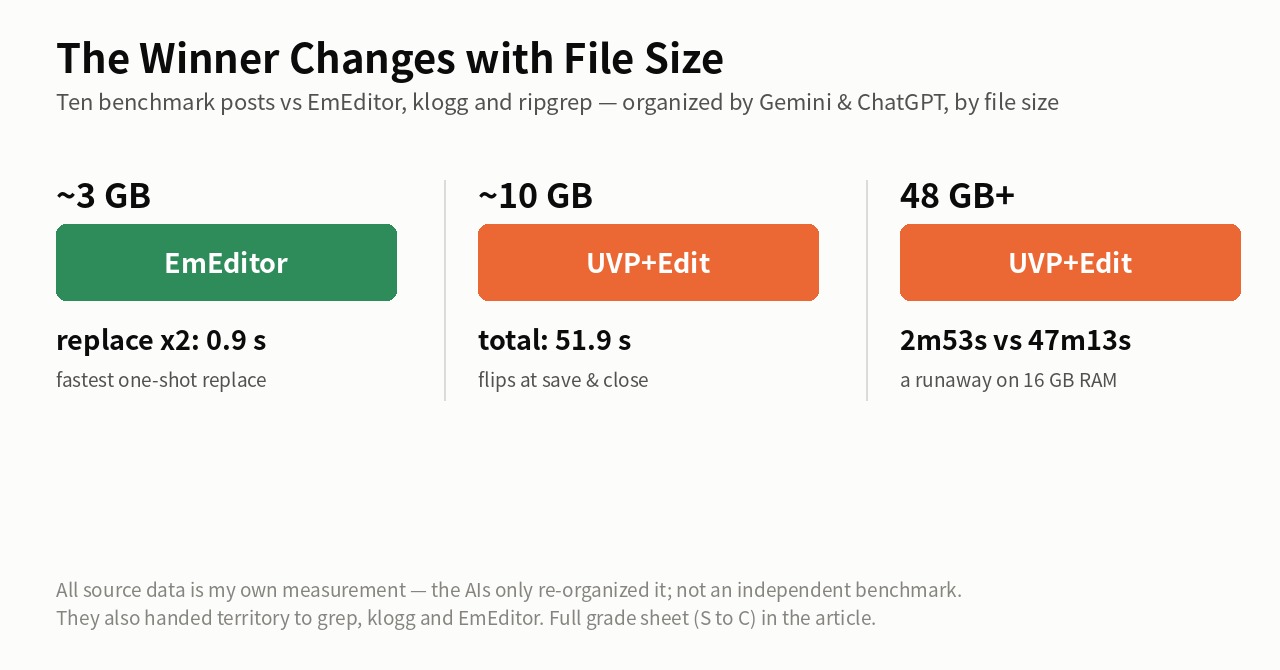
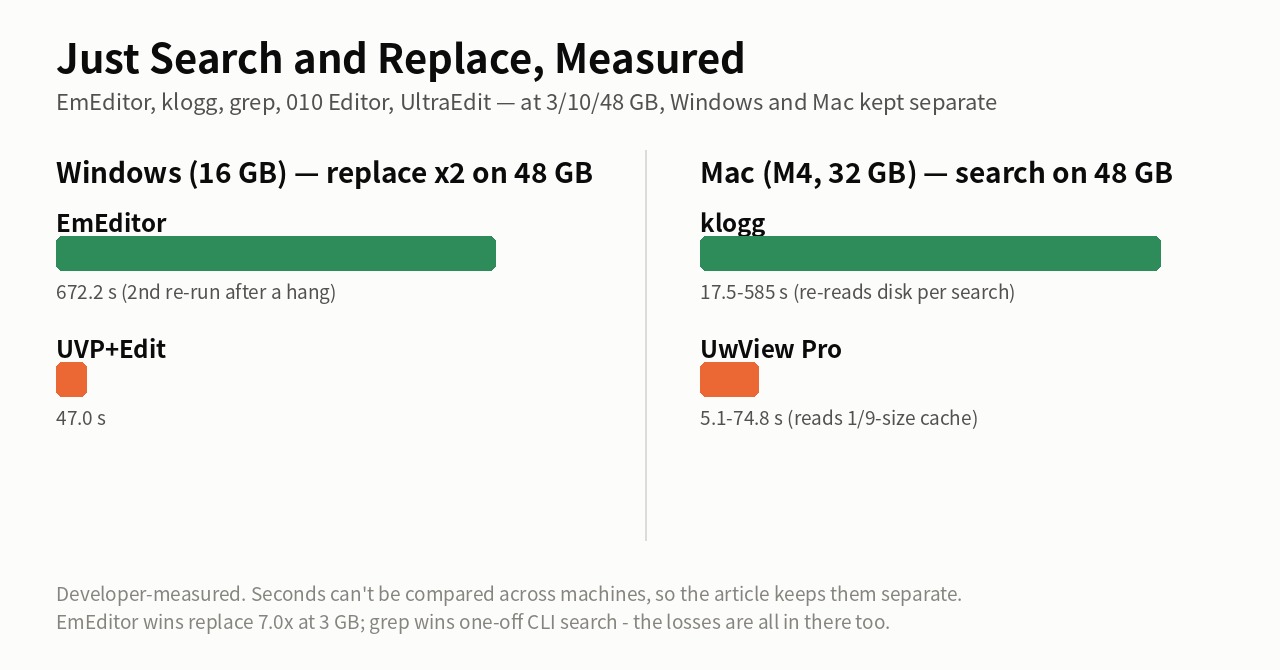
Stated honestly: on the first question uvp is a little slower than ripgrep — it builds its .uwvz (a compressed cache plus index) first, 59.0 s against 54.9–55.8 s at 50 GB, 6–7%. In v1.6.6.1 it searches while building the index instead of re-reading it afterwards, which cut 6.7 s. It starts paying from the second question: the same 50 GB search takes 6.6 s against ripgrep’s 55–57 s — 8.4×. On a small file such as 3 GB the two are level, because an index has little to earn there. The free uvf is level with ripgrep at every size (the measurements; Mac M4, external USB SSD, OpenStreetMap XML — one setup, results vary).
If you’re facing a migration-dump repair you only do once every few months — the kind of multi-day job you cannot afford to get wrong — try it first.
- Try free for 14 days (full View + Edit, no payment details)
- UwView Pro (View) — persistent index, compressed-cache search and ~1/9 storage make both reopening and searching a step faster (all OS, one-time or monthly)
- Edit Upgrade — non-destructive diff editing, mass replacement in huge files, pause and resume the next day (an add-on to the View License)
Links
- Part 1 — Four familiar tools that drown in huge files: https://uvp.y42u.net/en/blog/uwview-ps01-huge-file-tool-limits-en/
- Part 2 — Four techniques for tracing causality in logs: https://uvp.y42u.net/en/blog/uwview-ps02-log-causality-tracing-en/
- Part 3 — Four character-encoding traps and how to isolate them: https://uvp.y42u.net/en/blog/uwview-ps03-japanese-encoding-traps-en/
- Part 4 — Delete, keep, or compress: deciding what to do with read logs: https://uvp.y42u.net/en/blog/uwview-ps04-log-retention-decision-en/
- Part 5 — Four ways to live with development logs: https://uvp.y42u.net/en/blog/uwview-ps05-debug-log-practices-en/
- Part 6 — Four steps through tens of millions of auth log lines: https://uvp.y42u.net/en/blog/uwview-ps06-intrusion-triage-auth-logs-en/
- Part 7 — Four ways to use timestamps as evidence: https://uvp.y42u.net/en/blog/uwview-ps07-timestamp-driven-triage-en/
- Part 8 — Keeping logs compressed and still searchable: https://uvp.y42u.net/en/blog/uwview-ps08-compressed-archive-search-en/
- Part 9 — Four times you need the raw bytes: https://uvp.y42u.net/en/blog/uwview-ps09-read-raw-structured-data-en/
- Part 10 — Four things you set up for your 2 a.m. self: https://uvp.y42u.net/en/blog/uwview-ps10-oncall-night-preparation-en/
- Part 11 — Reading legacy encodings in 2026: https://uvp.y42u.net/en/blog/uwview-ps11-legacy-encoding-euc-utf16-en/
- Part 12 — Four support-desk log investigations: https://uvp.y42u.net/en/blog/uwview-ps12-support-inquiry-log-tracing-en/
- Measuring a mass replacement across 100 million lines: https://uvp.y42u.net/en/blog/uep-100m-lines-replace-all-en/
- Narrowing a result and then narrowing that (drill-down search): https://uvp.y42u.net/en/blog/uvp-drilldown-search-en/
- Searching by order, not just by content (sequence search): https://uvp.y42u.net/en/blog/uvp-sequence-search-en/
- We shipped a
uvpcommand (measured against ripgrep): https://uvp.y42u.net/en/blog/uvp-cli-release-vs-ripgrep-en/ - Source code (GitHub): https://github.com/amru195704/UwView
From the developer: A full list of my apps, Kindle books and open-source work lives at GitHub: amru195704.
A note
This article is provided for reference and makes no guarantee of accuracy or completeness. The error messages, row counts and match counts shown are illustrative examples and do not represent any specific real dataset or project. Quote handling in CSV and the treatment of line endings vary between parsers, libraries and versions. Measured figures come from one specific environment and are not a promise of the same result elsewhere. Command examples may need adjusting for your environment (GNU vs BSD,awk,sortandgrepimplementation differences, whether your shell expands$'\r'). Handling of migration data should follow the policies of your organisation and your client. If you spot an error or something inaccurate, please leave a comment and I’ll check and correct it.