“Just import this multi-gigabyte file into a database, or split it up.”
For steady-state operations, that is the right answer. But the field reliably produces moments where you must wrestle the raw text directly: an incident with no time or disk space to build a database, or a training pipeline killed by a handful of malformed lines somewhere in a 100-million-line dataset.
Here is what actually happens when a typical 16 GB-RAM laptop meets tens of gigabytes and hundreds of millions of lines — with measured data. I develop the UwView series described below; every number is my own measurement, so discount accordingly.
The two big bottlenecks
| Field | The problem | Existing workarounds and their limits | What’s actually needed |
|---|---|---|---|
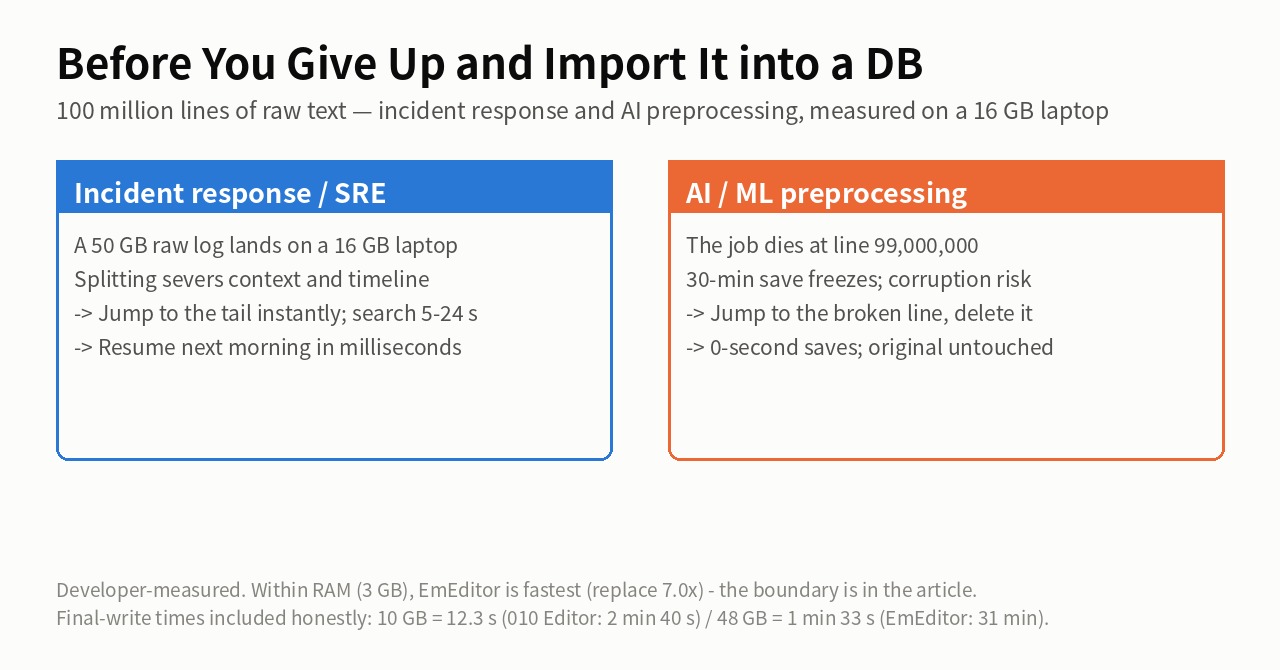
| Incident response / SRE | A customer sends a 50 GB raw log; you have a 16 GB laptop. Every search costs minutes; resuming next morning costs another long load | grep/ripgrep extraction severs context and timeline. Editors freeze the whole machine via swap. No space or time for a temporary DB | Jump to the tail or any position instantly; follow the log with context intact; resume next day in milliseconds |
| AI / ML preprocessing | A JSONL job dies at line 99,000,000 on a syntax error. Banned words or PII must be replaced in tens of thousands of places. Saving freezes for 30 minutes, and a crash mid-save corrupts the original | Fix the script and re-run for hours from the start. Save-as copies double your disk usage to protect the original | Jump straight to the broken line and delete it; pause work with a 0-second save; never touch the original file |
Measured, size by size — the boundary is RAM
~3 GB (100M lines; fits in RAM)
- EmEditor: two replacements in 0.9 s, 11.0 s total — the fastest. Within RAM, its replace engine is simply superior. I am not cutting this fact
- UwView Pro + Edit Upgrade: two replacements in 6.3 s, 14.1 s total. It loses the one-shot; it wins once 0-second mid-saves and instant next-day reopens enter the picture
- UltraEdit (Mac): replace-all 14.1 s, mid-save 4 s — brisk. It warns of slowdowns above 5 GB, but a 2026-09-14 re-measurement opened 50 GB in 1 m 11 s and searched it in 1 m 23 s (practical up to 50 GB for viewing and search)
~10 GB (100M lines; the RAM boundary)
- UwView Pro + Edit Upgrade: two replacements 12.41 s, save & close 10.2 s (51.91 s total)
- EmEditor: replacements 28.6 s — respectable — but “save & close” costs 187.3 s, for 229.9 s total
- 010 Editor (Mac): search 11.5 s, replace 16.3 s; saving to plain text takes 2 min 40 s, which becomes the tax on every interruption
~48 GB (892M lines; past RAM)
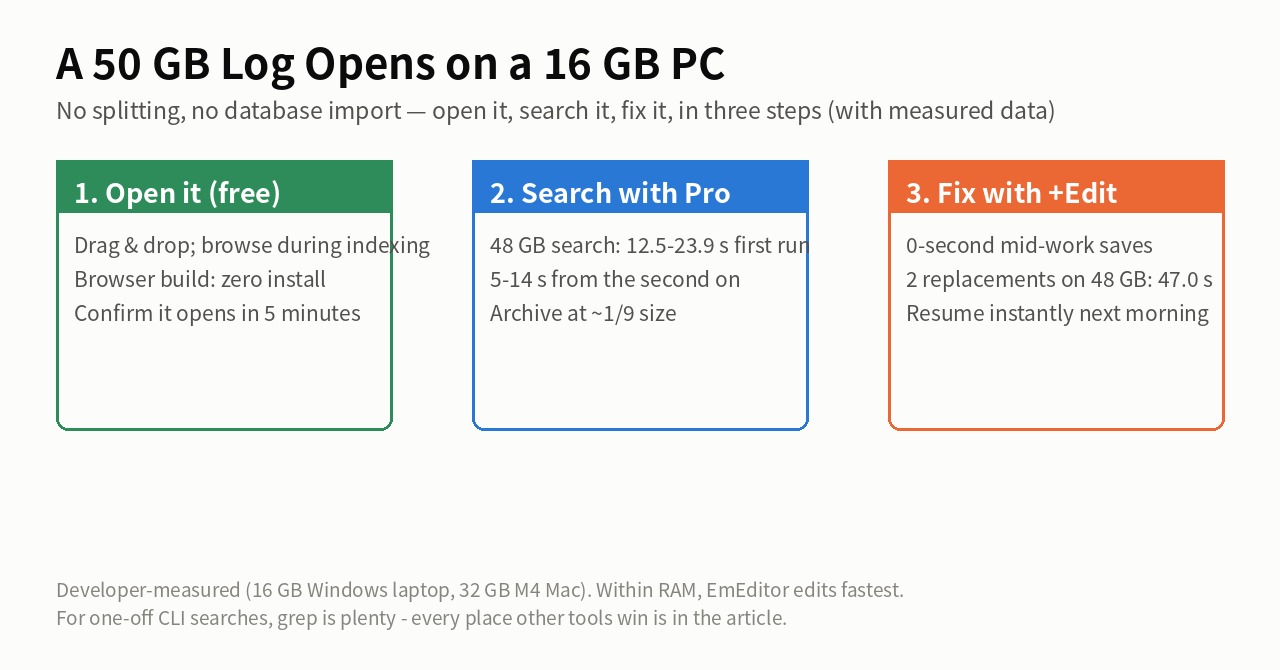
- UwView Pro + Edit Upgrade: whole file browsable immediately; search 12.5–23.9 s first time, 5–14 s after; two replacements 47.0 s; mid-work save 0 seconds
- EmEditor: ~4 minutes to reach the tail; replacements over 11 minutes (the second hung and was re-measured after a reboot); 31 minutes to save, every time
- klogg: view-only; re-scans the disk per search — ~10 minutes each on an external HDD
- grep / ripgrep: parallelism doesn’t pay on one huge file — grep 64.64 s, rg 71.49 s (fine for a one-off extraction)
The UwView editions (all support go-to-line)
- Wasm build (browser, free): no install; for locked-down machines and jump boxes. Browser limits apply — real work belongs in the apps
- Free desktop UwView: whole file browsable from the first moment; Japanese encoding auto-detection (Shift-JIS/EUC-JP); search context limited to ±1 line
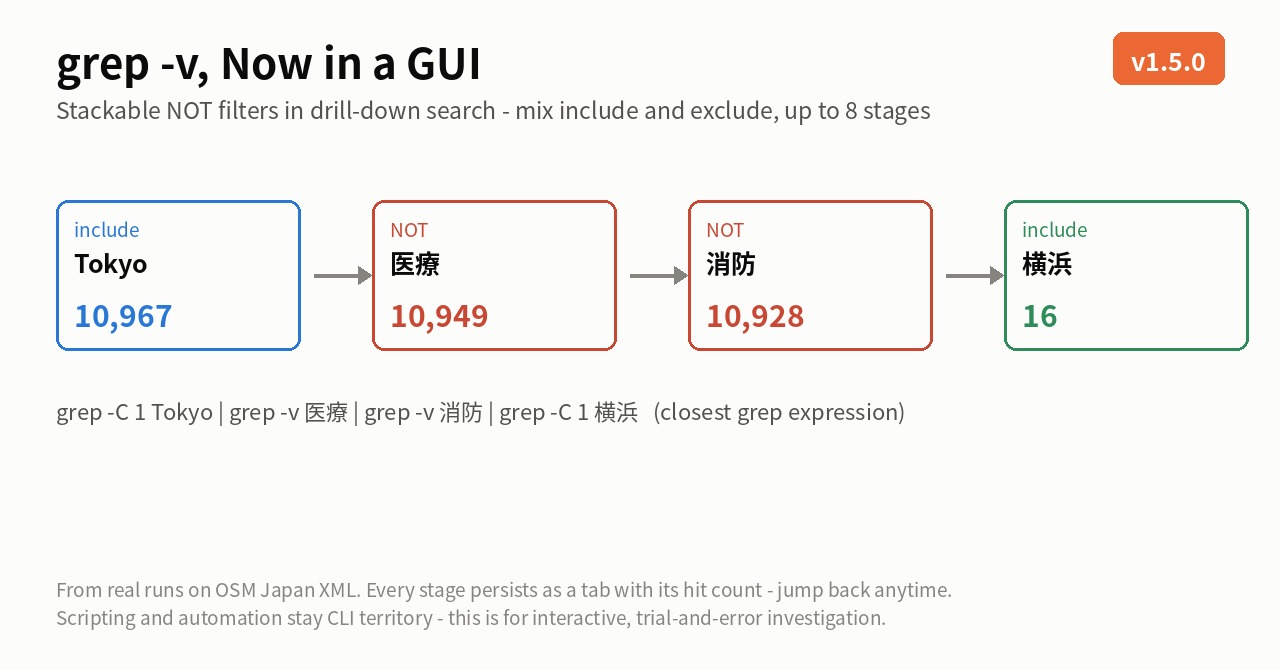
- UwView Pro: persistent index (.uwvz) makes every later open millisecond-fast; measured ~7.7× faster than klogg on 48 GB across three storage types combined; context to ±64 lines; context-preserving copy / column copy / save-hits-to-file, drill-down and sequence search
- UwView Pro + Edit Upgrade: adds non-destructive overlay editing (.ewvz) — line deletion, diff-based replace, one-pass rebuild that never touches the original; 0-second mid-work saves even at 50 GB
What “0-second saves” honestly means
It is not the time to write out the finished text. The original file is never rewritten; edits go into a small sidecar diff (.ewvz), so closing mid-work costs essentially nothing — and since the diff is always on disk, a crash loses no edits.
A multi-day job:
Day 1: open → search, replace, delete lines → close (~0 s)
Day 2: reopen (milliseconds) → more fixes → close (~0 s)
Final day: write the deliverable (once)
So how long is that final write? Real disk I/O happens there, so here are the honest numbers:
- ~10 GB: vs 010 Editor’s 2 min 40 s plain-text save — plain text in 12.3 s, compressed .uwvz in 5.8 s
- ~48 GB: vs EmEditor’s 31-minute save — one-pass .uwvz rebuild in 1 min 33 s (closing mid-work, which writes only the diff, takes 49.9 s)
A division of labor, not a ranking
This is not about which editor is better.
- Daily code editing, CSV shaping, macros, files that fit in RAM: EmEditor and its peers are the right tools
- The moment tens of gigabytes land on your everyday 16 GB laptop: UwView Pro / Edit Upgrade is the emergency kit
A way to handle raw text safely, on the spot, when there’s no time for databases or splitting.
UwView Pro is on sale (Windows, macOS, Linux — one license covers all three; one-time or monthly, with a 14-day free trial — editing features included). To just check whether your file opens, the free UwView is enough.
Full disclosure
- Every number is the developer’s own measurement (a 16 GB Windows laptop and a 32 GB M4 Mac; seconds are not comparable across environments). Not an independent benchmark
- EmEditor’s 48 GB replacement figure uses a value re-measured after the first attempt hung at 13 minutes and the PC was rebooted
- Within RAM, EmEditor edits fastest; for one-off CLI extraction, grep is plenty
- Rerun any of this under the same conditions and I will update the article to match
Source measurements
- How to Open and Search a 50GB Log File on a 16GB PC
- Losing at 3 GB, a Cliff at 50 GB — EmEditor vs UwView Pro + Edit Upgrade
- Search and Replace Only — measured at 3/10/48 GB
- 010 Editor, UltraEdit, and UwView Pro + Edit on Mac ARM
- Replacing 21,994 Matches in a 10 GB, 100-Million-Line File in 16.8 Seconds
From the developer: a list of my apps, Kindle books and public projects is on GitHub: amru195704.
A note
The information in this article is provided for reference purposes only, and we do not guarantee its accuracy or completeness. All measurements reflect the specific environments described above and may differ on other hardware. If you notice any errors or inaccuracies, please let us know in the comments and we will review and correct them.