It exists.
When I asked four AIs how to investigate a 50 GB log, Copilot recommended a tool I had never heard of: Log Voyager — and the claim attached to it was “opens 100 GB logs in your browser”. That sent me looking at what such a claim actually promises.
“Opens it” splits into three
Several tools now advertise that they open huge logs in a browser. I am not a bystander here — my own UwView has a WebAssembly build published for technical evaluation.
Trying a 47.73 GB file made one thing clear: “opens it” covers three quite different things.
| Stage | What it means |
|---|---|
| 1. It opens | Memory does not blow up and you see content |
| 2. You can reach the end | The last line is reachable (i.e. the total line count is known) |
| 3. You can search all of it | The whole file is searchable |
A tool that only satisfies 1 can still honestly say “opens NN GB in a browser”. It is not a false claim. But what a reader usually wants is 2 or 3.
The difference comes from design intent.
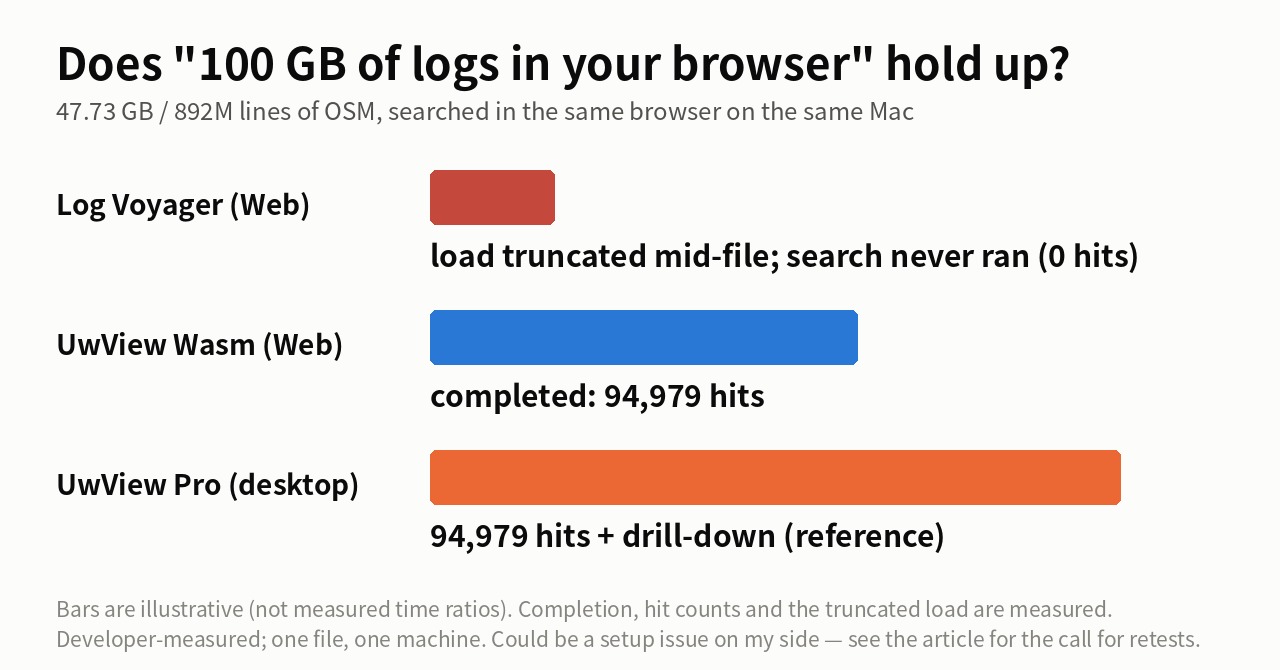
Some tools are built specifically for peeking into a huge file from a browser. Log Voyager, for instance, is described by its author on Show HN: the file is treated like a video stream, and implementing a conventional scrollbar without reading the total line count is hard, so the slider acts as a seek bar (thread). Its GitHub README adds that the timeline and error groups apply to the 50 KB window currently loaded.
So it is a viewer you address by byte position, not by line. Not counting lines is what makes it quick to start. As a design, that is coherent. Ranking tools with different purposes against each other does not tell you much.
Measured at 47.73 GB (UwView Wasm build)
- File: OpenStreetMap Japan XML — 47.73 GB, 892,239,125 lines (a single file)
- Search term:
東京 - Environment: MacBook Air (M4, 32 GB RAM, macOS 26.3.1), data on an external USB SSD, Chrome
- These are my own product’s numbers. Discount them as the author’s own measurements.
| Result | |
|---|---|
| UwView Wasm build (web, free) | Completed the search: 94,979 hits |
| UwView Pro desktop (for reference) | 94,979 hits, plus drill-down refinement |
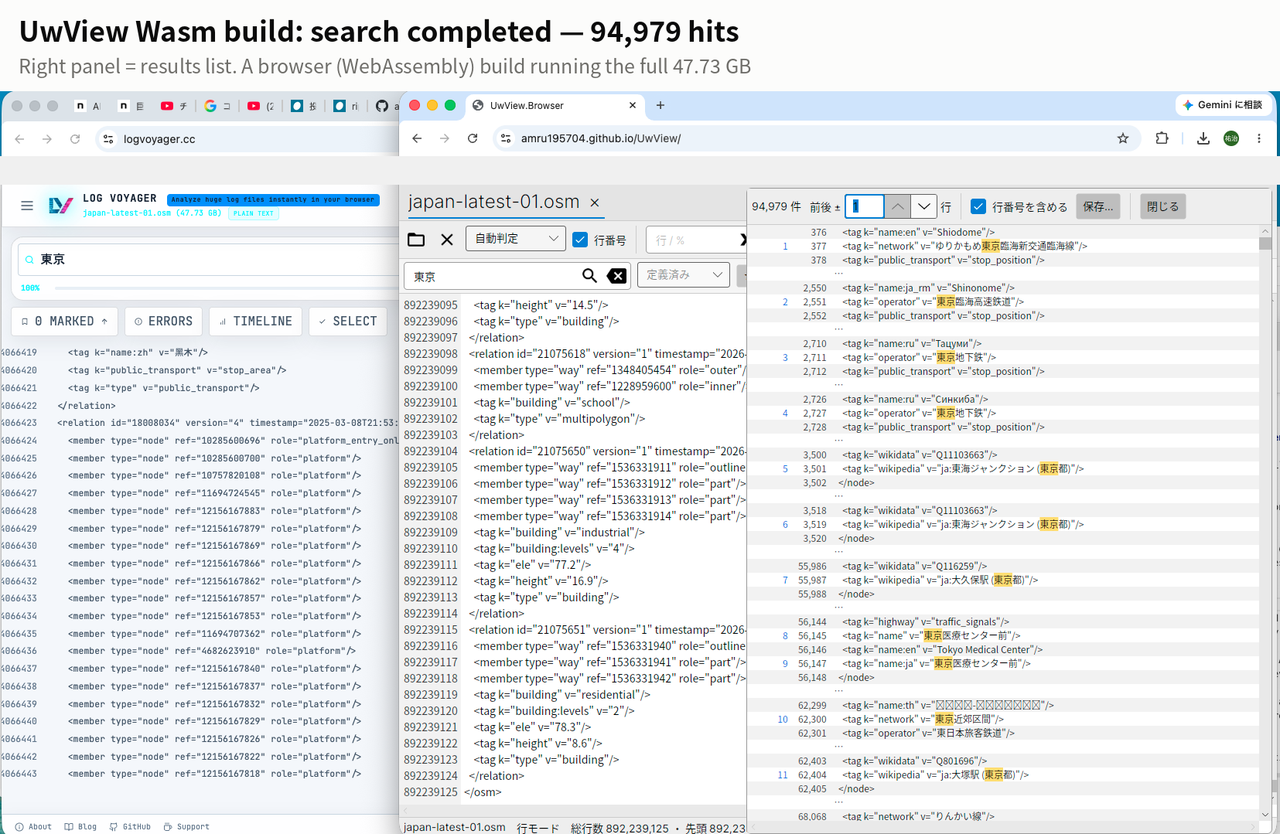
That reaches stage 3. But a browser still has a ceiling — the same Wasm build stalls at 51% of the load on a 250 GB file. Our browser build hits its own wall too, just further out.
Update, 2026-09-23 — now with seconds
When this went up I only checked whether the search finished. I did not time it.
The desktop build has since reached v1.6.6, so I measured all three again on the same file and the same machine.
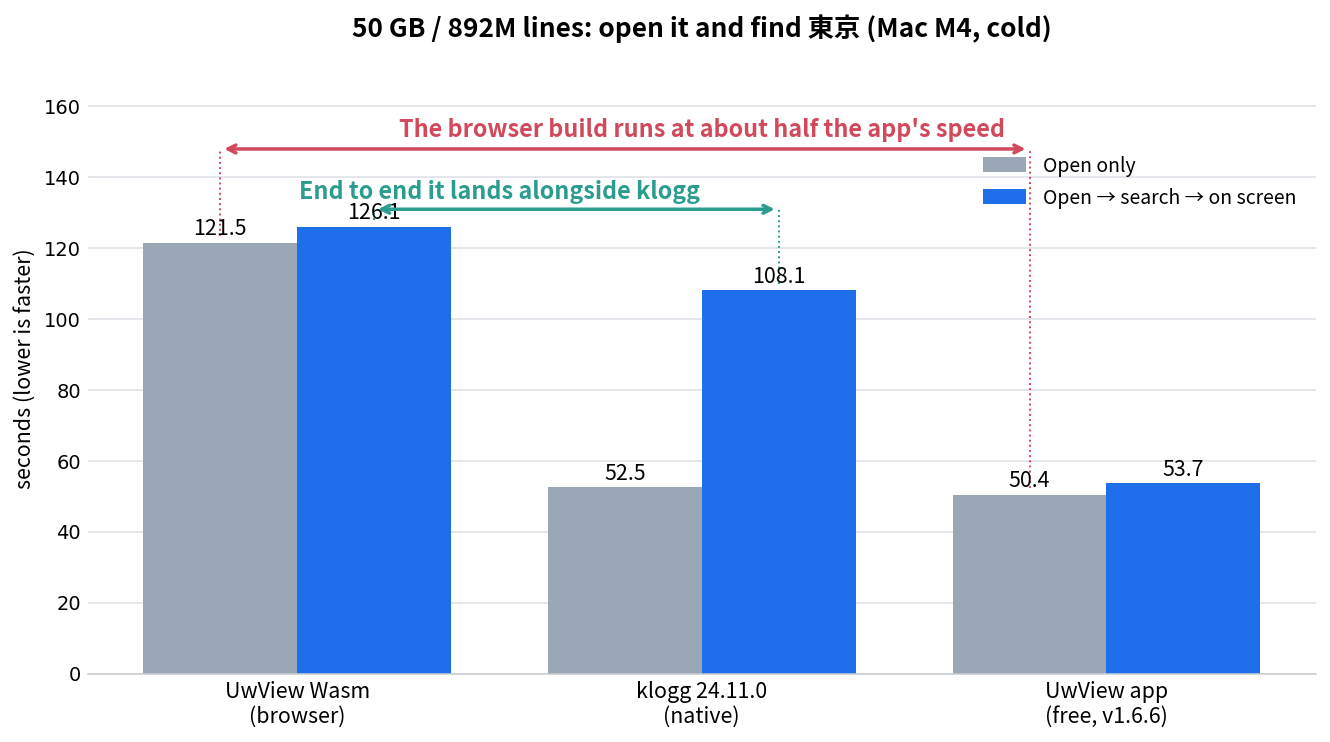
| Open only | Open → search → on screen | Read speed | |
|---|---|---|---|
| UwView Wasm (browser) | 121.5 s | 126.1 s | 402 MB/s |
| klogg 24.11.0 (native) | 52.55 s | 108.14 s | 930 MB/s |
| UwView desktop (free, v1.6.6) | 50.44 s | 53.7 s | 969 MB/s |
Two things come out of this.
1. The browser build runs at about half the app’s speed. Same machine, same SSD: the app sustains 969 MB/s, the browser 402 MB/s. What caps it is the browser, not the disk. The structural ceiling I described above shows up as speed, too.
2. End to end, it still lands alongside klogg. 126.1 s against 108.14 s. klogg is ahead — but a browser tab is in the same conversation as a native application.
The trick is that it searches while it is still opening.
| Seconds | |
|---|---|
| Open (121.5) then search (86.8), one after the other | 208.3 |
| Search while opening | 126.1 |
| Difference | −82.2 s (−39%) |
The search costs 4.6 seconds on top of the load (121.5 → 126.1) — it hides almost entirely behind the read.
klogg’s jump from 52.55 s to 108.14 s comes from the opposite shape: it cannot start searching until its index is built. That is where the two part ways.
These seconds include my own hands. Click open, type
東京, click search — a human cannot press the button at 0%.
I managed it at 10% of the load; a quicker operator would shave that, and at a true 0% it would be about 115 s.
The desktop build’s 53.7 s carries the same condition.At 3 GB the desktop build cannot be timed this way at all: it finishes opening before you finish typing the search term.
The thing being waited on is shifting from the tool to the person.
Why it got to 47 GB is no mystery: it manages its own heap on WebAssembly and reads in chunks, avoiding garbage collection. That changes the ceiling compared with a build that lives on the JavaScript heap.
The browser build is the entrance, not the building
The honest twist: the build measured here — my own Wasm build — is not even part of my product line. It is a technical-validation reference build.
- UwView Wasm (free, browser) — what was measured here, still under the browser’s ceiling; the lowest-performing reference build
- UwView desktop (free) — native mmap, faster than any browser build; still positioned as a reference
- UwView Pro — persistent sidecar cache (0.02–0.07 s reopen on my machine; varies by hardware) and drill-down search; the products built for real work start here
- UwView Pro + Edit Upgrade — adds non-destructive editing of huge files (21,994 replacements in a 10 GB file in 16.8 s, measured); the top configuration — open, search, edit and save, all in short order
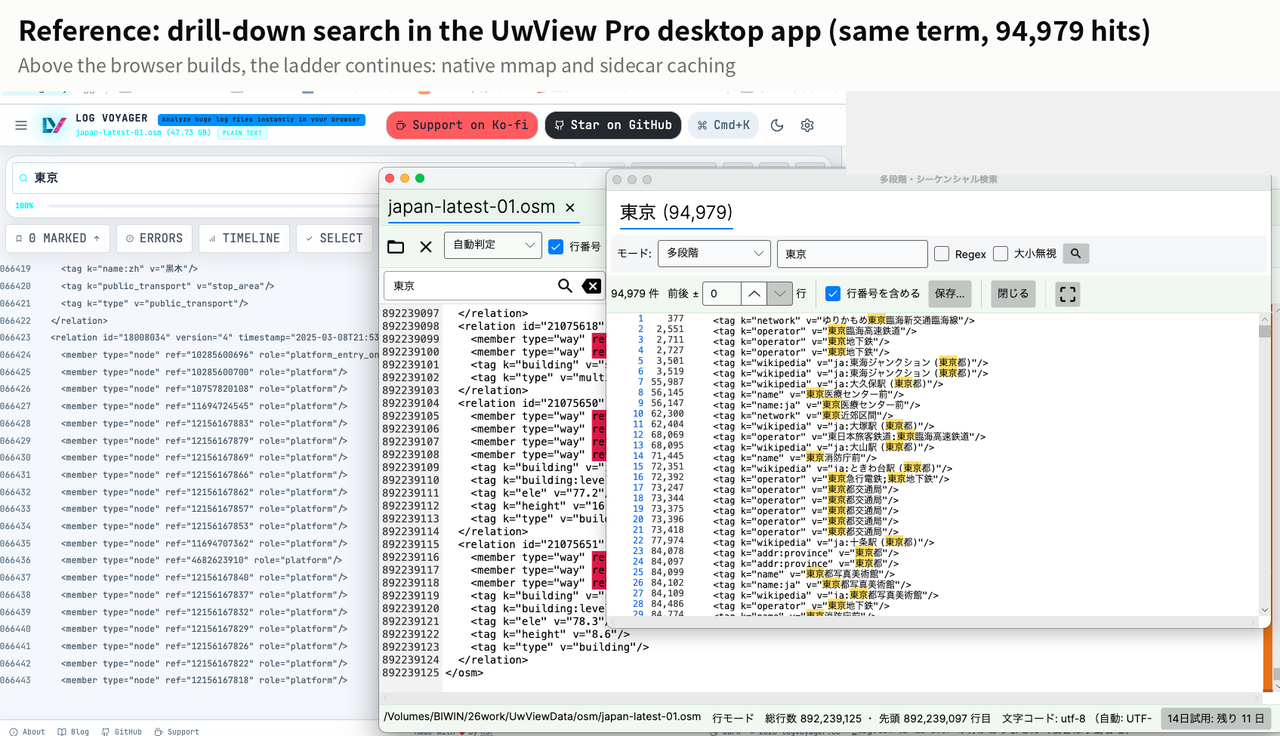
“Opens 100 GB in your browser” is a stirring banner, but the browser has a structural ceiling — mine included. If huge files are your daily work, you end up in a native app. This experiment made that ladder visible, my own products included.
Full disclosure
- One file, one environment (my Mac). Results can differ with other environments and files
- I have not inspected any other tool’s internals. The statements about design come from the author’s own public explanation and README
- The UwView Wasm build is published for technical evaluation and is not a supported product
- The timings were added on 2026-09-23 (originally only completion and hit counts). Same file, same machine,
cache dropped withsudo purgebefore each run. The desktop build is v1.6.6 - “Open → search → on screen” includes my own operating time (see the note above). It is not machine time alone
- 47.73 GB and 50 GB are the same file — divided by 1024 or by 1000
The tool used
UwView Pro is on sale (Windows, macOS, Linux — one license covers all three; one-time or monthly, with a 14-day free trial — editing features included). For a one-off look, the free UwView is enough.
Try it yourself (just a URL)
- UwView Wasm build: https://amru195704.github.io/UwView/ (the UI opens in Japanese — switch to English from the language dropdown at the top right)
If you run the ~50 GB test, let me know the result — I will update this article.
Links
- I Asked 4 AIs How to Investigate a 50 GB Log. My Own Product Never Came Up. — where Log Voyager’s name first appeared
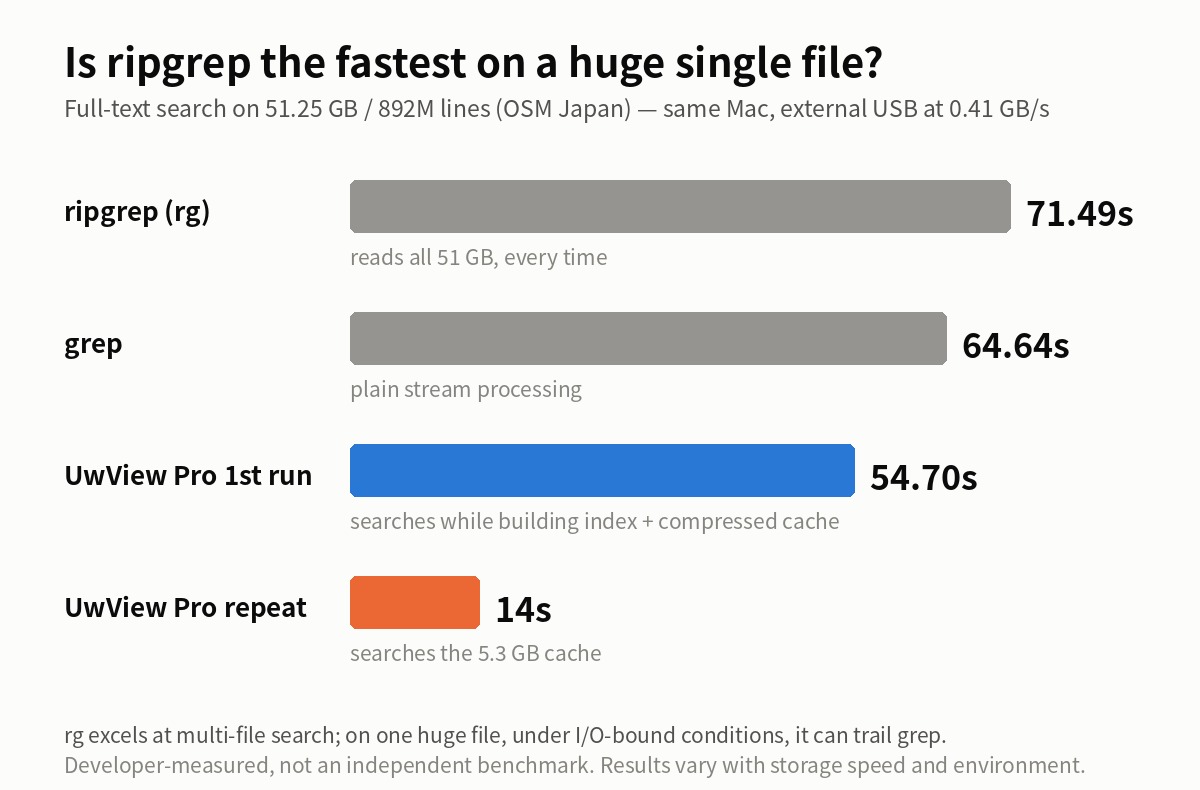
- Is ripgrep Really the Fastest on a 51 GB Single File? — the CLI side of the same file family
- An Honest Comparison with klogg [Ver1.1.1, Complete Edition]
From the developer: a list of my apps, Kindle books and public projects is on GitHub: amru195704.
A note
The information in this article is provided for reference purposes only, and we do not guarantee its accuracy or completeness. All measurements reflect the specific environment described above and may differ on other hardware. If you notice any errors or inaccuracies, please let us know in the comments and we will review and correct them.