We were throwing the results away.
Search a 50 GB file from the command line, then open the hits in the GUI. Common enough. Except that the positions the command had just found never reached the window. All that got passed along was the search term.
Which means the GUI read the same 50 GB all over again.
- Up front: the end-to-end run stopped paying twice
- The problem: -open read the same 50 GB twice
- The design: one temp file, deleted on read, discarded if it does not add up
- The fix: pass the index landmarks too
- The numbers: the end-to-end surcharge fell into the noise
- The general lesson: if you’re reading it anyway, count something extra
- The tools behind this
- Links
Up front: the end-to-end run stopped paying twice
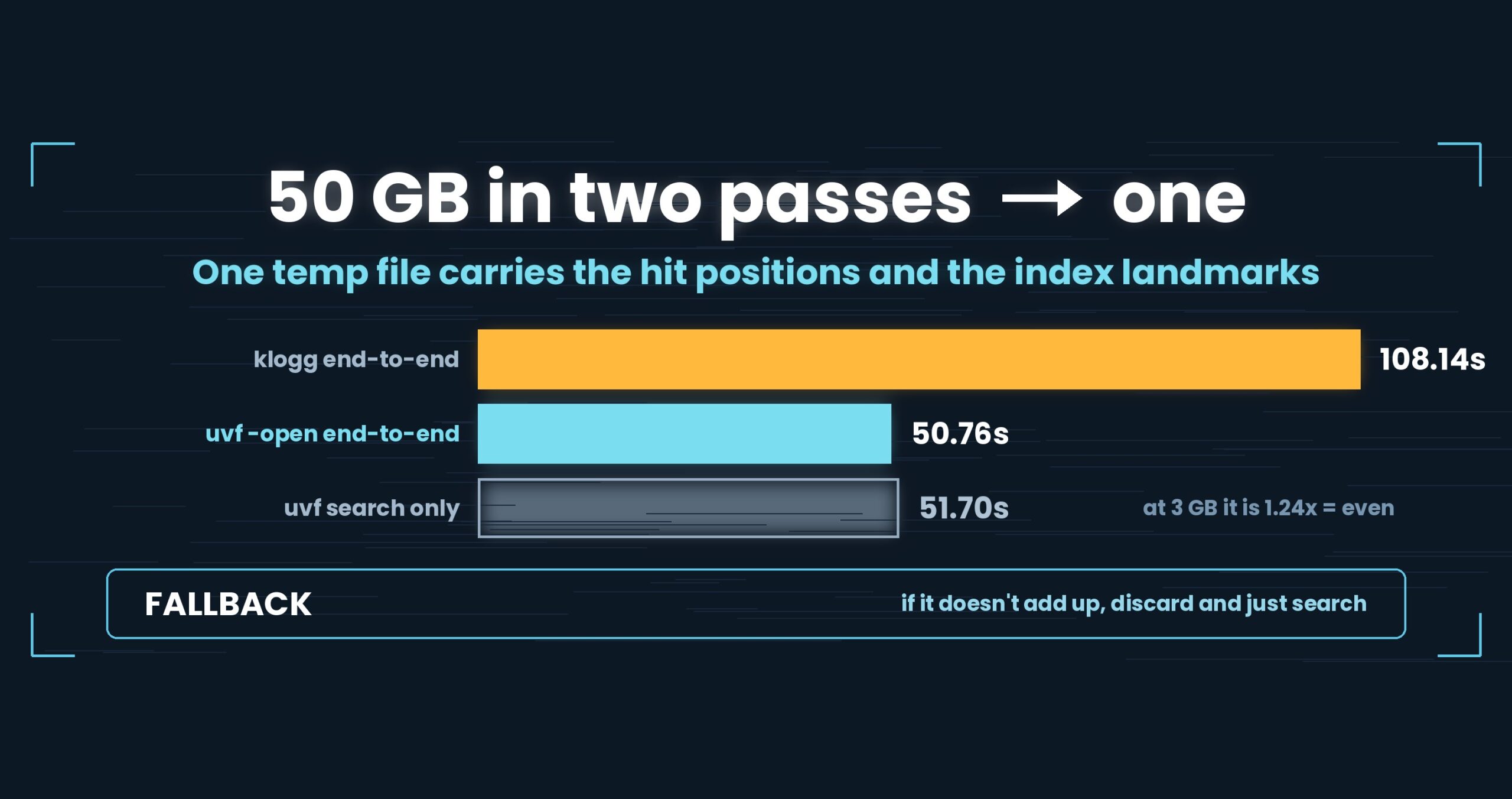
-open (search from the CLI, open the result in the GUI) used to read the file twice — once in the command, once in the window. It now passes hit positions and index landmarks through a single temp file, and reads once. End-to-end at 50 GB: 50.76 s. The search alone, same conditions, is 51.70 s — so launching the window and rendering a numbered result list adds nothing outside measurement noise. Against klogg’s end-to-end (open + search) of 108.14 s, that is 2.13×. At 3 GB, though, klogg’s 4.21 s against our 3.40 s is 1.24×, which we call even, not a win. Mac M4, 32 GB RAM, external USB SSD, OpenStreetMap XML, cold (after sudo purge); one setup, results vary. Details at the end.
About this series. “First Light” is the pet name of UwView v1.6.6 — the release where both the GUI and the command line
started opening and searching a huge file in a single pass. This series follows what that took, one fix at a time.
Part 6 covers the handoff that shipped in v1.6.4 and v1.6.5 — the bridge built before the GUI itself went single-pass.
The problem: -open read the same 50 GB twice
Type uvf huge.log 'ERROR' -open and the command searches, then the GUI launches and opens the file. It is how a lot of investigations start.
Back then, the only thing crossing that boundary was the search term. On startup the window would run the search again itself.
- The command reads 50 GB end to end (~50 s)
- The window reads the same 50 GB end to end (~50 s)
Everything the command knew about which lines matched died with the process. We paid 50 seconds for an answer and then dropped it on the floor, every time.
The reason was mundane: there was no channel. All the command can hand the GUI is command-line arguments, which is fine for a path and a search term and hopeless for several hundred thousand hit offsets.
So: what is the least breakable way to pass “what I found” across a process boundary?
The design: one temp file, deleted on read, discarded if it does not add up
We picked the dullest option available. The command writes its results to a temp file (uvf-open-*.uvfh) and passes that path to the GUI. The GUI reads it and deletes it. That is the whole mechanism.
Shared memory and IPC were on the table, but the criterion we applied was what happens when it fails.
| Failure | What happens |
|---|---|
| The GUI never starts | A temp file is left behind; the next launch sweeps old ones |
| The temp file is corrupt | Unreadable, so it is discarded and the GUI just searches normally |
| The file changed in between | The length check catches it, the hints are discarded, and the GUI just searches normally |
That last row is the important one. The command records the file’s length before and after its pass and writes both into the temp file. The GUI checks the length again right before opening, and if the three do not agree it throws away every hit position it was given. Log files are appended to; this is not an exotic situation.
When the handoff fails, no functionality is lost — it is only slower, and the answer is unchanged. It is the same shape as the fallback we gave required-literal extraction in part 4 of this series. Speed tricks get built this way whenever they can be.
The fix: pass the index landmarks too
That removes the second read, but the window still had one wait left: the line-number index.
To drive a scrollbar over a huge file you need to know which byte offset each line starts at. Keeping all of them is enormous, so you keep landmarks every N lines. Building those means reading the file end to end and counting newlines.
Then the obvious thing surfaced: the command has already read all of it.
The command counts newlines during its single pass, because that is where line numbers come from (part 2). If you are already counting, recording every Nth line offset is nearly free — the read is happening regardless; the extra work is one array write.
So the temp file format grew two fields (format v2):
- The byte offset of every Nth line start — the sparse index itself
- The total newline count — how many lines the file has
Now the window does not build an index, it assembles one. Start up, lay out the numbers you were handed, go. The wait for index completion disappears, and the result list comes up numbered from the first frame.
That also unblocked -open together with -i, -E and -v. Under the old “the GUI searches again” design, the window had to be told the exact matching semantics to reproduce them, so we simply refused the combination. Passing the results themselves means the command resolves the condition and reports which kind it was — and that is all it takes.
The numbers: the end-to-end surcharge fell into the noise
Cold (after sudo purge), v1.6.6, Mac M4, 32 GB RAM, external USB SSD, OpenStreetMap XML
| 3 GB | 10 GB | 50 GB | |
|---|---|---|---|
uvf, search only |
3.27 s | 10.40 s | 51.70 s |
uvf … -open (end-to-end) |
3.40 s | 10.42 s | 50.76 s |
| klogg 24.11.0 (open + search) | 4.21 s | 22.73 s | 108.14 s |
| vs. klogg | 1.24× | 2.18× | 2.13× |
The two rows to stare at are the first two. Search alone: 51.70 s. Open the window and render a numbered hit list as well: 50.76 s. At 50 GB the end-to-end run comes in 0.94 s faster — which does not mean opening a window is free money. An external USB SSD wanders by about a second between identical runs, so the correct reading is that the surcharge disappeared into measurement noise.
Put another way: the cost of the “open it in the GUI” step is now approximately zero. The read was folded to one pass and the index is assembled rather than built, so what remains is the time to put a window on screen.
The klogg comparison gets described differently by size:
- 50 GB at 2.13× and 10 GB at 2.18×. Both clear our 1.5× bar comfortably, so we call those faster
- 3 GB at 1.24× is even. We do not call a single item under 1.5× a difference, so this is not a win. On small files the read finishes quickly and fixed costs — process start, window paint — dominate
Honest notes
- Everything above is measured on the Mac. Media and OS caching differ elsewhere, so do not compare seconds across operating systems.
- klogg’s “end-to-end” is a stopwatch figure: from the open action until the hit count settles. Human operation time is inside it.
uvf … -openwas timed the same way for fairness, but neither is an automated measurement. - Handing over a temp file only works within one machine. Files over a network, or a setup where the command and the window live on different hosts, get nothing from this.
-openat 250 GB is still the v1.6.5 figure, 265.21 s. It has not been re-measured on v1.6.6.- What got faster here is the
-openpath only. The GUI used on its own — open, then search — became single-pass in the next release (how the GUI caught up).
The general lesson: if you’re reading it anyway, count something extra
The takeaway here is not an algorithm. It is that we went looking for things that could ride along on a cost we were already paying.
Processing a huge file spends nearly all of its time on reading. While bytes are in flight the CPU is largely idle, so “what else could we count during this pass?” is a budget that is close to free. The line-number index fit in it exactly.
The flip side: a design that reads the same data twice throws that whole budget away. Both passes are read-bound, so two passes cost twice as much, full stop. Recovering it requires no cleverness — only asking what the first pass could have kept so that the second is unnecessary.
And one more. Optimisations that cross a process boundary get much smaller if you design the failure first. “If it looks wrong, discard it and search normally” was decided before anything else. With that in place, the format needs no locking, no version negotiation, no integrity proof — only enough information to decide it is safe to throw away (here, a file length).
A mechanism that exists to make things fast must never become a precondition for correctness. The moment it does, it is a thing that must never break, and the design gets heavy. Mechanisms you are allowed to discard stay light.
The tools behind this
UwView is a viewer for huge text and huge logs (free: UwView; paid: UwView Pro).
The same things, from the command line
# Ch.2: search from the CLI and open the result in the GUI (free edition)
uvf huge.log 'ERROR' -open

# Ch.4: combined with ignore-case, regex, invert (unblocked in v1.6.5)
uvf huge.log 'error' -i -open
uvf huge.log -E 'timeout|refused' -open

# Ch.5: skip the GUI and write results to a file
uvf huge.log 'FATAL' -out fatal.txt

# Ch.5: with surrounding context
uvf huge.log 'FATAL' -C 5

# Ch.5: narrow with a second word (searched within the first word's hits)
uvf huge.log 'ERROR' 'payment'
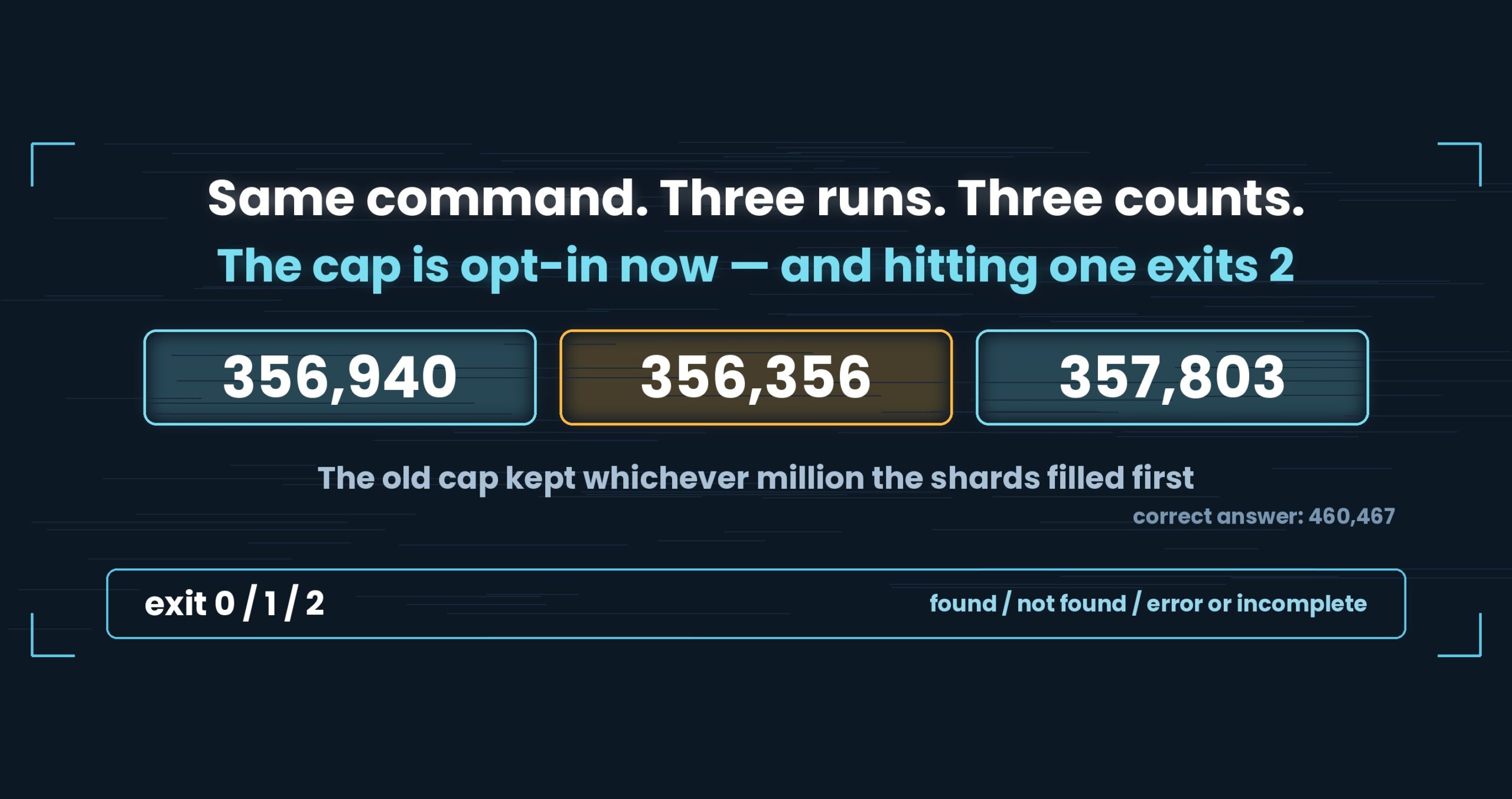
Exit codes match grep: 0 = found, 1 = not found, 2 = error or incomplete result, so if uvf huge.log 'FATAL'; then works as written.
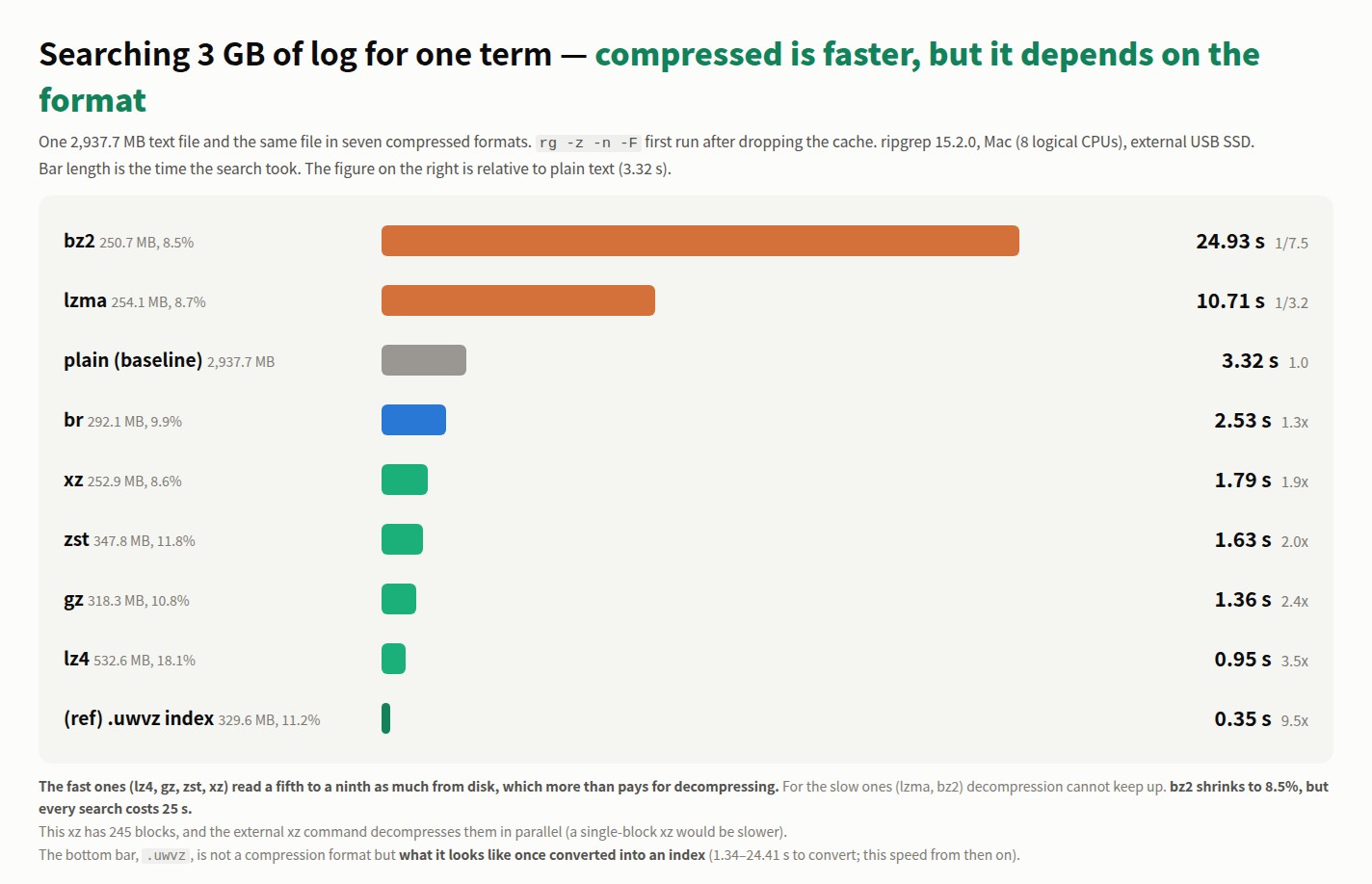
Honestly: the first query with uvp is a little slower than ripgrep, because it builds the .uwvz (compression + index) first — at 50 GB, 59.0 s vs. 54.9–55.8 s = 6–7% (v1.6.6.1). It pays off from the second query on: the same 50 GB search returns in 6.56 s, about 8.4× ripgrep. On small files like 3 GB it is about even — the index buys you less. The free uvf is on par with ripgrep at any size (measured article; Mac M4, 32 GB RAM, external USB SSD, OpenStreetMap XML — one setup, results vary).
Links
- Part 1 — the day we wrote “this is not a speed tool”: https://uvp.y42u.net/en/blog/uwview-fl01-v160-confession-en/
- Part 2 — folding two and a half passes into one: https://uvp.y42u.net/en/blog/uwview-fl02-one-pass-rawgrep-en/
- Part 3 — folding case in raw bytes: https://uvp.y42u.net/en/blog/uwview-fl03-ignorecase-u212a-en/
- How the GUI caught up (v1.6.6): https://uvp.y42u.net/en/blog/uvp-gui-catches-up-v166-en/
- Re-measuring “open” against klogg: https://uvp.y42u.net/en/blog/uvp-klogg-open-lose-flow-win-en/
- Source (GitHub): https://github.com/amru195704/UwView
And if huge logs are eating your storage and you want them kept compressed and still searchable, try UwView Pro: a persistent index, search inside the compressed cache, and about 1/9 the storage, with reopening and searching both a step faster (all OSes; one-time purchase or subscription).
From the developer: a list of my apps, Kindle books, and open source is at GitHub: amru195704.