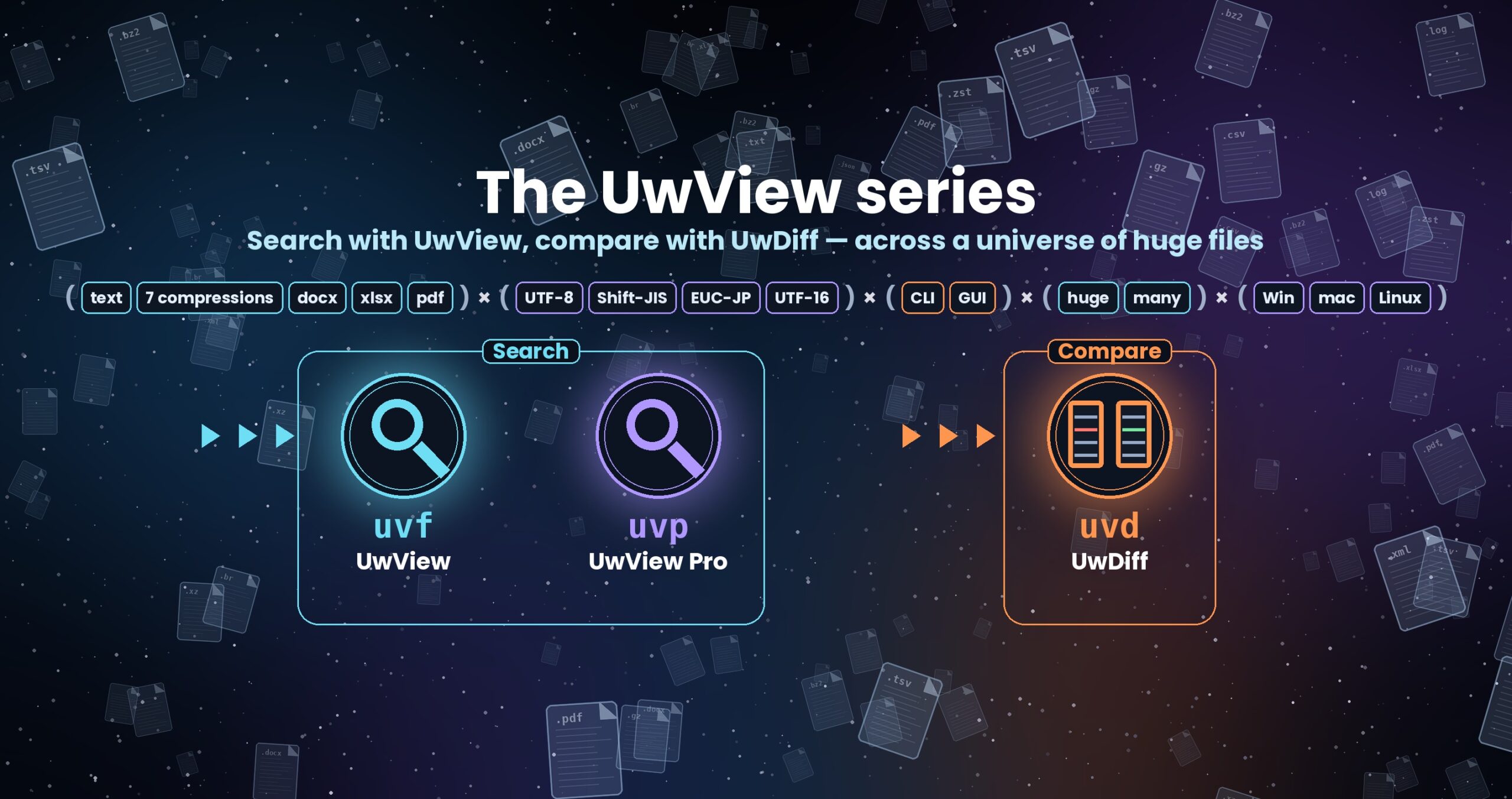
The UwView series — search with UwView, compare with UwDiff
Open and search huge files with UwView; compare two files or two folders with UwDiff. Both run on Windows, macOS and Linux. → UwDiff overview
The entrance to UwView — a tool for finding things in huge logs and text with the CLI and reading them in the GUI — and UwDiff, which compares two files.
If you are new here, these three are the quickest start.
| You want to know | Read |
|---|---|
| What UwView, UwView Pro and UwDiff are, and which to use | Overview |
| What to open a huge file with when nothing else can (measured) | Can’t Open a Huge File? Everything We Measured in One Place |
| Numbers against ripgrep, grep, klogg, EmEditor and others (losses included) | Benchmarks |
Below are frequently asked questions and the articles so far, grouped by theme.
- Frequently asked questions
- Articles by theme
- Start here — summary articles
- UwDiff — comparing two files
- Opening huge files — how big, how many lines
- CLI — compared with ripgrep and grep
- GUI and editors — compared with klogg, EmEditor and others
- UwView Pro features — drill-down, tally, .uwvz
- Compression and character encodings
- Log investigation in practice (25-part series)
- Improvement log “First Light” — catching up with ripgrep and klogg (13 parts)
- “Wide Field” — many files, 7 formats, zip, pbf (15 parts)
- “Full Spectrum” and the 3-OS tests — v1.9 and later
- Development notes and how we measure
- Releases and news
- Related
Frequently asked questions
Q. What is the difference between UwView, UwView Pro and UwDiff?
UwView (free) opens and searches huge files. It has a GUI and the uvf search command. UwView Pro is the paid edition: it saves an index so a file opens instantly from the second time, and adds drill-down search, tallying, editing (Edit Upgrade) and the uvp command. UwDiff is a separate tool that compares two files or folders (a GUI and the uvd command). See the overview, UwView Pro and UwDiff.
Q. How large a file can it open?
Verified on real data up to one 258.68 GB file with 4.5 billion lines (OpenStreetMap for the whole USA): Opening 258.68 GB and 4.5 Billion Lines. Opening a 100 GB log on three OSes: Can You Really Open a 100 GB Log?. The theoretical limit: I Opened 51GB / 890M Lines of Real Data.
Q. My editor says the file is too large to open. What can I do?
Why Notepad, VS Code and Excel give up, and what happened when we actually opened and searched 10 GB, 50 GB and 258 GB: Can’t Open a Huge File? Everything We Measured in One Place. Handling 50 GB on a 16 GB laptop: How to Open and Search a 50GB Log File on a 16GB PC.
Q. Is it faster than ripgrep or grep?
On one large file it ties with ripgrep (we call anything under 1.5× a tie). On many small files ripgrep is a little faster; every loss is listed. The full record is in Everything We Measured Against ripgrep and grep, in One Place and the tables are on the benchmarks page.
Q. How does it differ from klogg or EmEditor?
For just opening a file, klogg is faster in some cases. The difference is that UwView joins “search, then read” in one step: We Lose to klogg on Opening. uvf Wins the Whole Run. Compared with EmEditor on a 16 GB laptop: Losing at 3 GB, a Cliff at 50 GB.
Q. Can it search compressed logs without extracting them?
Yes. Seven formats — gz, bz2, xz, lzma, zst, lz4, br — with no external commands. Compared with ugrep, ripgrep and zgrep: Searching Compressed Logs Against ugrep, ripgrep and zgrep. Choosing a format: Compressed logs are faster to search.
Q. Does it read Shift-JIS, EUC-JP and UTF-16?
The encoding is detected automatically. Common traps with Japanese logs: The Night the Log Wouldn’t Read. How Pro turns them into UTF-8 inside the index: Our Index Now Holds Shift-JIS, EUC-JP and UTF-16 as UTF-8.
Q. Can it search inside Word, Excel and PDF?
Since v1.9.0 the free edition searches the text in .docx, .xlsx and PDF (read-only; not old .doc/.xls, password-protected files or PDFs without text). See UwView v1.9.0 “Full Spectrum”.
Q. Can I read command-line results in the GUI?
Type uvf file word -open: the window opens the moment the search ends, with the hits listed. The GUI does not search again. Building grep-style pipelines in the GUI: Building a grep Pipeline on Screen. Syntax: the uvf command manual.
Q. Can it search many files at once?
Yes. Give a wildcard such as uvf "logs/**/*.log" ERROR; plain and compressed files can be mixed in one run (12 Plain and gzip Files in One Command, One Command for 12 Files, Seven Compression Formats, zip and pbf).
Q. Is the free edition enough? What does Pro change?
For a single search, the free uvf is enough. If you return to the same file again and again, Pro’s saved index makes the second question onward fast. See The Free uvf Holds Its Own Against Both ripgrep and klogg. uvp Earns Its Keep at the Second Question (the same 50 GB in three ways) and “Free vs Pro” on the UwView Pro page.
Q. Can it edit huge files?
Yes, with UwView Pro plus Edit Upgrade. Replacing 21,994 places in 100 million lines / 10 GB: I Replaced 21,994 Occurrences in a 10GB, 100-Million-Line File in 16.8 Seconds. It Cost 3.7MB. Editing 48 GB, compared with EmEditor: Editing a 48GB File.
Q. How do I see the differences between two files?
Use UwDiff. It matches CSVs by key columns even when the row order or the encoding differs (Search With UwView, Compare With UwDiff, Comparing a CSV Too Big for Excel Against Last Month’s Version). Measurements: UwDiff benchmarks.
Q. How are the speed figures measured?
We always state the machine, storage, number of runs and cache state, and call anything under 1.5× a tie (We Set the Bar Before Measuring). How cold and hot runs are made: Deciding the Rules Before Quoting Any Seconds. When a fanless Mac skewed the numbers: My Fanless Mac Skewed My Benchmark by 54%. Do not compare times across machines.
Q. Which OSes does it run on, and how do I install it?
Windows, macOS and Linux. The easiest way is Homebrew on Mac, Scoop on Windows and Snap on Linux. See Download and Help & Support.
Q. Where are the manuals?
The GUI guide, the command manuals, the Pro guide and the UwDiff manual are gathered on the Manuals page.
Q. Where do I send bug reports and requests?
See “Contact” on the Help & Support page (comments, email, GitHub Issues). Results measured on your own huge files are welcome — especially when UwView lost.
Articles by theme
Listed in the order they were written.
Start here — summary articles
- [AI Grades S–C] I Fed 10 of My Own Benchmark Posts to Gemini and ChatGPT — They Both Drew the Same Map, by File Size (2026-09-06)
- Everything We Measured on Huge Files — Four Boundaries Where the Numbers Flip (2026-09-19)
- The Free uvf Holds Its Own Against Both ripgrep and klogg. uvp Earns Its Keep at the Second Question — One 51 GB File, Three Arenas (2026-09-21)
- Can’t Open a Huge File? Everything We Measured in One Place — Opening and Searching 10GB, 50GB and 258GB (vs Notepad, VS Code, klogg and ripgrep) (2026-11-02)
- Everything We Measured Against ripgrep and grep, in One Place — Searching 3GB, 10GB, 50GB and 258GB Files: Where We Tie, Where We Lose, and Why We Got Faster (2026-11-12)
- Building a grep Pipeline on Screen — Drill-down Search, Tally, -open and Multi-File Search in One Place (vs grep -v, -w, uniq -c and ripgrep) (2026-11-15)
UwDiff — comparing two files
- Search With UwView, Compare With UwDiff — Introducing UwDiff, a Tool That Compares Two Files in Any Format, Encoding or Size: Key Matching of Two 10 GB CSV Files in 21.8 s, While the Worst Case Where Almost Every Line Differs Takes 110 s (2026-10-25)
- Why Can’t diff and grep Compare So Many Files? — I Built UwDiff to Compare Shift-JIS, Compressed, Word, PDF and 10 GB Files With One Tool (2026-10-27)
- Why Does GNU diff Take 150 Seconds on 10 GB? — What the Source Shows: It Reads Everything Before Comparing, While GNU grep Streams (2026-11-02)
- Comparing a CSV Too Big for Excel Against Last Month’s Version — Key Matching on 10 GB (About 100 Million Rows) With Excel, qsv diff and DuckDB (2026-11-13)
Opening huge files — how big, how many lines
- UwView Opens 51GB / 890 Million Lines of Real Data (OSM Japan) — “Apology: The 200 Million Lines Claim Was a Lie” (2026-07-09)
- The Text Viewer That Opened 890 Million Lines: How Far Can It Really Go, Theoretically? (2026-07-15)
- I Opened 51GB / 890M Lines of Real Data — Then Calculated How Far It Could Theoretically Go (~9.2 Quintillion Lines) (2026-07-25)
- How much slower is the browser build? — UwView native (UVF) vs WASM, measured on the same file (2026-07-26)
- Opening 258.68 GB and 4.5 Billion Lines — Expanding the Whole US OpenStreetMap to XML and Measuring It in UwView Pro (2026-07-29)
- File Too Large to Open? How to Investigate a 10GB–50GB Log on Windows Without Splitting It (2026-08-23)
- “This File Is Too Large to Open” — Four Go-To Tools That Sink Under Huge Files, and What Comes Next (2026-08-26)
- “Opens a Huge Log in Your Browser” Means Three Different Things — Checked at 47 GB (2026-09-06)
- How to Open and Search a 50GB Log File on a 16GB PC (2026-09-08)
- Before You Give Up and Import 100 Million Lines into a Database — Field Fixes and Benchmarks for Incident Logs and AI Preprocessing (2026-09-08)
- Five Questions Against 258 GB and 4.5 Billion Lines — Where grep Loses to a GUI (2026-09-13)
CLI — compared with ripgrep and grep
- How Many Search Threads Is the Right Number? I Measured 0.89 Billion Lines at 1-16 Threads (2026-08-14)
- Is ripgrep Really the Fastest on a 51 GB Single File? — rg vs grep vs UwView Pro, Measured (2026-09-05)
- We shipped a uvp command — the same answers as ripgrep, 7× faster at 10 GB. And at 3 GB too, if the cache is cold (2026-09-14)
- uvp vs rg and sed, 81 checks — the script’s run log (3 GB / 10 GB / 50 GB) (2026-09-15)
- Picking the one place to beat ripgrep — read 1/9 of the bytes, then hand the result from the CLI to the GUI (2026-09-17)
- I Thought We Lost at 3 GB — Turns Out We’d Won (As Long as the Cache Is Cold) (2026-09-18)
- ripgrep Is 2.9x Faster With no-mmap — Measured Against the Default mmap Read on One 51 GB File, on Three OSes (2026-09-19)
- uvp’s First Question Got 6.7 s Faster — It No Longer Builds First and Searches Again (UwView Pro v1.6.6.1) (2026-09-21)
- Searching Compressed Logs Against ugrep, ripgrep and zgrep — On Par the First Time, 0.11–0.12 s in Every Format the Second (2026-09-29)
- Catching Up With Rust’s ripgrep in C# — Huge Files From 205 s to On Par, 86k Small Files From 19x Behind to On Par, and Complex Searches Where uvp Is 1.07–3.5x ripgrep (2026-10-06)
GUI and editors — compared with klogg, EmEditor and others
- UwView Pro — We Compared It to the Industry-Standard klogg, and Its Design Turned Out to Be a Generation from 30 Years Ago (2026-07-16)
- UwView Pro Complete Benchmark — 3GB/10GB/48GB x HDD/SSD/Internal SSD: A Serious 9-Cell Comparison with klogg (2026-07-17)
- An Honest Comparison with klogg — Every Win and Every Loss, Laid Out in a Table (2026-07-18)
- An Honest Comparison with klogg [Ver1.1.1, Complete Edition] — Free UwView and Upper-Tier Pro, Every Item (2026-07-20)
- Opening a 48 GB File Isn’t the Same as Investigating It — EmEditor vs UwView Pro on a 16 GB-RAM Laptop (2026-08-24)
- I Replaced 21,994 Occurrences in a 10GB, 100-Million-Line File in 16.8 Seconds. It Cost 3.7MB (2026-08-27)
- Editing a 48GB File — and Saving Mid-Way: EmEditor vs UwView Pro (Edit) on the Same Windows Laptop (2026-08-29)
- Editing a Huge File Is Not About “Can You Open It” — It’s About How Many Times You Can Stop: 010 Editor, UltraEdit and UwView Pro (Edit) on Mac ARM (2026-08-30)
- Losing at 3 GB, a Cliff at 50 GB — EmEditor vs UwView Pro + Edit Upgrade on a 16 GB-RAM Laptop (2026-09-06)
- Search and Replace Only — EmEditor, klogg, grep, 010 Editor and UltraEdit at 3/10/48 GB, Windows and Mac Kept Separate (2026-09-07)
- Follow-up Tests — What I Learned by Re-testing the “Handles Huge Files” Claim (2026-09-10)
- The UwView Window Caught Up With uvf … -open — 50 GB End to End, From 189.5 s to 53.7 s (2026-09-19)
- We Lose to klogg on Opening. uvf Wins the Whole Run — Re-measured at 50 GB (2026-09-20)
UwView Pro features — drill-down, tally, .uwvz
- Delete or Keep That Finished Log? A Third Option — “Archive It at 1/9 the Size, and Still Open It Directly” (2026-07-18)
- Tracing 5xx Errors in Access Logs as One Thread: Putting UwView’s Search, Color-Coding, and Bookmarks Together in Practice (2026-07-21)
- Shelve an Investigated Log at 1/9th the Size, Reopen It Tomorrow Right Where You Left Off — A Practical Archive × Session Restore Workflow (2026-07-22)
- UwView Pro in Animated GIFs — Instant Open, Search, Highlight, and Rectangular Save in Action (2026-07-22)
- Why We Split Search Results Into a Separate Window — Jump, Save, and Context Lines You Can Use “While Looking” With the Filter Popup (2026-07-27)
- You Found the ERROR. The Cause Is in the Lines Before It — Tracing Context in a Huge Log (2026-08-24)
- From 100,492 Hits to 3 in Two Clicks — Drill-down Search Comes to UwView Pro (2026-08-24)
- Find Only Where ‘New York → Central Park → coffee_shop’ Appear in That Order — Sequence Search Comes to UwView Pro (2026-08-24)
- I Put grep -v into a GUI — Stackable NOT Filters in Drill-Down Search, from 10,967 Hits to 16 (2026-09-08)
- grep -w Joins the GUI — Whole-Word Match Picks 7 Rows out of 892 Million (2026-09-09)
- uniq -c Joins the GUI — Ranking the Top Values in 10,967 Hits, in 22 Milliseconds (2026-09-11)
- grep, uniq -c and sed in a GUI — the CLI-to-UwView-Pro Cheat Sheet (2026-09-12)
- Keep it as .uwvz instead of gzip — 1/9 the size, searchable in 7 seconds, and free to restore (2026-09-14)
Compression and character encodings
- Compressed logs are faster to search — seven formats measured at 1 GB and 3 GB (2026-09-25)
- Our Index Now Holds Shift-JIS, EUC-JP and UTF-16 as UTF-8 — Full Spectrum Part 1: 5.4x to 38.8x Over ripgrep -E From the Second Query, 1.2x to 1.5x Behind on the First (2026-10-16)
Log investigation in practice (25-part series)
- You Found the ERROR. You Still Can’t Find the Cause — Four Ways to Trace Causality in Logs (2026-08-27)
- The Night the Log Wouldn’t Read — Four Character-Encoding Traps and How to Tell Them Apart (2026-08-28)
- Where Finished Logs Go — Deciding Between Delete, Keep, and Compress (2026-08-29)
- The Day printf Debugging Hit 10GB — Four Ways to Live With Development Logs (2026-08-30)
- The First Hours of an Intrusion Investigation — Four Steps Through Tens of Millions of Auth Log Lines (2026-08-31)
- Chasing an Outage by the Clock — Four Ways to Use Timestamps as Evidence (2026-09-01)
- Eight Minutes for zgrep, Every Single Time — Keeping Logs Compressed and Still Searchable (2026-09-02)
- Look at It Before You Feed It to jq — Four Times You Need the Raw Bytes (2026-09-03)
- Making the On-Call Night Lighter — Four Things You Set Up for Your 2 A.M. Self (2026-09-04)
- EUC-JP, UTF-16, and a Suspicion of EBCDIC — Reading Legacy Encodings in 2026 (2026-09-05)
- “I Ordered It and It Never Arrived” — Four Support-Desk Log Investigations (2026-09-06)
- Only the Line Number Survived — Four Techniques for Inspecting Huge Data (2026-09-07)
- The Traces Are in the Raw Log — Four Views on Lateral Movement, SQLi, and After-the-Fact Investigation (2026-09-08)
- “less Is Enough” — Until It Isn’t: Four Limits of Command-Line Craft (2026-09-09)
- Logs as Evidence — Four Principles for Preserving, Excerpting, and Proving Integrity (2026-09-10)
- Before You Carry Production Logs Home — Four Points of Friction Between Logs and Your Dev Environment (2026-09-11)
- Ten Thousand Sensors, 1.4 Billion Lines a Day — Four Fields Where Machines Write the Logs (2026-09-12)
- Following a Log That Won’t Stop Growing — Four Situations Where tail -f Can’t Keep Up (2026-09-13)
- “Please Produce the Logs from Three Years Ago” — Four Ways to Survive an Audit by Design (2026-09-14)
- The Morning the Monthly Batch Died — Four Realities of Running a Data Pipeline (2026-09-15)
- Log Investigation Lives in One Person’s Head — Four Habits of a Team That Can Hand It Over (2026-09-16)
- Automating Log Retention — Writing Generation Rules and a Housekeeping Policy That Survive (2026-09-17)
- Never Write to the Original — Four Habits for Working With Logs (2026-09-18)
Improvement log “First Light” — catching up with ripgrep and klogg (13 parts)
- Our CLI Was 3.7x Slower Than ripgrep on a 50 GB File — Part 1: Measuring Where the 205 Seconds Went (2026-09-22)
- We Made Our CLI as Fast as ripgrep on 50 GB — Part 2: Folding 2.5 Passes Into One (203 s to 50.82 s) (2026-09-23)
- Our -i Was 4.3x Slower Than ripgrep — Part 3: Folding Case in Raw Bytes, With Exactly One Exception (2.72 s to 0.66 s) (2026-09-24)
- We Threw the CLI’s Results Away and Read 50 GB Twice — Part 6: One Temp File Cut End-to-End to 50.76 s (klogg: 108.14 s) (2026-09-25)
- Our CLI Gave Three Different Counts Where ripgrep Gave One — Part 5: No Default Cap, and grep’s Exit Codes for “Incomplete” (2026-09-25)
- Our -E Nearly Doubled the Time; ripgrep’s Didn’t — Part 4: Extracting Required Literals Took 50 GB -E From 13.68 s to 7.75 s (2026-09-25)
- We Set the Bar Before Measuring — Part 9: Dropping It From 2x to 1.5x Flipped Six of Our Own ripgrep Verdicts (2026-09-26)
- We Couldn’t Search a gzip at All — Part 8: The OS zlib and an 8-Byte CRC Took 50 GB From 35.65 s to 17.20 s, Level With ripgrep (2026-09-26)
- Only the 3 GB File Lost to ripgrep — Part 7: The Bottleneck Was Startup Overhead, Not I/O (7 hot Runs: 11.46 s to 7.95 s) (2026-09-26)
- Our Windows “Cold” Runs Were a Lie — Part 12: One Harness on Mac, Windows and Linux, Zero Mismatches Against ripgrep and sed (2026-09-27)
- We Counted Newlines 1.88x Faster and the Clock Did Not Move — Part 11: 3.27 GB/s in RAM, 968 MB/s From the SSD Either Way (2026-09-27)
- mmap Cost Us Half the Disk — Part 10: 1.9x Behind klogg Until We Split Display (mmap) From Full Reads (pread) (2026-09-27)
- 3.7x Behind ripgrep, 1.9x Behind klogg — Part 13 (Final): 50 GB Search 205 s to 51.70 s, Open 100.6 s to 50.44 s (2026-09-28)
“Wide Field” — many files, 7 formats, zip, pbf (15 parts)
- 12 Plain and gzip Files in One Command — Wide Field Part 1: 1.62x Behind ripgrep, Then 2.42x Ahead, and Never on Plain Text (2026-09-30)
- xz Alone Was 6.19x Slower Than ripgrep -z — Wide Field Part 2: Seven Formats, No External Commands (2026-10-01)
- Bundling Costs 1.58x Against ripgrep on Pass One — Wide Field Part 4: 9.77 s After That, and No Rebuild When a File Vanishes (2026-10-02)
- ripgrep Does Not Look Inside a zip — Wide Field Part 5: 18.4 s to Unzip and Search, 3.3 s Handing It the Archive, 0.6 s on the Second Query (2026-10-02)
- ripgrep Cannot Search an OpenStreetMap pbf — Wide Field Part 6: 148 s Through osmium, 29.3 s Direct, 6.8 s From the Second Query On (2026-10-02)
- We Matched ripgrep’s Ignore Rules — Wide Field Part 7: 43 Checks Agree on Three OSes, and the One Rule We Refused to Copy (2026-10-03)
- ripgrep’s -g Can Exclude Files; Ours Cannot Yet — Wide Field Part 8: Why a File Pattern Is One Quoted Argument, and the Five Things We Fixed (2026-10-04)
- Regex With -i Runs 2.7-3.1x Slower Than ripgrep on a Cached File — Wide Field Part 9: Where .NET and Rust Regex Agree, and Where the Rewrite Changes Your Answer (2026-10-05)
- Writing gz Without Piping rg Into gzip — Wide Field Part 10: 117.20 s to 11.89 s on 50 GB, and Level With ripgrep at 3 GB (2026-10-06)
- Our JSON Lines Carry Less Than ripgrep’s –json — Wide Field Part 11: Three Fixed Keys, and –tune Measures the Thread Count (6.33 to 16.41 GB/s From 1 to 8) (2026-10-07)
- The Newline Count I Said Would Never Show Up in Seconds Was 40% of the Second Search — Wide Field Part 12: Counting 5x Faster, and Overtaking ripgrep When Hot (3 GB, 0.40 to 0.27 s) (2026-10-08)
- We Ran the Same Test Suite on macOS, Windows and Linux, and Windows Found Us Losing — Wide Field Part 13: 2.49x / 3.42x / 1.88x Overall With Zero Mismatches, but xz, zst and lz4 on Windows at 1/1.5–1/2.1 of ripgrep (2026-10-09)
- Every Place ripgrep Still Beats Us, in One List — Wide Field Part 14: Only Two Kinds of Loss Over 1.5x on the Mac (the First Pass That Bundles Many Files at 1/1.59, and a Fixed 0.12 s on Every uvp Second Run at 1/2.93) (2026-10-10)
- One Command for 12 Files, Seven Compression Formats, zip and pbf — Just Like ripgrep. Wide Field Part 15 (Final): The Free Build Stayed On Par, uvp Reached 4.0x on an 86k-File Kernel Tree, and Two Kinds of Loss Remain (2026-10-11)
“Full Spectrum” and the 3-OS tests — v1.9 and later
- An Index That Knows Where the Answer Cannot Be — Full Spectrum Part 2: 28.2x Over ripgrep on -E -v, and Level When Every Block Holds a Hit (2026-10-19)
- Knowing Which Blocks Not to Open — Full Spectrum Part 3: 0.17s Against ripgrep’s 0.31s on a Plain Search, and 4% Slower for Words That Live in Every Block (2026-10-21)
- Where the Second Query on 10 GB Got Shorter — Full Spectrum Part 4: 0.73s Against ripgrep’s 13.54s on a Regex With No Required Literal, While the Two-Word Join Stays Level at 1.24x (2026-10-23)
- Three Fixes in the Free Edition — Full Spectrum Part 5: Writing Out Matching Lines Goes From 4.70 s to 2.68 s and 28 GB of Allocation to 0.4 GB, Yet Stays Level With ripgrep’s 2.83 s (2026-10-26)
- Deciding the Rules Before Quoting Any Seconds — 3-OS Test #0: How cold and hot Are Made, How the Right Answer Is Stored, and How to Read a VMware Number, With Linux on a Virtual Machine and No Standard Way to Make cold on Windows (2026-10-28)
- Can You Really Open a 100 GB Log? — 3-OS Test #1: Reading 100 GiB End to End in About 106 Seconds and Reaching the Last of a Billion Lines in About 0.68 Seconds hot, Except That 100 GiB Has No hot at All (2026-11-12)
Development notes and how we measure
- My Fanless Mac Skewed My Benchmark by 54% — Thermal Throttling and Round-Robin Measurement (2026-08-14)
- What We Took From klogg, ripgrep, grep and PowerGREP — The Features UwView Borrowed From Other Tools, and the Ones We Deliberately Left Out (First Light to Full Spectrum) (2026-10-22)
- How We Matched ripgrep in C# and Avalonia — 13 Fixes to Huge-File Search, From 205 s to 51.70 s on 50 GB (2026-11-15)
Releases and news
- UwView Released on GitHub — A Windows 95-Era Large-Capacity (Up to 200 Million Lines) Text Viewer, Renewed for 3 OSes (2026-07-09)
- UwView v1.1: Reading Huge Logs by Color — Now with a Color Highlighter and Bundled Presets (2026-07-19)
- UwView v1.1.1 — Instant Right-Click Colorizing, Resume Right Where You Left Off (2026-07-20)
- UwView Pro Is Now on Sale — Instant Access to Huge Files, Anytime (Windows, macOS & Linux) (2026-07-21)
- UwView Pro Goes Cross-Platform — Windows, macOS & Linux: Open Huge Files Instantly, Anytime (2026-07-23)
- UwView v1.2.1 — How the Browser (WASM) Build Went From “It Runs” to “It’s Usable” (2026-07-28)
- UwView v1.9.0 “Full Spectrum” — Compared with ripgrep: (Plain, Word, Excel, PDF, Compressed) × (CLI, GUI) × (Huge, Many) × (Four Encodings) × (Complex Searches), Made Fast Across the Board (2026-10-14)
Related
- Manuals: Manuals
- Get it: Download
- Trouble and contact: Help & Support
- Paid edition: UwView Pro · comparing files: UwDiff
- Source and packages: GitHub: UwView · UwDiff
From the developer: apps, Kindle books and public projects are listed at GitHub: amru195704.