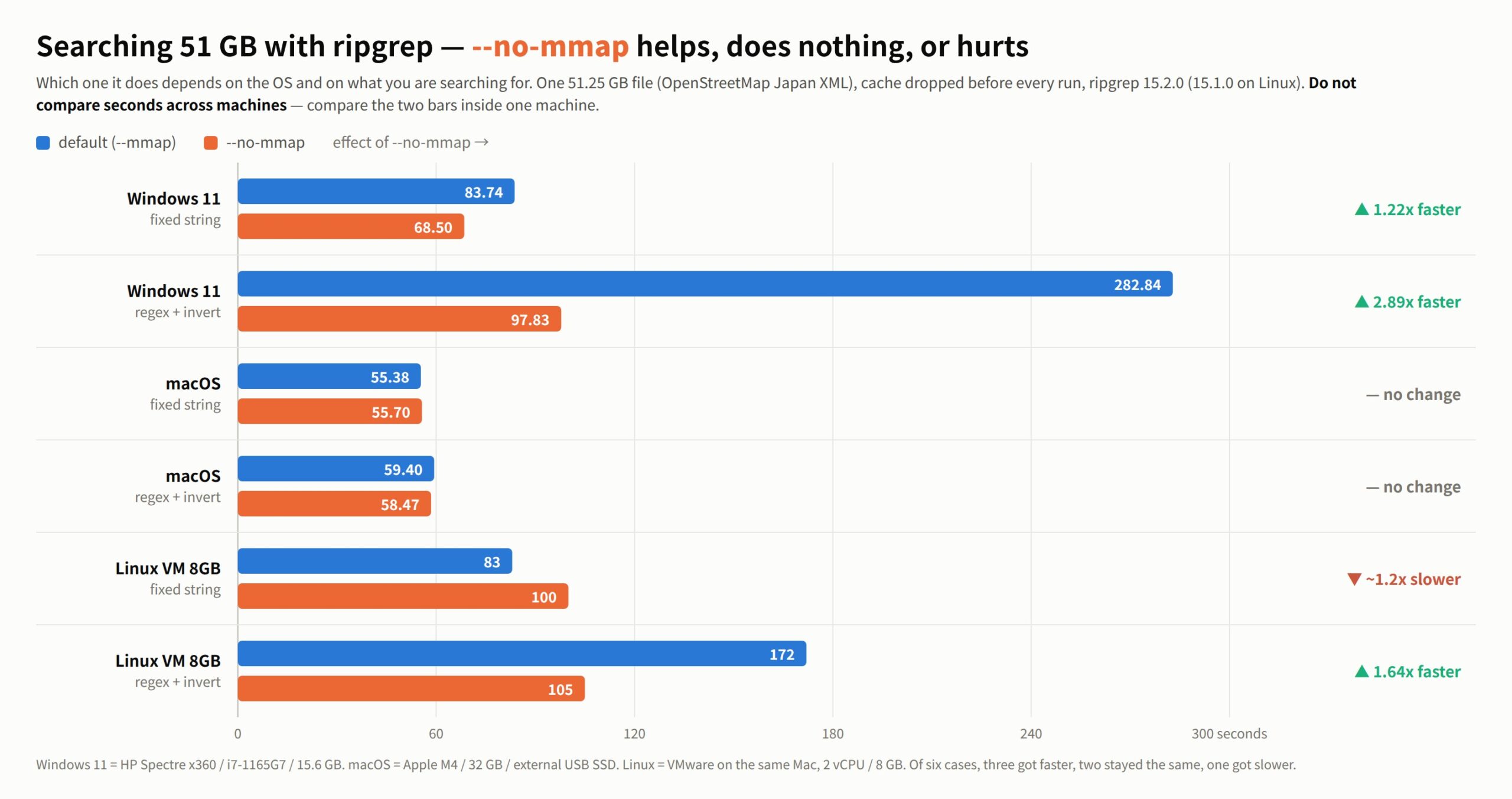
Searching a 51 GB file with ripgrep, adding --no-mmap can make it faster. On Windows, by up to 2.89×. On macOS, nothing changes. On Linux it goes either way, depending on what you are searching for.
This is not a story about a flaw in ripgrep. Memory-mapped reading is the right default most of the time. It is just that “most of the time” turned out not to mean “always”.
The numbers first
The same single 51.25 GB file (OpenStreetMap Japan expanded to XML — 51,254,526,392 bytes), the same two searches, every run measured immediately after dropping the cache.
| Machine | Search | default (--mmap) |
--no-mmap |
Effect |
|---|---|---|---|---|
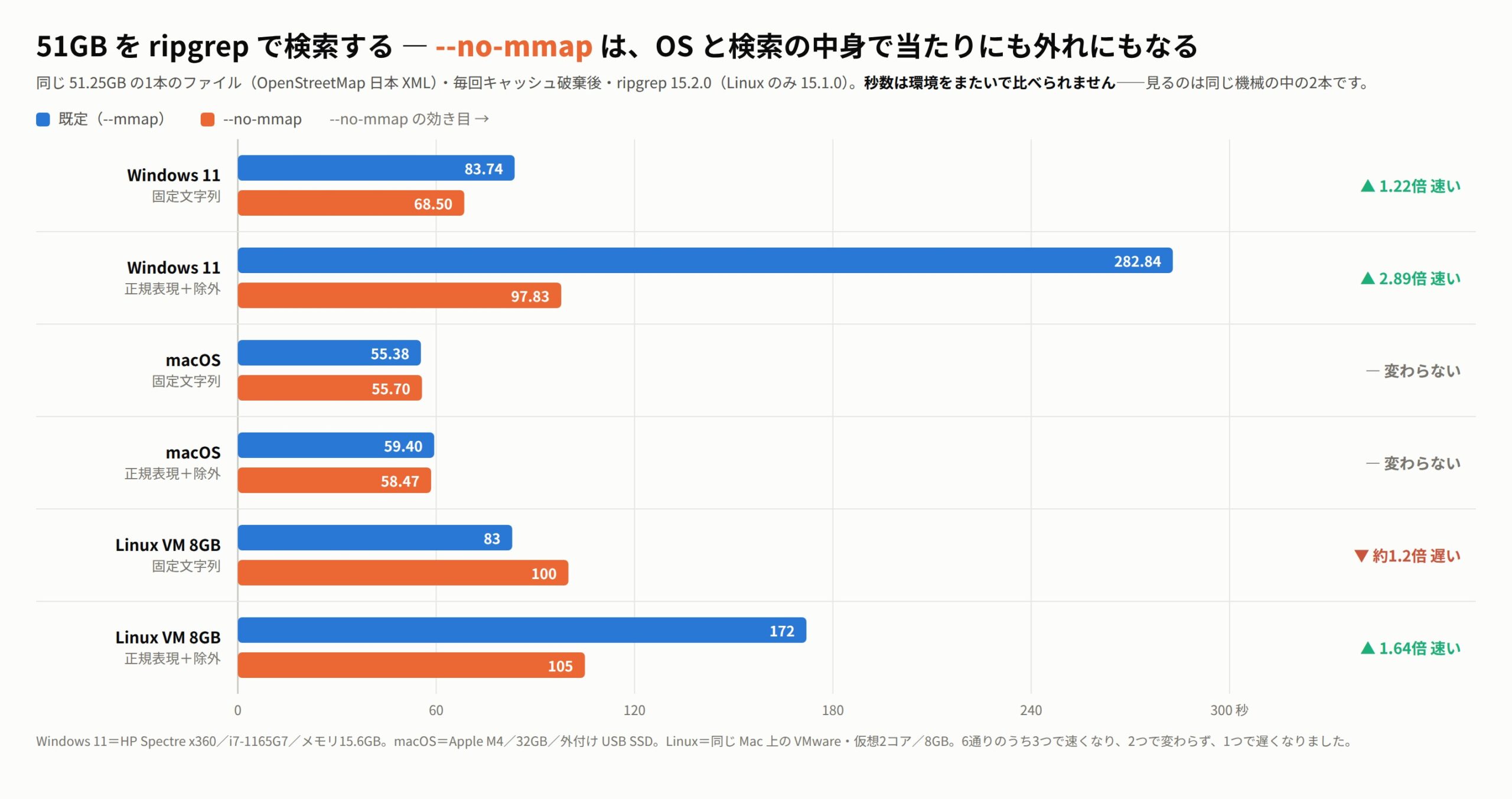
| Windows 11 | fixed string | 83.74 s | 68.50 s | 1.22× faster |
| Windows 11 | regex + invert | 282.84 s | 97.83 s | 2.89× faster |
| macOS | fixed string | 55.38 s | 55.70 s | no change |
| macOS | regex + invert | 59.40 s | 58.47 s | no change |
| Linux (VM, 8 GB RAM) | fixed string | ~83 s | ~100 s | ~1.2× slower |
| Linux (VM, 8 GB RAM) | regex + invert | ~172 s | ~105 s | 1.64× faster |
Six cases: three got faster, two stayed the same, one got slower.
Three things follow.
- On macOS you can ignore all of this. Either way is the same. The default is already doing the best it can.
- On Windows the default costs you on a 51 GB file — nearly 3× on the heavier search.
- On Linux it flips with the workload. Light search: the default wins. Heavy search:
--no-mmapwins.
Why we ended up measuring this
We were comparing our own CLI — uvf, which ships with the free edition of UwView — against ripgrep across 3 GB, 10 GB and 50 GB on macOS, Windows and Linux. The 50 GB case on Windows looked wrong.
Summed over the same seven searches, Windows against macOS came out at 1.09× for 3 GB and 1.45× for 10 GB. That is a believable machine difference. But 50 GB jumped to 2.25×, and inside it one item — -E -v, a regex printing the lines that do not match — took 283 s against macOS’s 58 s. 4.9×.
“The machine is slower” does not explain that, because there is no reason for the ratio to get worse as the file grows. So we wrote a script to take it apart.
How it was measured
- File: OpenStreetMap Japan XML, one file of 51,254,526,392 bytes
- Search 1 (fixed string):
rg -n -F '東京' <file>— 94,979 hits - Search 2 (regex + invert):
rg -n -v '^ +<' <file>— 3 hits - ripgrep 15.2.0 (15.1.0 on Linux)
- Cache dropped before every single run, then a 10 s settle (
sudo purgeon macOS,drop_cacheson Linux, RAMMap-Etfrom an elevated shell on Windows) - Same script everywhere; hit counts recorded each time and checked to match between
--mmapand--no-mmap
The machines:
| macOS | Apple M4 / 32 GB / external USB SSD |
| Windows 11 | HP Spectre x360 (Core i7-1165G7, 4C/8T, 15 W class) / 15.6 GB / Intel Optane H20 with SSD 512 GB |
| Linux | VMware on the same Mac, 2 vCPU / 8 GB |
Do not compare seconds across machines. The comparison is the two bars inside one machine.
It was neither the disk nor the CPU
On Windows the first suspect was file placement and fragmentation. It was not that. Reading the same 3 GiB with no tool in the way gave 1159 MB/s at the start of the 51 GB file, 1134 MB/s in the middle and 1168 MB/s at the end. Flat. This drive does 1.1 GB/s raw, so reading 51.25 GB has a floor of about 45 s.
The second suspect was thermal throttling — a 15 W ultrabook under five minutes of load is a fair thing to suspect. Also not it. The clock read 2803 MHz before and after, and running the same 3 GB search five times in a row gave 7.1 s from the second run onward, steady.
What was left was the reading. And adding --no-mmap turned 282.84 s into 97.83 s.
Why (this part is a guess)
A memory map makes a file look like memory. In practice, every page you touch is fetched from disk by the OS. When the file fits in RAM this is excellent — it removes a copy.
It stops being excellent when the file does not fit. 51.25 GB fits neither in the Windows machine’s 15.6 GB nor in the Mac’s 32 GB, so the whole read becomes a long sequence of mapping pages in and throwing them out again. How much that costs apparently differs by operating system — that is our working explanation.
To be honest about it: this is reasoning backwards from the measurements, not something we verified. In particular we cannot cleanly explain why Linux flips — default faster for the light search, --no-mmap faster for the heavy one. If you know, we would like to hear it.
What to actually do
On Windows, if you are searching one file larger than about 10 GB with ripgrep, try --no-mmap once. It is one word, and it does not cost you anything.
rg --no-mmap -n 'pattern' huge.log
On macOS, do nothing. There is no difference.
On Linux, it is worth trying for heavy searches — regex, -v, -i and combinations of them. For a plain fixed string the default was faster in our runs.
Again: this is not a knock on ripgrep. Defaulting to mmap is the right call for the normal case — walking a source tree, reading logs of a few megabytes to a few gigabytes. What we measured sits at the far edge of the range: one file that does not fit in memory.
About our own tool, briefly
Since we were the other side of this comparison, here is where uvf sits.
uvf does not memory-map. It reads sequentially into a fixed buffer. As a result it behaves the same on all three systems — there is no good case and no bad case. On Windows at 10 GB with a fixed string, cold, ripgrep took 15.91 s and uvf took 7.22 s: 2.2×. On macOS the two are level (3.26 s against 3.32 s cold at 3 GB), so we read that gap as exactly the amount Windows loses to mmap.
The flip side is a real one. On Linux the default mmap is faster for light searches, and uvf is not using it. There is speed left on the table there. Right now we prefer having the same behaviour everywhere, but it is on the list.
uvf is free, runs on Windows, macOS and Linux, and is a single binary from GitHub Releases. If you want to search the same file repeatedly there is a paid edition (uvp) that builds an index beside it — but for searching, uvf is enough.
Trying it yourself
Two runs against the same file, dropping the cache in between.
# first (the default)
rg --mmap -n -F 'pattern' huge.log > /dev/null

# drop the cache
#   macOS  : sudo purge
#   Linux  : sync && sudo sh -c 'echo 3 > /proc/sys/vm/drop_caches'
#   Windows: RAMMap64.exe -accepteula -Et   (elevated)

# second
rg --no-mmap -n -F 'pattern' huge.log > /dev/null
Measuring without dropping the cache tells you nothing except that the second run is warmer, so do not skip that step. And check that both runs print the same number of lines — if they do not, something about the measurement is wrong rather than something about ripgrep.