Only the regex path was slow.
Same 50 GB file, same tool, same disk. The only difference is whether -E is on the command line — and the clock nearly doubles. ripgrep, sitting right next to us in the same run, has no such step.
Closing that step had nothing to do with making the regex engine faster.
- Up front: we prefilter with literals the pattern cannot avoid
- The problem: turning on -E cost nearly twice as much
- The cause: we decoded every line, including the ones that could never match
- The fix: find what the pattern cannot avoid
- The numbers: 13.68 → 7.75 s, level with the 7.15 s literal
- The general lesson: find the asymmetry in how you can be wrong
- The tools behind this
- Links
Up front: we prefilter with literals the pattern cannot avoid
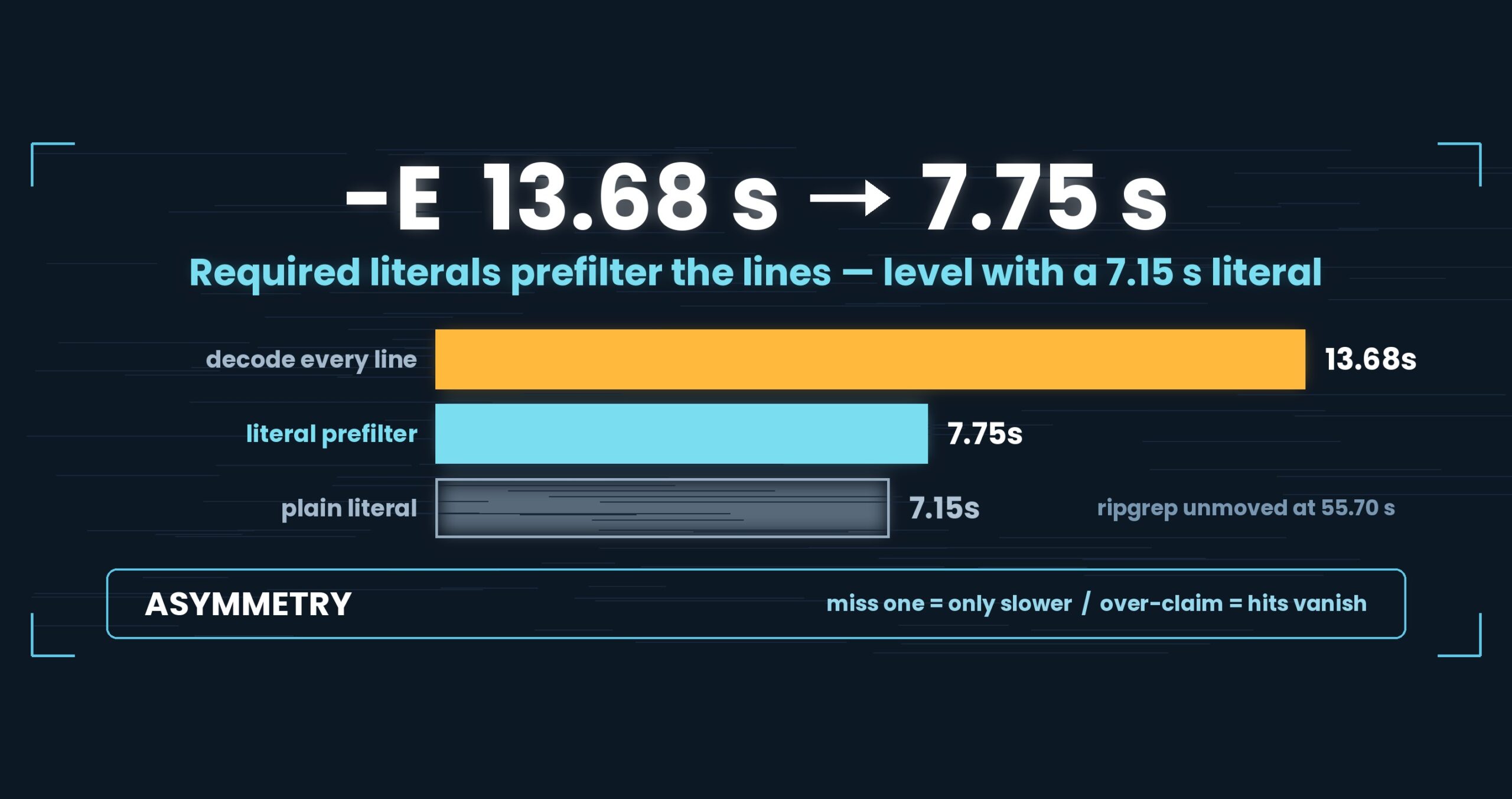
We now pull a set of strings out of the pattern that every matching line must contain, find those in raw bytes with SIMD, and run the regex only on the lines that survive. A 50 GB -E search went from 13.68 s to 7.75 s, landing next to a plain literal search at 7.15 s. (ripgrep, same run: 55.70 s for the regex, 55.66 s for the literal.) One note we will not bury: at 1.77×, this change clears our own single-item bar (under 1.5× is not a difference) by very little. The article says what else backs it up. Patterns with no extractable literal ([0-9]{3}-[0-9]{4}" and friends) come in at 12.88 s — no regression. Mac M4, 32 GB RAM, external USB SSD, OpenStreetMap XML, with the .uwvz already built; one setup, results vary. Details at the end.
About this series. “First Light” is the pet name of UwView v1.6.6 — the release where both the GUI and the command line
started opening and searching a huge file in a single pass. This series follows what that took, one fix at a time.
This is part 4. Required-literal extraction actually shipped back in v1.6.0, so treat it as groundwork for First Light.
The problem: turning on -E cost nearly twice as much
Against a 50 GB OpenStreetMap XML file (51,254,526,392 bytes, ~890 million lines), with the .uwvz (compressed cache plus index) already built:
50 GB, .uwvz reused |
uvp |
ripgrep 15.2.0 |
|---|---|---|
| Literal search | 7.49 s | 55.66 s |
Regex -E |
13.68 s | 55.70 s |
Look at ripgrep’s two rows first: 55.66 and 55.70. Handing ripgrep a regex changes essentially nothing. That is not luck — “regular expressions don’t make it slower” is a property ripgrep sets out to have.
Ours went 7.49 → 13.68. We were 1.83× slower than our own literal search. Being on the fast side of the table does not help if that step is there, because real investigation work is full of -E 'timeout|refused'. A tool that gets heavy exactly where people actually search is heavy in practice.
So: why should switching to a regex double the time spent reading the same file?
The cause: we decoded every line, including the ones that could never match
The -E path was the obvious one:
- Decode the line’s bytes into a UTF-16 string
- Run .NET’s regex engine over that string
This is exactly the shape part 3 found behind -i, and it is slow for the same reason. Matching lines are a tiny minority, but the decode runs on all of them — roughly 890 million times at 50 GB.
A literal search has no such step. It scans raw bytes with SIMD and materialises only the lines that hit. The gap between 7.49 s and 13.68 s was, in its entirety, the bill for getting to the match test, not the match test itself.
Aim badly here and you end up optimising the regex engine. But most of those six seconds are spent before the engine is ever called, so no amount of engine work recovers them. The thing to cut was the number of lines reaching the engine.
The fix: find what the pattern cannot avoid
Most regular expressions have parts you cannot get around. A line matching timeout|refused contains timeout or refused. A line matching ERROR:\s+\d+ contains ERROR:. We call that set of strings the required literals and extract them from the pattern mechanically (RegexLiterals).
With them in hand, a search becomes:
- Scan raw bytes with SIMD for any required literal — the literal search, unchanged
- Decode only the lines that hit, and run the regex on those
Step 1 runs at literal-search speed, so -E converges on “a literal search, plus decoding a handful of lines.”
The extraction rules lean toward missing literals
There are two ways to be wrong here, and they are not symmetric:
- Miss one (a literal really is required, but we failed to see it) → weaker prefilter. The answer does not change.
- Claim one falsely (treat a non-required string as required) → matching lines that lack it never become candidates and vanish silently.
The second is the worst failure mode there is: results that are quietly incomplete. So the extractor leans hard toward the first.
| Construct | Treatment |
|---|---|
a? / a* / a{0,3} |
Not required (zero occurrences satisfy it) → don’t take it |
a+ |
Take one occurrence as required |
(a\|b) |
Take as a set (both a and b become candidates) |
With IgnoreCase |
Don’t handle it — case folding ranges make “required” hard to prove |
| Anything we can’t reason about | Don’t take it → fall back to the decode path |
The fallback is the important part. Because “extract nothing” is always a legal answer, the extractor does not have to be clever to be correct. Cleverness buys speed only; it is not load-bearing for the result.
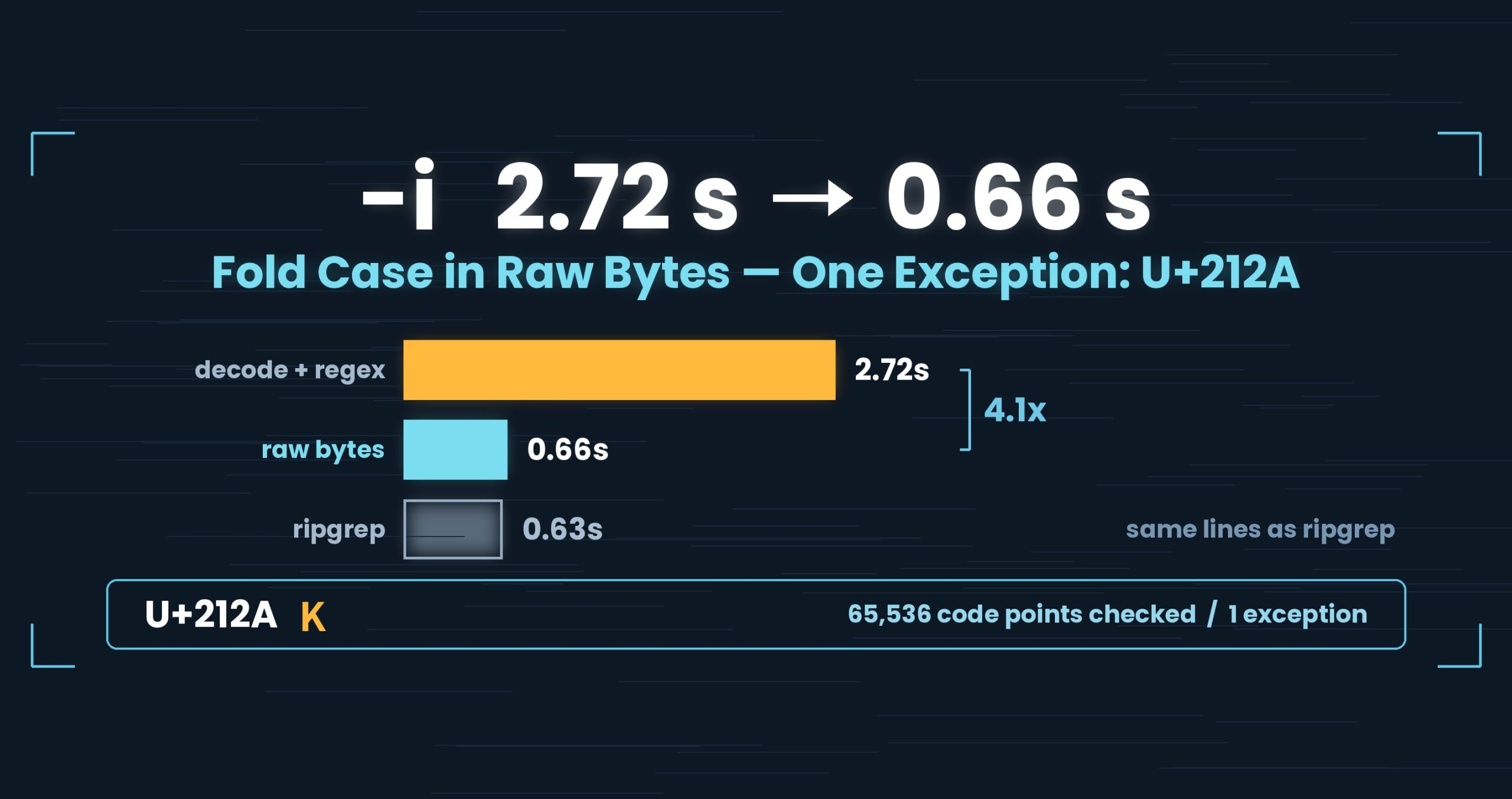
That is also why -E -i gets no required literals. As part 3 showed, case folding has an exception outside ASCII (U+212A), and stacking “must contain” logic on top of that makes the guarantee hard to hold. -E -i instead uses “the longest run of the pattern containing no k” as its prefilter — weaker, but it cannot drop a hit.
The numbers: 13.68 → 7.75 s, level with the 7.15 s literal
50 GB, .uwvz reused, two runs on 2026-09-15 (Mac M4, 32 GB RAM, external USB SSD, ripgrep 15.2.0)
| 50 GB | Before (10:33) | After (17:02) | ripgrep |
|---|---|---|---|
Regex -E (602,805 hits) |
13.68 s | 7.75 s | 55.70 s |
| Literal (94,979 hits) | 7.49 s | 7.15 s | 55.66 s |
| Pattern with no extractable literal | — | 12.88 s | 67.60 s |
7.75 s against 7.15 s — that is the whole point. Write a regex, wait about as long as a literal. The property ripgrep had and we did not is now in the tool.
Expressed against ripgrep, -E moves from 4.06× to 7.19×, but that is us getting faster, not ripgrep getting slower: 55.70 s before, 55.70 s after.
1.77× is only just over the line
This one cuts against us, so it gets its own heading.
In this series we do not call a single-item change under 1.5× a difference. 13.68 → 7.75 is 1.77× — over the line, but only by about 1.2×. Presenting a number that sits just above the bar with the same face as one far above it would not be honest, so here are two things that back it up:
- The prediction landed. Before the change we wrote down what should happen: prefiltering on required literals should put
-Eon top of the literal search. Measured: 7.75 s against 7.15 s. Not “it got faster” — it hit a number named in advance. - The controls did not move. ripgrep: 55.70 s before and after. And the pattern with no extractable literal came in at 12.88 s — no regression. If the machine had simply been faster that afternoon, both of those would have moved too.
Without those two we would not have published the 1.77×. A number that merely clears the bar guarantees nothing beyond having cleared it. The closer you sit to the line, the more you need corroboration from another angle.
For the record: this series originally used “under 2× is not a difference,” and we lowered the bar to 1.5× on 2026-09-25. Having lowered it, adding this kind of corroboration near the line becomes the default.
Honest notes
- These figures assume the
.uwvzalready exists, i.e. the second and later queries against a file. The first query is a different story: at 50 GBuvpis 6–7% slower than ripgrep (59.0 s vs. 54.9–55.8 s, v1.6.6.1) because it builds the sidecar. - 10:33 and 17:02 are separate runs. Same day, same machine, same file — but an external USB SSD wanders. That is exactly why the controls (ripgrep and the no-literal pattern) sit inside the same runs.
- The two searches return different hit counts (602,805 vs. 94,979), so this is not a strict like-for-like comparison. It is still enough to account for a six-second step that appears only when
-Eis present. -E -itogether is still a loss: 1.67 s against ripgrep’s 0.60 s at 3 GB warm (part 3).
The general lesson: find the asymmetry in how you can be wrong
When you add a prefilter, the first question is not “how much does it cut?” It is “when it is wrong, which way does it break?”
Here: miss a literal and you are slow; claim one falsely and answers disappear. When only one direction is fatal, the design can go all the way over. “Don’t take what you can’t prove” and “unknown syntax falls back” are enough, and the extractor never needs to get smart.
Aim for a clever filter instead and you accumulate marginal judgements — “surely this much is required” — and the day one of them is wrong, results are silently short. Betting correctness on a speed trick is a bad trade, because speed is measurable and a quietly missing line is not.
One more. A step in your numbers is easier to diagnose if you check whether the other tool has it too. ripgrep’s regex and literal sat at 55.70 and 55.66. Same job, no step on their side — so the step was not inherent to the job, it was inherent to our implementation. A comparison tool is not only a yardstick for speed; it is a test for whether your slowness is necessary.
The tools behind this
UwView is a viewer for huge text and huge logs (free: UwView; paid: UwView Pro).
The same things, from the command line
# Ch.3: search with a regex (required literals are extracted automatically)
uvp huge.log -E 'timeout|refused'

# Ch.3: patterns with no extractable literal still work (they fall back)
uvp huge.log -E '[0-9]{3}-[0-9]{4}'

# Ch.4: combined with ignore-case (this combination picks its prefilter differently)
uvp huge.log -E 'timeout|refused' -i

# Ch.5: narrow with a second word (searched within the first word's hits)
uvp huge.log 'ERROR' 'payment'

# Ch.5: with surrounding context / write results to a file
uvp huge.log 'FATAL' -C 5
uvp huge.log 'FATAL' -out fatal.txt

# Ch.5: hand the result straight to the GUI to open
uvp huge.log -E 'timeout|refused' -open
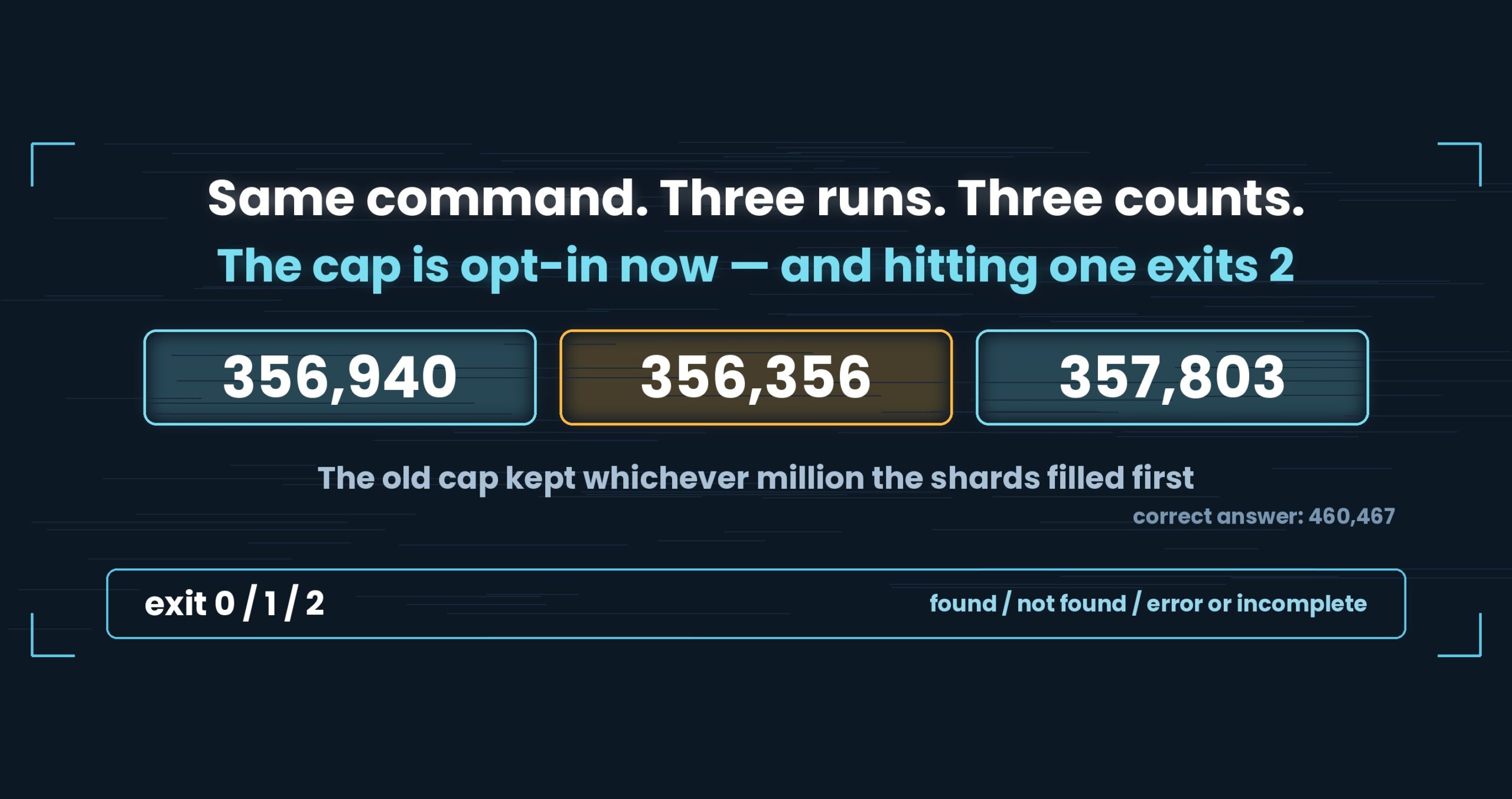
Exit codes match grep: 0 = found, 1 = not found, 2 = error or incomplete result, so if uvp huge.log -E 'timeout|refused'; then works as written.
Honestly: the first query with uvp is a little slower than ripgrep, because it builds the .uwvz (compression + index) first — at 50 GB, 59.0 s vs. 54.9–55.8 s = 6–7% (v1.6.6.1). It pays off from the second query on: the same 50 GB search returns in 6.56 s, about 8.4× ripgrep. On small files like 3 GB it is about even — the index buys you less. The free uvf is on par with ripgrep at any size (measured article; Mac M4, 32 GB RAM, external USB SSD, OpenStreetMap XML — one setup, results vary).
Links
- Part 1 — the day we wrote “this is not a speed tool”: https://uvp.y42u.net/en/blog/uwview-fl01-v160-confession-en/
- Part 2 — folding two and a half passes into one: https://uvp.y42u.net/en/blog/uwview-fl02-one-pass-rawgrep-en/
- Part 3 — folding case in raw bytes: https://uvp.y42u.net/en/blog/uwview-fl03-ignorecase-u212a-en/
- We shipped a uvp command (measured against ripgrep): https://uvp.y42u.net/en/blog/uvp-cli-release-vs-ripgrep-en/
- Closing the first-query gap (v1.6.6.1): https://uvp.y42u.net/en/blog/uvp-v1661-search-while-building-en/
- Source (GitHub): https://github.com/amru195704/UwView
And if huge logs are eating your storage and you want them kept compressed and still searchable, try UwView Pro: a persistent index, search inside the compressed cache, and about 1/9 the storage, with reopening and searching both a step faster (all OSes; one-time purchase or subscription).
From the developer: a list of my apps, Kindle books, and open source is at GitHub: amru195704.