
[Update, 16 October 2026] Speed today — the free edition, slower than klogg in July, is now on par or faster
This article compares features as of July 2026 (UwView v1.0–v1.1). Speed has changed a lot in later versions. The current version is v1.9.0 “Full Spectrum”.
Against klogg July 2026 (v1.0, 48 GB) Latest comparison (50 GB) Free UwView: open 128–186 s vs klogg about 110 s (klogg faster) 50.44 s vs klogg 52.55 s (on par) Free UwView: search 156.2 s vs klogg 120–135 s (klogg faster) 53.50 s vs klogg 55.59 s (on par) Search and read in the window ( uvf … -open)(not available yet) 50.76 s vs klogg 109.32 s (2.15×) UwView Pro: search (with index) 14.3 s (about 9× klogg) 6.47 s (8.6× klogg) July was measured on an external USB drive (0.41 GB/s) and the latest values on an external USB SSD, so compare the ratios to klogg, not the seconds (both on a Mac, cold, klogg 24.11.0). The latest values are the free edition v1.6.6 (September 2026) and Pro search v1.7.3.1 (28 September 2026). The
uvpcommand in v1.9.0 is 2.56× ripgrep (one 3 GB file, total of 30 items, Mac). Details: Benchmarks and the v1.9.0 “Full Spectrum” article.
We previously published a feature comparison table between the large-file text viewer UwView and the industry-standard log viewer klogg. There was one rule: list every row we’re losing on, too. That table reflected the free version (UVF) as of v1.0.0, but since then we’ve filled in a number of “losing rows” through v1.1 → v1.1.1.
So this time, as the complete edition as of Ver1.1.1, we’re presenting a three-column table — klogg, free UwView (UVF), and upper-tier UwView Pro (UVP) — with the same items, just with the status brought up to date. As before, we haven’t hidden the rows where klogg wins. Note that UwView Pro is on sale now (macOS version first, one-time purchase or monthly subscription) → https://uvp.y42u.net/en/pro-en/ .
[Update, Aug 26, 2026] Ver1.3.1 flipped the search rows of the “losing table”
The tables below are kept as-is, as a record of Ver1.1.1. Here is what changed in v1.2–v1.3.1:
- Boolean search expressions (AND/OR) — the table shows klogg 🔶 / UwView ❌. With Drill-down search in v1.3.0 (UVP), the positions reversed: refine the previous results with the next term, up to 8 stages, each in its own tab, with per-stage ±N context. Where klogg’s Boolean works within a single line, Drill-down narrows co-occurrence across nearby lines. Measured on the 258 GB / 4.5-billion-line US OpenStreetMap file:
New York(100,492 hits) →Central Park(226) →coffee_shop(3), in two refinements- Sequence search (v1.3.0, UVP) — a new mode that extracts only the flows where w1 → w2 → w3 appear in that order — the local-file equivalent of Elastic EQL’s
sequence/ Splunk’stransaction. klogg has no counterpart- Both modes record the History (drill-down path) — right-click any result to see which hits led there, line numbers included
- The free edition (UVF) keeps classic single-stage search with ±1 context (the multi-stage UI is visible and unlocks with a Pro license)
Details: Drill-down search / Sequence search.
The other rows (QuickFind, follow-linked search, per-file state restore, distribution, track record) are unchanged since this article — if that changes, we’ll append again.[Update, Aug 29, 2026] “Track record: still building” was factually wrong
The table below says “Track record / user base — UwView: 🔶 Still building.” That was inaccurate.
In August 2026, a routine notice from Vector (a long-running Japanese software library) confirmed that UwView 0.6, published by the same author in May 2006, is still listed there (author no. PA028504, item no. PS398984). 12,657 cumulative downloads. Its description at the time read: “a fast text viewer that can display up to 50 million lines.”
- 2006, UwView 0.6 ── 50 million lines
- 2026, UwView Pro ── 4,509,830,821 lines / 258.68 GB, measured
90x in twenty years. Same author, same name, same problem.
But to be precise: those 12,657 downloads belong to the predecessor (the 2006 release), not to the current version. The current version was published on GitHub in 2026 and its own download record is genuinely still building. So the correction is “still building” → “the predecessor goes back twenty years; the current version is still building” — and the symbol in the table (🔶) does not change.
Also worth saying plainly: klogg’s “10+ years in the glogg lineage” is a record of continuous, ongoing development and distribution. That is a different thing from something published once twenty years ago and left alone. klogg still wins this row.
The predecessor listing (the 2006 LZH build) was removed from Vector in October 2026 at the author’s request (12,666 downloads at the time). The current version is on Vector and GitHub.
Legend: ✅ = Yes / 🔶 = Partial or limited / ❌ = No (→ planned candidate) / — = Not applicable. Baseline: klogg 24.11.0, UVF v1.1.1, and an internal UVP build.
- 1. Performance and Core (Where UwView Leads)
- 2. Search, Filtering, and Color Coding (Big Progress in v1.1 / v1.1.1)
- 3. Display and Operation
- 4. Monitoring (Tail) and Operations (klogg’s Remaining Strengths)
- 5. Distribution and Ecosystem (Where klogg’s Overall Strength Counts)
- Rows Filled In and Rows Still Remaining, v1.0 → v1.1.1
- Summary
1. Performance and Core (Where UwView Leads)
| Feature | klogg | UVF 1.1.1 | UVP 1.1.1 |
|---|---|---|---|
| Instant opening of huge files (browse the whole file before indexing finishes) | ❌ Only the head until indexing completes | ✅ Instant display in page mode | ✅ Same as left |
| Persistent index (reopening is instant) | ❌ Re-indexes every time | ❌ Rebuilds every time | ✅ .uwvz (from a few ms) |
| Fast search via compressed cache | ❌ | ❌ | ✅ (3-9x faster than klogg) |
| Archive workflow (delete the original file, keep about 1/9 the size) | ❌ | ❌ | ✅ Checksum-protected |
| Automatic Japanese encoding detection (Shift-JIS/EUC-JP) | ❌ Manual selection | ✅ Automatic + manual switch | ✅ |
| Largest scale verified | Claimed to handle up to roughly a billion lines | 890 million lines / 51GB, measured | Same as left |
| Browser (WASM) version | ❌ | ✅ (bonus) | — |
| Japanese/English UI switch | ❌ English only | ✅ | ✅ |
The experience of instantly opening a huge file and being able to move freely through the whole thing is clearly where UVF/UVP lead, and Pro is another order of magnitude ahead again on reopening, search, and storage size (see the measured benchmarks in this article).
2. Search, Filtering, and Color Coding (Big Progress in v1.1 / v1.1.1)
| Feature | klogg | UVF 1.1.1 | UVP 1.1.1 |
|---|---|---|---|
| Regular expression search | ✅ | ✅ literal/regex | ✅ + fast icase path |
| Search results in a separate view + jump to text | ✅ Bottom pane | ✅ Popup (shown automatically) | ✅ Per tab |
| Context lines around results (±N) | ❌ | ✅ ±1 | ✅ ±64 (±1000 at v1.1.1) |
| Save results to a separate file (with original line numbers) | ❌ | ✅ | ✅ |
| Match highlighting + minimap distribution | 🔶 Match emphasis only | ✅ Minimap + click-to-jump | ✅ |
| Multi-keyword color highlighter | ✅ | ✅ v1.1 (32 colors, regex capture groups, 7 bundled presets, .uwvhl import/export, per tab) |
✅ Same as left |
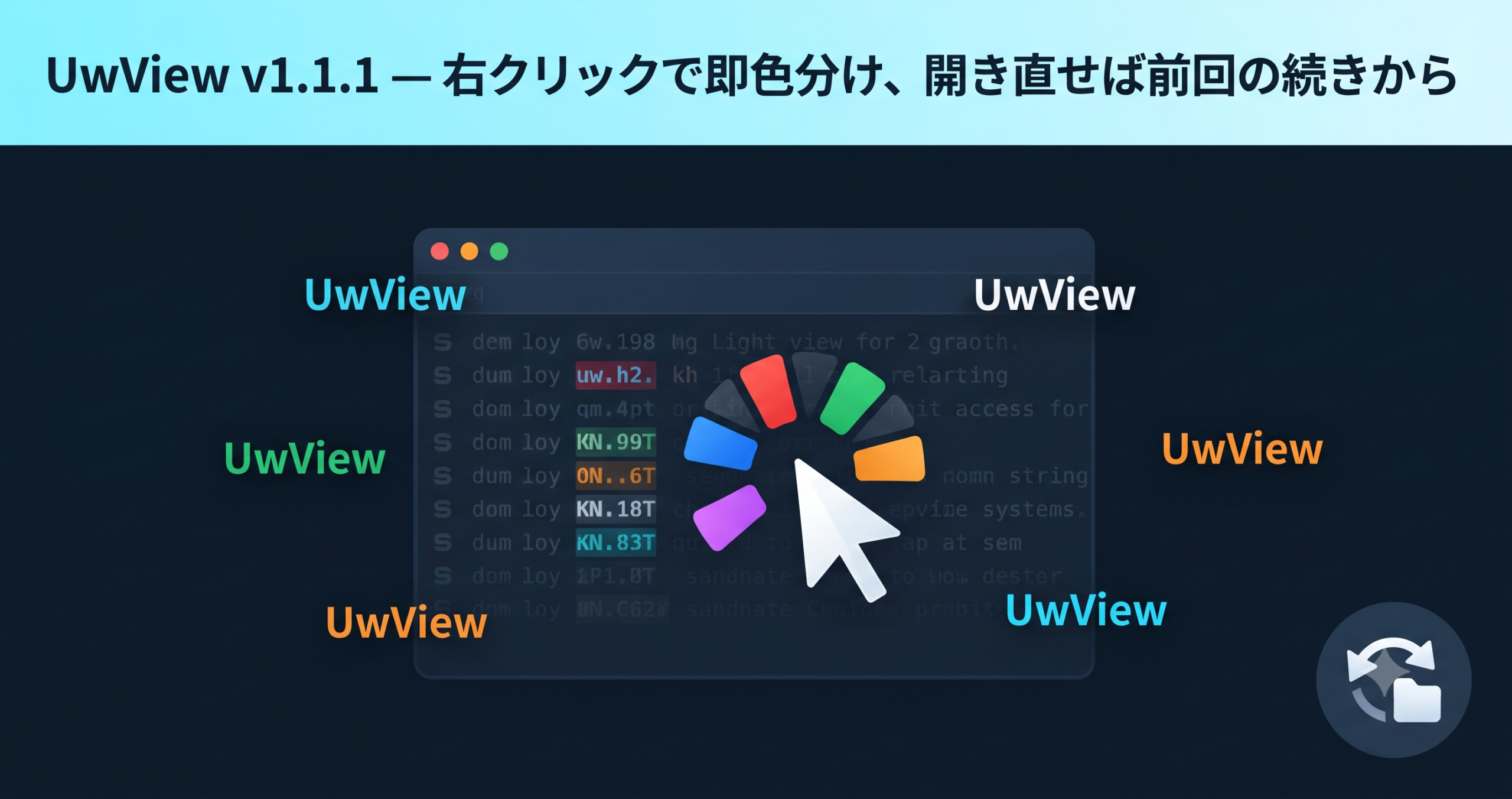
| Instant coloring of a selected word via right-click (quick color labels) | ✅ | ✅ v1.1.1 (right-click → color, 3-tier word selection) | ✅ |
| Saved predefined filters / search history | ✅ | ✅ v1.1 (50-entry history, ★ save) | ✅ |
| In-view incremental search (QuickFind, Ctrl+F) | ✅ | 🔶 Largely covered by search “next/previous” | 🔶 Same as left |
| Boolean search expressions (AND/OR) | 🔶 Substituted with regex | ❌ | ❌ |
The “log-analysis toolbox” — color-coded highlighting, search history, quick coloring — where klogg had the edge back in v1.0 has been almost entirely filled in by v1.1 and v1.1.1. The bundled presets went from 5 in v1.1 to 7 total after adding GeoJSON / KML in v1.1.1 (see the v1.1 article and the v1.1.1 article for details). QuickFind isn’t implemented yet, but since search “next/previous (< >)” covers most of the same need, it’s a lower priority.
3. Display and Operation
| Feature | klogg | UVF 1.1.1 | UVP 1.1.1 |
|---|---|---|---|
| Multi-file tabs | ✅ | ✅ Drag & drop / multi-select | ✅ |
| Bookmarks (marks) | ✅ | ✅ Toggle / prev-next / minimap | ✅ |
| Line selection (drag) → copy/save | 🔶 | ✅ v1.1 | ✅ |
| Rectangular (column) selection & copy | ❌ | ❌ | ✅ v1.1 (Pro only) |
| Line number display | ✅ | ✅ | ✅ |
| Scratchpad (a workspace for base64/JSON/XML formatting) | ✅ | ❌ → planned | ❌ |
| Line-wrap display | ✅ | ❌ → planned | ❌ |
4. Monitoring (Tail) and Operations (klogg’s Remaining Strengths)
| Feature | klogg | UVF 1.1.1 | UVP 1.1.1 |
|---|---|---|---|
| Follow appended writes (tail -f equivalent) | ✅ Follow mode | ✅ Incremental indexing + auto-scroll | ✅ |
| Session restore (reopen the previous set of files) | ✅ | ✅ v1.1.1 (restores to near the previous scroll position) | ✅ v1.1.1 |
| Recent files, favorites, start screen | ✅ Recently used | ✅ v1.1.1 (last 15, ★ favorites) | ✅ |
| Auto-updating search results while following | ✅ | ❌ → planned (high priority) | ❌ |
| Per-file state restore (marks, encoding, Follow) | ✅ | ❌ → planned (per-file) | 🔶 Index is persistent; marks, etc. are ❌ |
| Log rotation / truncation handling | 🔶 | ❌ | ❌ |
Around “resuming your work,” v1.1.1’s session restore, recent files, and favorites have filled in most of the gap. What remains is auto-updating search tied to Follow, and fine-grained per-file state restore.
5. Distribution and Ecosystem (Where klogg’s Overall Strength Counts)
| Item | klogg | UVF 1.1.1 | UVP 1.1.1 |
|---|---|---|---|
| Price / license | Free, GPL (OSS) | Free, PolyForm Internal Use (source available) | Paid (commercial, on sale) |
| Supported OS | Win/Mac/Linux | Win/Mac/Linux + WASM | Win/Mac/Linux |
| Package distribution (Homebrew/Chocolatey/winget, etc.) | ✅ Extensive | ❌ GitHub Releases only → planned | ❌ |
| OS shell integration / portable version | ✅ (Windows) | ❌ → planned | ❌ |
| Track record / user base | ✅ 10+ years in the glogg lineage | 🔶 Still building | 🔶 |
| Encoding coverage (Chinese, Korean, Cyrillic, etc.) | ✅ Broad, thanks to its Qt base | 🔶 UTF-8/Shift-JIS/EUC-JP/UTF-16 → planned | 🔶 |
Distribution, track record, and encoding coverage are areas where klogg is still clearly ahead today. These aren’t things that get filled in overnight, so we’re leaving them exactly as they are, honestly.
Rows Filled In and Rows Still Remaining, v1.0 → v1.1.1
- Filled in (klogg’s edge → UVF is now ✅ too): multi-keyword color highlighter, instant right-click coloring of a selected word, search history / predefined filters, line selection → copy/save, session restore, recent files / favorites.
- Still remaining (klogg still ahead): auto-updating search while following, per-file state restore, QuickFind (can be substituted with search next/previous), Boolean search expressions, Scratchpad, line-wrap display, package distribution / OS shell integration, track record / encoding coverage.
We’re not hiding the remaining items — they’re all listed openly in the GitHub Issue (roadmap). We’ll work through them from the top, not by copying klogg outright, but by designing each one in whatever shape we find easiest to use ourselves.
Summary
- Performance and the huge-file experience remain UVF/UVP’s strength. Pro takes it another order of magnitude further (persistent index, compressed search, 1/9 storage size).
- The log-analysis toolbox gained color highlighting, quick coloring, search history, and restore features in v1.1/v1.1.1, closing the gap with klogg considerably.
- klogg’s remaining advantages are things like Follow-linked search, per-file state restore, distribution, and track record. These will be addressed one by one through the public roadmap.
- If your use case is routine log-analysis work and you value distribution and track record, klogg is still a solid choice today. If you want to open and read huge files fast, automatically detect Japanese log encodings, and track things by color, give UwView a try. It’s free.
Related Articles
- An Honest Comparison with klogg (v1.0 Feature Comparison Table, Free Version)
- UwView v1.1 — Reading Huge Logs by Color: Implementing the Color Highlighter and Bundled Presets
- UwView Ver1.1.1 — Instant Coloring via Right-Click, Pick Up Right Where You Left Off
- UwView Pro Benchmark, Complete Edition — A Serious Comparison with klogg Across 3 Sizes x 3 Storage Types
Sources
- klogg official documentation https://github.com/variar/klogg/blob/master/DOCUMENTATION.md
- amru195704/UwView (GitHub) https://github.com/amru195704/UwView
- Roadmap of future feature candidates (Issue) https://github.com/amru195704/UwView/issues/1
From the developer: a list of my apps, Kindle books and public projects is on GitHub: amru195704.
A note
The information in this article is provided for reference purposes only, and we do not guarantee its accuracy or completeness. Feature availability reflects what was confirmed as of each version and may change with future updates. If you notice any errors or inaccuracies, please let us know in the comments and we will review and correct them.
コメント