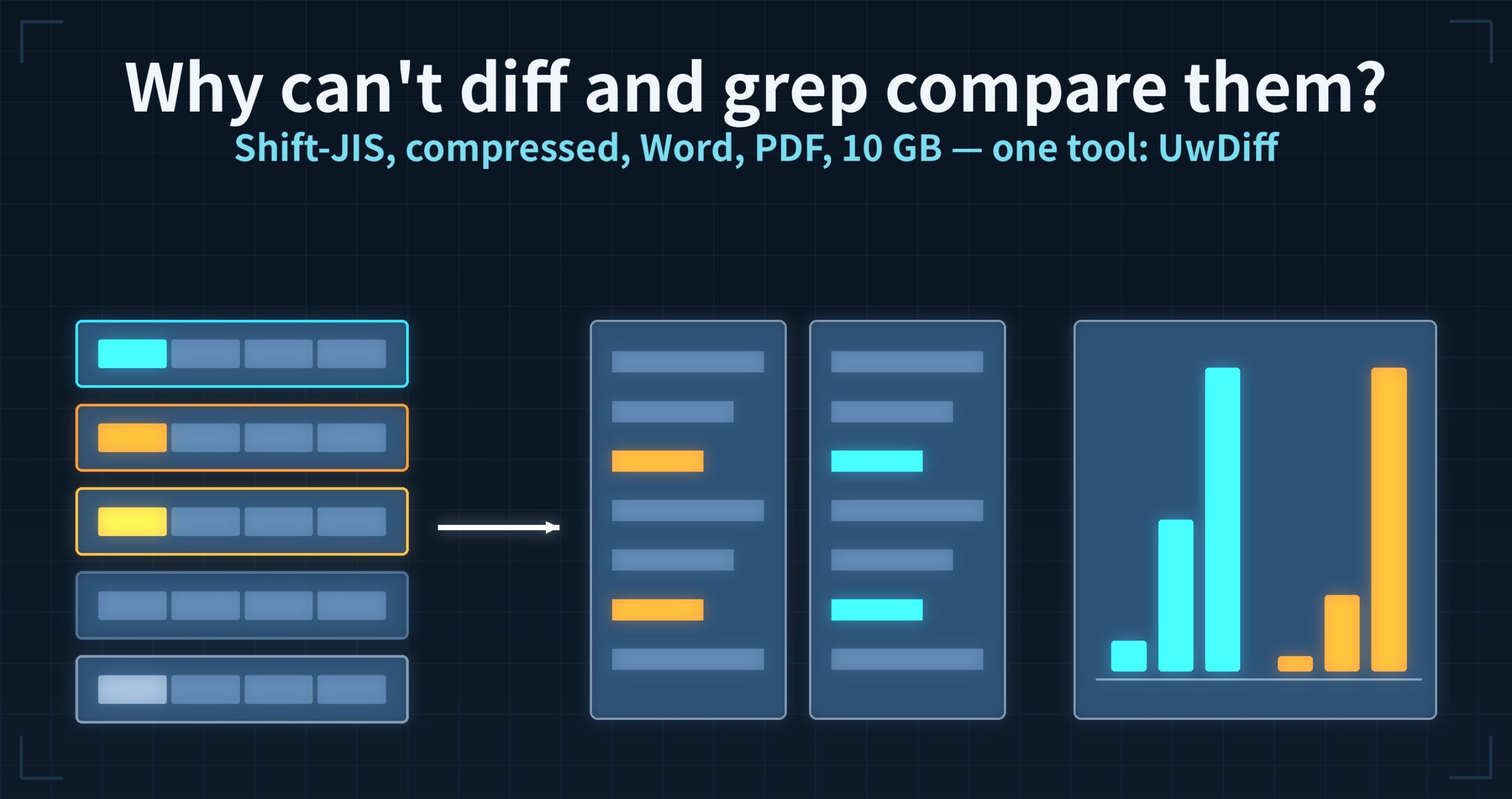
The short answer: diff and grep are not weak. But once Japanese encodings, compression, Office and PDF files, multi-gigabyte sizes and switching between operating systems pile up, every tool needs some option or some other tool. I wanted to compare any of those combinations with one tool and no options, so I built UwDiff. This post is about the frustrations, a hunch, and what I found when I built it.
uvdis the CLI of UwDiff, which I develop (the GUI is called UwDiff). UwDiff is a separate product, not part of UwView.
▶ This article is also a video (about 3 minutes): YouTube: “Why can’t diff and grep compare so many files?”
I thought grep and diff were finished tools
I have used grep and diff for years. They have been polished for decades, and I assumed they were all I needed to search and compare text.
With the files that turn up in everyday work, though, I kept tripping up.
Snag 1: Japanese encodings
Compare the same CSV saved as UTF-8 and as Shift-JIS:
$ diff utf8.csv sjis.csv
1c1
< 点名,X
---
> (the same line as Shift-JIS bytes)
Lines with only ASCII match, but every line containing Japanese is reported as different. diff compares bytes, so that is expected — but what I want to know is whether the content changed. You first have to normalise the files with something like iconv. Where UTF-8, Shift-JIS, EUC-JP and UTF-16 are mixed, the job starts with working out which is which.
GUI comparison tools behaved the same way. Here is a Shift-JIS (CP932) CSV opened with default settings (same Mac):
| Tool | With default settings | To make it readable |
|---|---|---|
| KDiff3 1.12.6 | garbled (read as UTF-8) | set A and B to Shift_JIS under “Regional Settings” and turn off Unicode auto-detection (the setting persists, so switch it back before UTF-8 files) |
| P4Merge 2026.3 | garbled (read as “System”) | start it with -C shiftjis |
| UwDiff 1.0.0 | readable (detected automatically) | nothing to set |
Both become readable once you set the encoding by hand — but you have to know each file’s encoding and set it again every time.
Snag 2: compressed files
One copy of a log was saved gzip-compressed; the other copy was edited. I want to compare the two:
$ diff app.log app.log.gz
Binary files app.log and app.log.gz differ
There is zdiff for gz, bzdiff for bz2 and xzdiff for xz; zst and br have to be decompressed first. It is possible — but every format needs its own command. That adds up.
Snag 3: Word, Excel and PDF
$ diff spec-v1.docx spec-v2.docx
Binary files spec-v1.docx and spec-v2.docx differ
You learn that they differ, not where. Excel opens CSV files, but cuts them off after 1,048,576 rows.
Snag 4: switch OS and your tools are gone
Windows has excellent GUI comparison tools; Linux has fast CLI tools. Move between them and the tool you know is not there, so you relearn the same comparison per OS.
There are many tools — and large files still take a long time
There are countless grep- and diff-like tools, which suggests many people share the same frustrations.
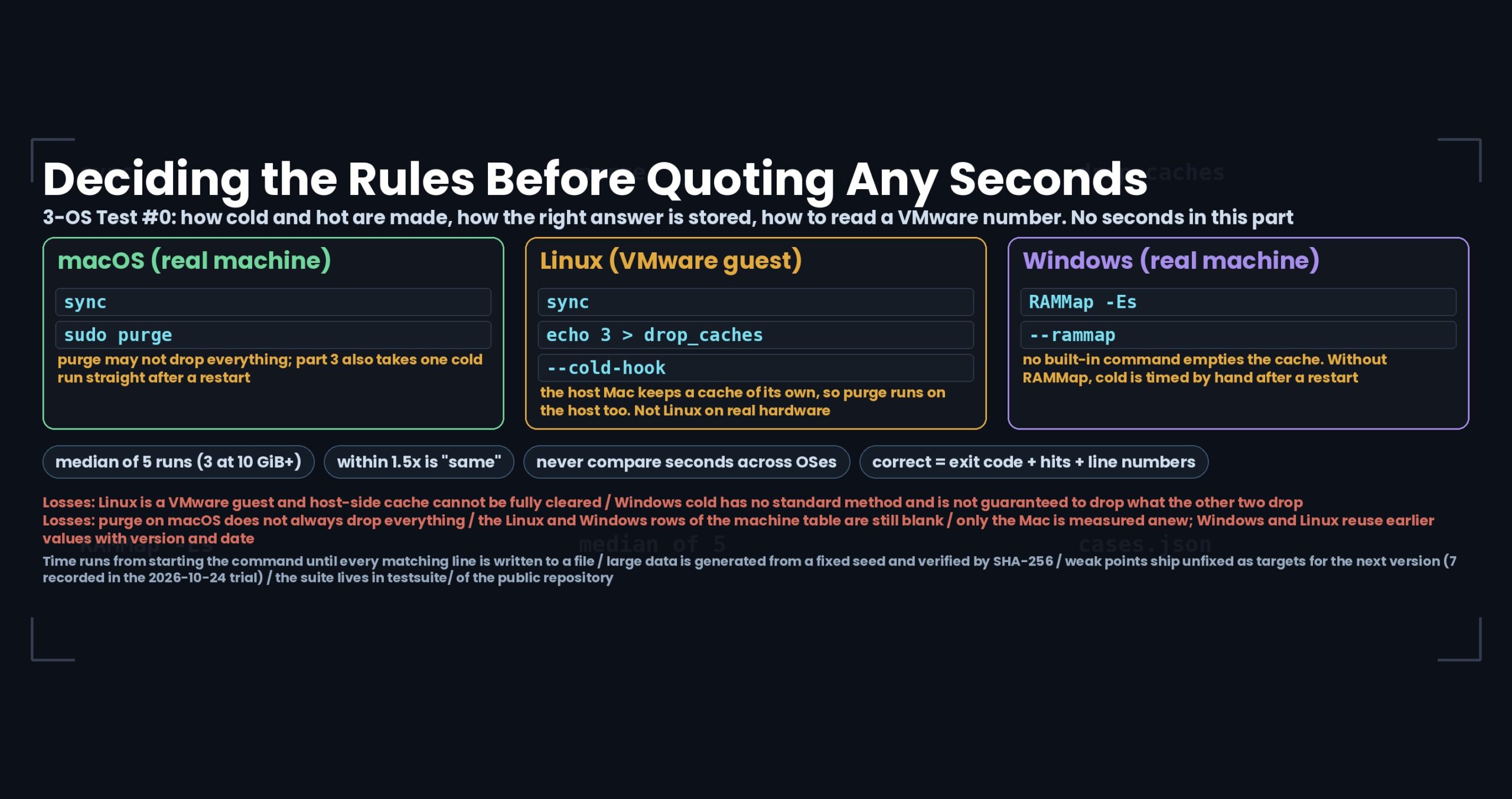
When I looked again and measured, large files were a different wall. Same MacBook Air (Apple M4, 32 GB), same data, cache cleared before every run, stopped at 600 s:
| Compared (two 10 GB files) | Time | Memory |
|---|---|---|
| Text: GNU diff | 150.93 s | 17.23 GiB |
| Text: macOS diff | 289.24 s | 25.86 GiB |
| CSV key matching, shuffled rows: qsv diff | did not finish in 600 s | — |
| CSV key matching, shuffled rows: DuckDB SQL | 220.06 s (357.91 s in CP932) | 20.80 GiB |
| (Reference, another day) Beyond Compare table compare | 100 MB (1.05 M rows) not done after 20 min | — |
The free GUI comparison tools (KDiff3 and P4Merge) stopped at 1 GB, well before 10 GB:
| GUI comparison tool (text, UTF-8) | 100 MB | 1 GB |
|---|---|---|
| KDiff3 1.12.6 | 59.26 s, 1.27 GiB | not shown after 600 s (9.9 GiB at that point) |
| P4Merge 2026.3 | 12.61 s, 3.77 GiB | not shown after 600 s (10.8 GiB at that point) |
A GUI tool gives no outside signal that it has finished, so I measured when the app stopped working and finished displaying by watching its CPU use every 0.2 s (error about ±0.2 s).
To be fair: with rows in the same order, qsv matched 10 GB correctly in 32.56 s using about 2 GiB — less memory than UwDiff. DuckDB lets you ask anything in SQL. Every tool has its strengths.
The hunch: it should take “reading both files, plus a little”
diff compares two files that are mostly alike. Read both from the start at the same time, search back and forth only where they drift apart, and the time should be “the time to read them, plus a little”. Ten times the size should mean roughly ten times the time.
Yet when measured, some tools slow down sharply as files grow. From 1 GB to 10 GB the files grow 10×; the time grew as in the table below (same Mac, same data):
| Tool | 1 GB | 10 GB | Growth |
|---|---|---|---|
| GNU diff (text, UTF-8) | 8.24 s | 150.93 s | about 18× |
| macOS diff (text, UTF-8) | 11.00 s | 289.24 s | about 26× |
| DuckDB (key matching, UTF-8, shuffled) | 4.41 s | 220.06 s | about 50× |
| qsv diff (key matching, UTF-8, shuffled) | 5.87 s | did not finish in 600 s | over 100× |
Among the GUI tools, KDiff3 took about a minute at 100 MB and P4Merge about 13 s; neither displayed 1 GB within 600 s.
I have not studied how each tool works inside, so I cannot say where their time goes. All I know is the time measured on the same machine with the same data.
I built a prototype — and the hunch held
So I built a prototype that compares while reading both files at once. It finished in “reading time plus a little”, as expected: two 10 GB files, 20 GB in total, in about 21 s — comparing while reading roughly 1 GB per second. Time grew almost in proportion to size: about 2 s at 1 GB, 11 s at 5 GB, 21–23 s at 10 GB.
The full picture
The same table again, with UwDiff added:
| Tool | 1 GB | 10 GB | Growth |
|---|---|---|---|
| UwDiff (text, UTF-8) | 2.37 s | 21.23 s | about 9× |
| GNU diff (text, UTF-8) | 8.24 s | 150.93 s | about 18× |
| macOS diff (text, UTF-8) | 11.00 s | 289.24 s | about 26× |
| UwDiff (key matching, UTF-8, shuffled) | 2.27 s | 22.61 s | about 10× |
| DuckDB (key matching, UTF-8, shuffled) | 4.41 s | 220.06 s | about 50× |
| qsv diff (key matching, UTF-8, shuffled) | 5.87 s | did not finish in 600 s | over 100× |
And comparing in a GUI (same Mac, text, UTF-8, until displayed):
| GUI comparison tool | 100 MB | 1 GB | 5 GB | 10 GB |
|---|---|---|---|---|
| UwDiff 1.0.0 | 2.22 s | 3.22 s | 11.23 s | 21.91 s, 1.37 GiB |
| P4Merge 2026.3 | 12.61 s | not shown in 600 s | — | — |
| KDiff3 1.12.6 | 59.26 s | not shown in 600 s | — | — |
In CP932, UwDiff took 1.35 → 3.27 → 10.83 → 19.51 s and read the files as they were, with no encoding setting.
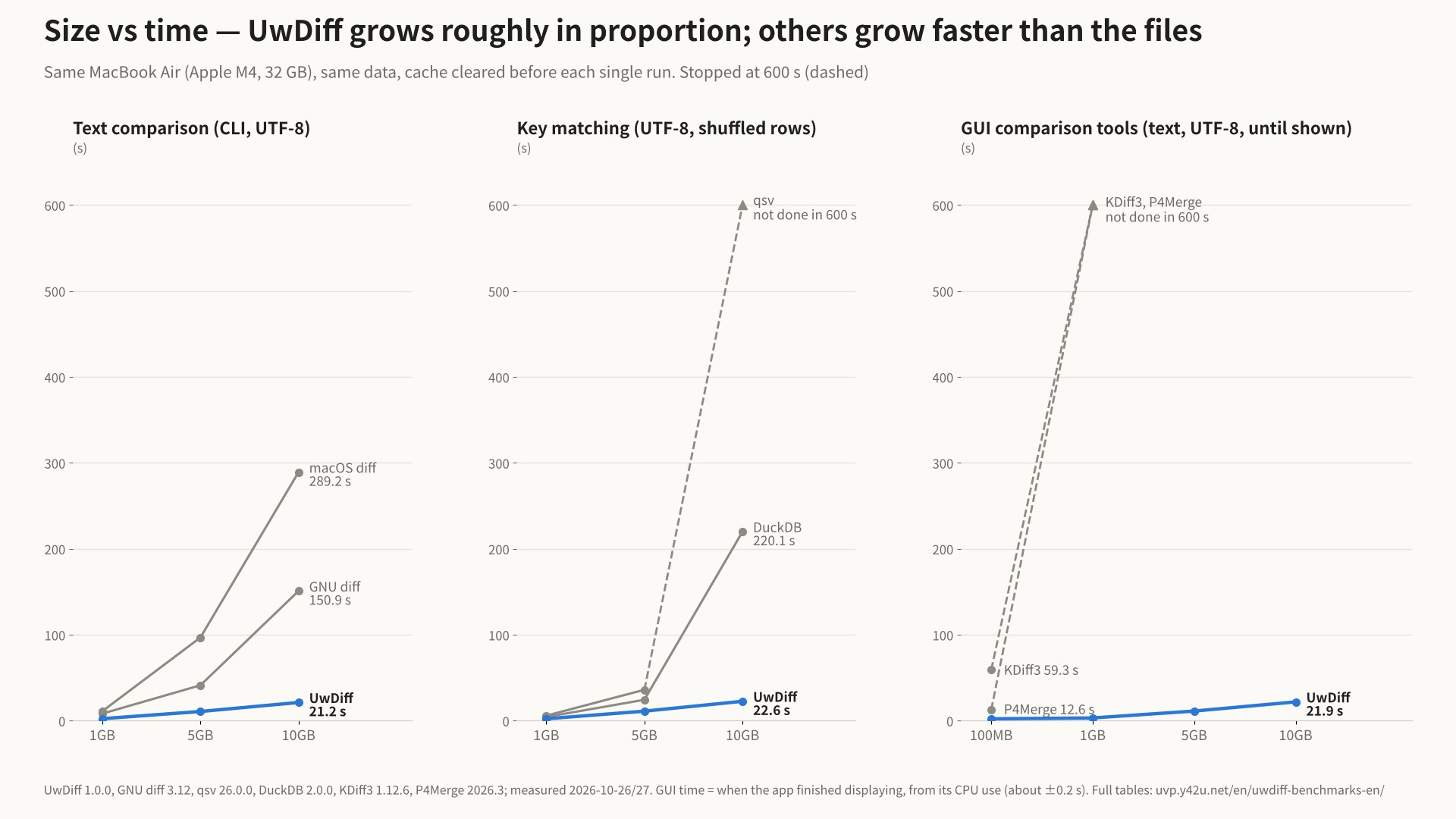
Every combination including 5 GB (in-order tables and CP932 too) is on the benchmarks page.
If it doesn’t exist, build it
So the goal for UwDiff was to compare any of these combinations with no options:
| Axis | What UwDiff compares |
|---|---|
| Formats | text (logs, CSV, TSV, source) / 7 compression formats (gz, bz2, xz, lzma, zst, lz4, br — one side may be compressed and the other not) / the text of Word (.docx), Excel (.xlsx) and PDF |
| Encodings | UTF-8, Shift-JIS (CP932), EUC-JP and UTF-16 detected automatically — old and new may differ |
| How | a GUI (UwDiff) and a CLI (uvd); uvd old new -open shows the CLI result in the GUI |
| Size and count | files over 10 GB each, folders with thousands to tens of thousands of files; spills to temporary files when memory runs short |
| OS | macOS, Linux and Windows — the same tool, used the same way |
Four ways to compare:
- Text: order-preserving, written as a unified diff (
diff -u), sopatchcan apply it - Tables (key matching): CSV, TSV and Excel matched by key columns such as an ID — row order may differ; one row per changed cell
- Order-independent lines: ignores line order and counts lines added and removed
- Folder vs folder: files only on one side and files that differ; open any pair’s diff
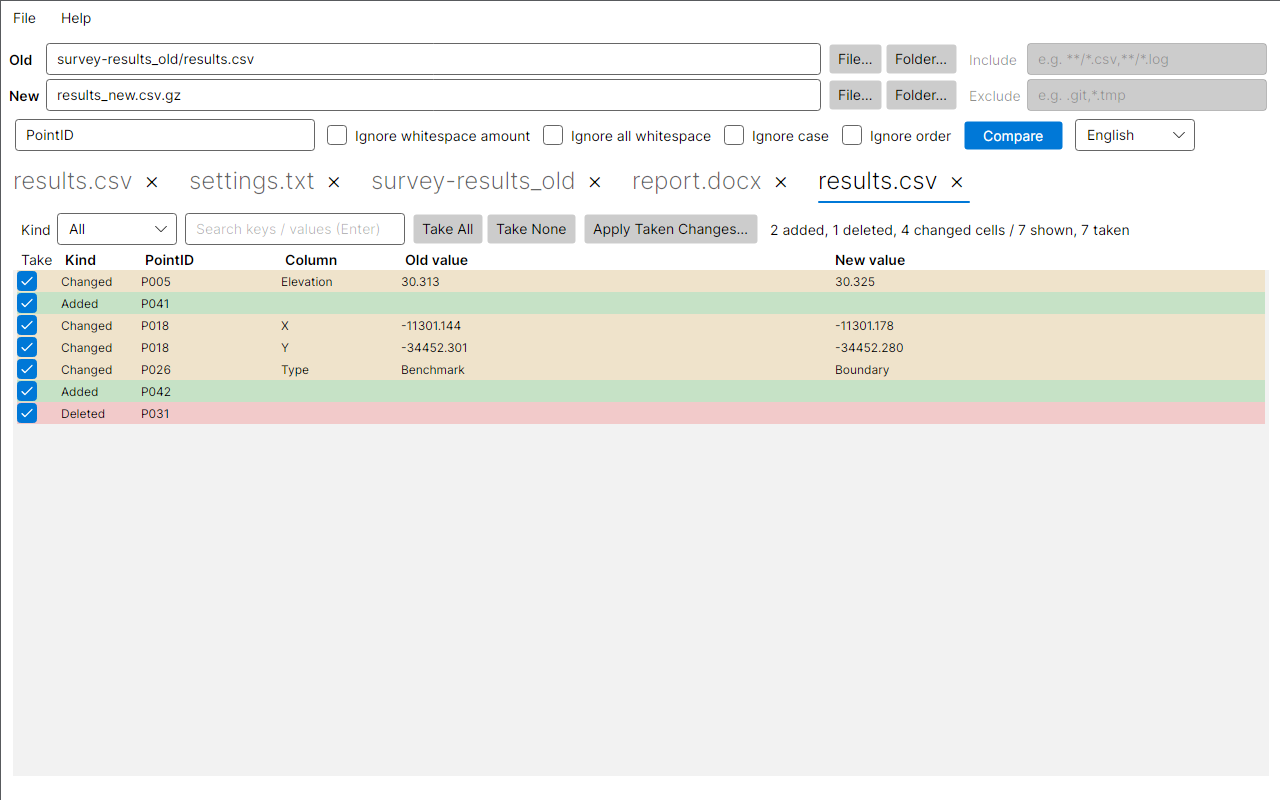
For example, a plain CSV against a gzip-compressed CSV, matched by point ID:
Where it loses
- With rows in the same order, qsv uses less memory (10 GB: qsv 1.7–2.1 GiB, UwDiff 4.3–4.5 GiB).
- With every row shuffled at 10 GB, UwDiff also uses around 13 GiB (set a limit with
-memand it spills to temporary files and finishes). - The worst case, where almost every line differs (two 10 GB files), took 110 s as a text comparison (a separate test on the same MacBook Air M4 with differently built data, so not listed alongside the tables above).
Conditions and full tables are on the UwDiff benchmarks page.
Try it
# macOS (Homebrew)
brew install --cask amru195704/uwview/uwdiff
# Windows (Scoop)
scoop bucket add uwview https://github.com/amru195704/scoop-uwview
scoop install uwdiff
# Linux (Snap)
sudo snap install uwdiff
uvd old.csv new.csv.gz -key PointID -open # compressed on one side, Shift-JIS or not — as it is
How to install Scoop itself and manual installation are on the download page.
To see it in action, watch the UwDiff 1.0.0 demo (about 80 seconds).
Read next
- UwDiff benchmarks (with conditions, losses included) — every table against qsv, DuckDB, GNU diff and macOS diff at 1 GB, 5 GB and 10 GB
- Introducing UwDiff (six axes) — formats, encodings, CLI and GUI, three OSes, size and speed in detail, and how the worst case was measured
- Download and install UwDiff — Homebrew, Scoop, Snap and the SHA256 of each package
- UwView, the sister tool — what comes before comparing: opening a huge log and searching it like grep
From the developer: apps, Kindle books and public projects are listed on GitHub: amru195704.