UwView is a viewer for huge logs and text files on Windows, macOS and Linux. It reads without loading the file into memory, so 10 GB, 50 GB and 258 GB files open right away, and it searches inside seven compressed formats (gz, zst and others) and Word, Excel and PDF files. There is a free edition (CLI uvf), the paid UwView Pro (uvp), which indexes a file so the second search onward is faster, and the sister tool UwDiff (uvd) for comparing two files or folders.
Compressing old logs with gzip is something everyone does. The trouble starts afterwards: every zgrep decompresses the whole thing again, so the third search takes as long as the first. ripgrep does not look inside a zip, and an OpenStreetMap pbf is not text at all. This site has published 11 articles about that situation.
This page collects the answers from those 11 articles in one place. We compared against zgrep, ripgrep (rg -z), ugrep, unzip, osmium, gzip and zip. Every number was measured by the developer, and the version and date differ from article to article, so each table says which one it is. Where we lose, we say so.
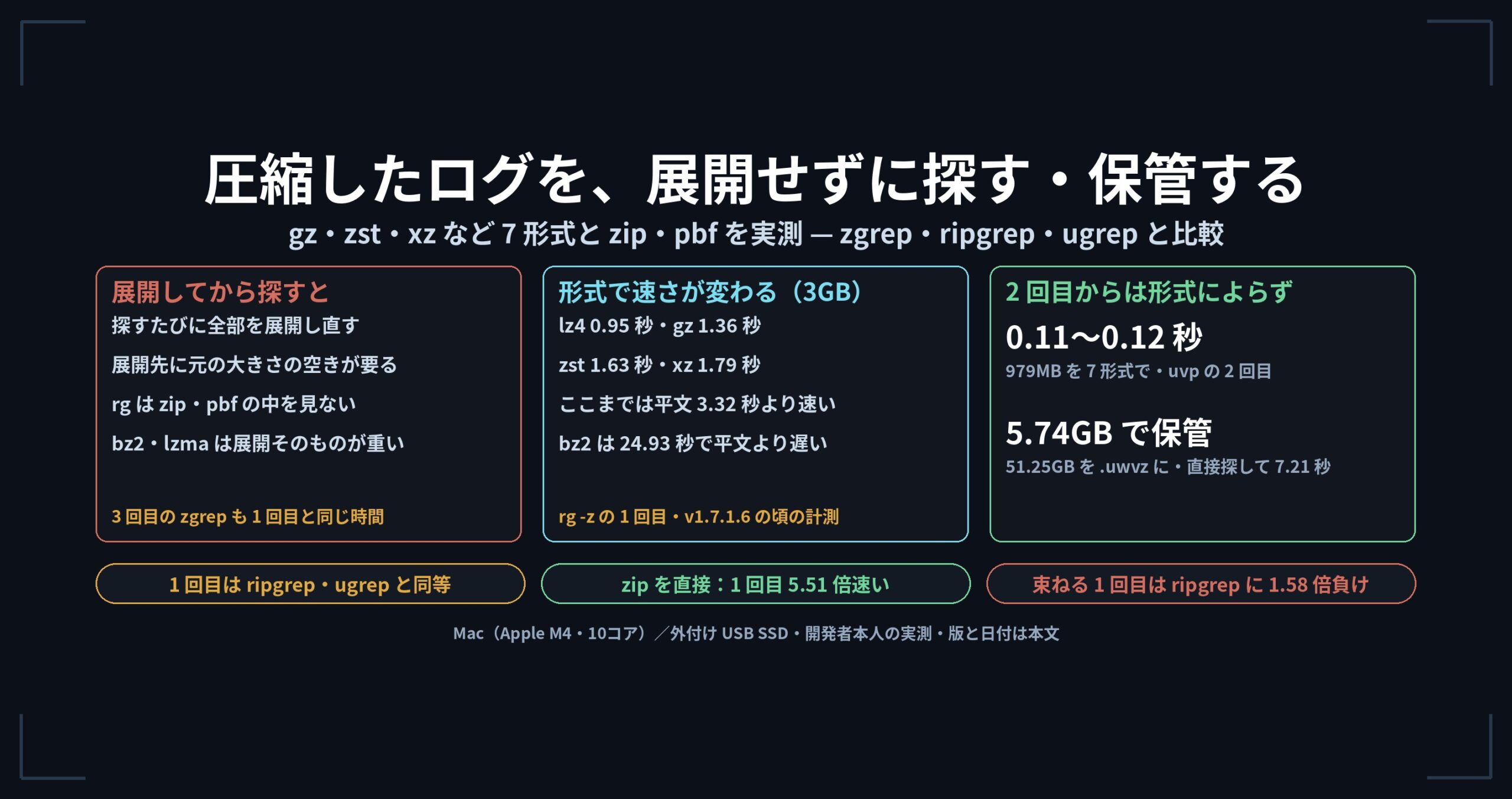
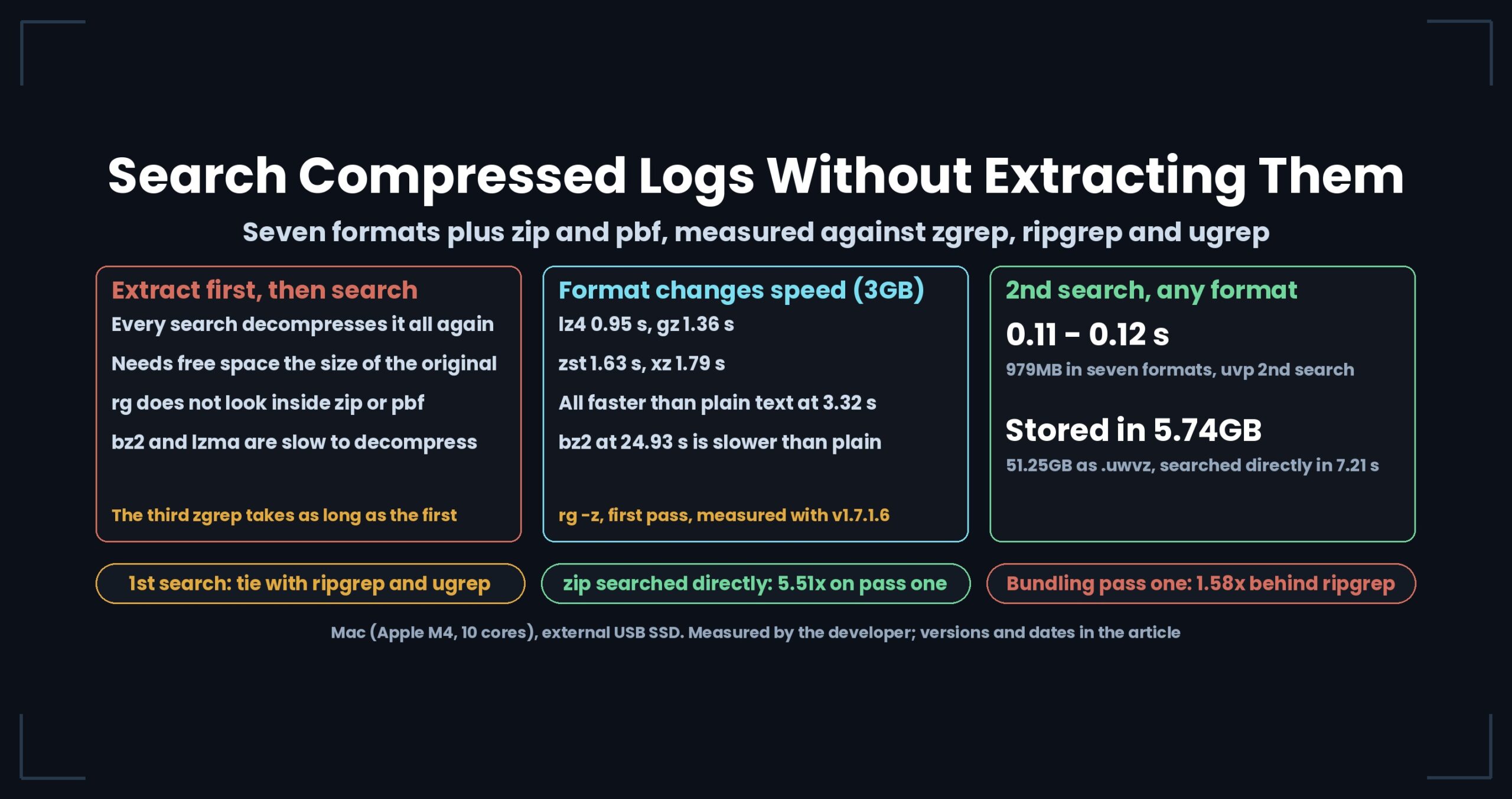
- The short answer: in most formats a compressed log is faster to search than plain text. For a single search UwView ties ripgrep and ugrep. If you search the same log repeatedly, the second search onward takes 0.11–0.12 s no matter the original format
- 1. Compressed logs search faster — size, compression time and search time for seven formats
- 2. For a single search, switching tools does not help — compared with zgrep, ugrep and ripgrep
- 3. Decompressing seven formats without external commands — what we fixed for gz and xz
- 4. From the second search on, format does not matter — using .uwvz as an archive
- 5. Searching many files as one bundle — and still searching when originals vanish
- 6. Searching inside zip and pbf — no extracted files
- 7. Storage in practice — a third option besides delete or keep
- Where we lose, and where it is a tie
- Read each article
- Links
The short answer: in most formats a compressed log is faster to search than plain text. For a single search UwView ties ripgrep and ugrep. If you search the same log repeatedly, the second search onward takes 0.11–0.12 s no matter the original format
- Pick the right format and compression makes searching faster. Searching a 3GB file with
rg -z, five formats — lz4, gz, zst, xz and br — beat plain text; only bz2 and lzma were slower. Reading 1/5 to 1/9 as many bytes saves more time than decompression costs. - For one search, switching tools does not help. ugrep, ripgrep and UwView’s
uvftied in all seven formats. The only gap was against the standard tools such aszgrep, which pipe a decompressor into grep. - When you search the same log repeatedly, the format stops mattering. UwView Pro — Huge Files, No Waiting builds a
.uwvz(uvp‘s compressed format plus index) on the first search and searches that from then on, so on a 979MB file every format, gz or bz2, came in at 0.11–0.12 s. A.uwvzis about the size of a gzip file, so it doubles as an archive.
1. Compressed logs search faster — size, compression time and search time for seven formats
We compressed the same 2,937.7MB text file (OpenStreetMap Japan XML) in seven formats and searched for “東京” (Tokyo) on the first run after dropping the cache (details in this article, September 2026, ripgrep 15.2.0).
| Format | Size | % of original | Compress (s) | Search with rg -z (s) |
vs plain text |
|---|---|---|---|---|---|
lz4 (lz4 -1) |
532.6MB | 18.1% | 0.78 | 0.95 | 3.5x faster |
gz (gzip -6) |
318.3MB | 10.8% | 19.64 | 1.36 | 2.4x faster |
zst (zstd -3) |
347.8MB | 11.8% | 1.94 | 1.63 | 2.0x faster |
xz (xz -3) |
252.9MB | 8.6% | 50.00 | 1.79 | 1.9x faster |
br (brotli -q 5) |
292.1MB | 9.9% | 19.98 | 2.53 | on par (1.3x) |
| (plain text) | 2,937.7MB | 100% | — | 3.32 | — |
lzma (lzma -3) |
254.1MB | 8.7% | 119.38 | 10.71 | 3.2x slower |
bz2 (bzip2 -9) |
250.7MB | 8.5% | 135.44 | 24.93 | 7.5x slower |
- How small a format gets and how fast it searches are different rankings. bz2 spent 135 s to reach 8.5% and xz spent 50 s to reach 8.6%, almost the same size, yet xz searched in 1.79 s and bz2 in 24.93 s.
- When in doubt, zst. It compresses in a tenth of gz’s time (1.94 s vs 19.64 s) with about the same size and search speed. Use gz when you do not know what the other side can open, xz for long-term storage (built in multiple blocks), and lz4 when logs pour in. bz2 and lzma are slow at both compressing and searching, so there is no reason to pick them.
- The ranking was the same at 979.2MB. An addendum dated October 16, 2026 confirms that “compressed searches faster than plain text” still holds on the current v1.9.0 (3GB with
rg -z: lz4 0.94 s, gz 1.32 s, zst 1.62 s, xz 1.67 s, br 2.49 s vs plain 3.31 s).
2. For a single search, switching tools does not help — compared with zgrep, ugrep and ripgrep
We compressed the same 979MB XML in seven formats and searched for “東京” (1,145 lines) hot, with the cache warm (article, v1.7.3.6 “Wide Field”, September 2026). Times are in seconds.
| Format (size) | Standard grep | ugrep | ripgrep | uvf |
uvp 1st |
uvp 2nd |
|---|---|---|---|---|---|---|
| gz (111MB) | 0.90 (zgrep) | 0.45 | 0.43 | 0.33 | 0.42 | 0.12 |
| bz2 (88MB) | 8.03 (bzgrep) | 7.62 | 7.89 | 7.43 | 7.64 | 0.12 |
| xz (56MB) | 4.01 (xzgrep) | 3.64 | 4.21 | 3.37 | 3.44 | 0.11 |
| lzma (56MB) | 3.21 (xzgrep) | 2.83 | 3.40 | 2.57 | 2.64 | 0.12 |
| zst (122MB) | 0.63 (zstdgrep) | 0.65 | 0.54 | 0.50 | 0.57 | 0.12 |
| lz4 (186MB) | 0.65 (lz4 -dc piped to grep) | 0.33 | 0.31 | 0.28 | 0.35 | 0.12 |
| br (106MB) | 1.33 (brotli -dc piped to grep) | 0.91 | 0.87 | 0.74 | 0.85 | 0.12 |
- ugrep, ripgrep and
uvfwere within 1.03–1.36x of each other: on par in all seven formats. Only the standard tools fell behind — gz (zgrep) took 2.73x as long asuvf, lz4 2.32x and br 1.80x. - With bz2, every tool without an index took 7–8 s. Decompression itself is the bottleneck, and no tool gets around it.
- The gap widens when you search many files at once. With 7 gz files plus 5 plain files (about 60GB uncompressed),
zgreptook 89.35 s, ugrep 25.38 s, ripgrep 24.62 s anduvf17.60 s (zgrepat 5.08xuvf).
3. Decompressing seven formats without external commands — what we fixed for gz and xz
rg -z and zgrep call external commands such as gzip and xz to decompress. UwView does not; it decompresses with code built into the tool. We stumbled twice getting there.
- gz (First Light Part 8, v1.6.6 “First Light”): the slow part was not decompression but the CRC32 check that the output is intact. On macOS we call the zlib that always ships with the OS and check 8 bytes at a time instead of 1, which took a 50GB-equivalent gz search from 35.65 s to 17.20 s. Piping
gzip -dcinto ripgrep took 22.06 s, a 1.28x difference, so we call it on par. - xz (Wide Field Part 2, v1.7.3.6): xz alone was 6.19x slower than
rg -z. The external xz command split the blocks across threads, while we decompressed them one by one. Once we split the blocks too, a single xz file in a bundle stopped the parallelism across files. That is fixed now.
Searching a 3GB file compressed in each format for “東京” with v1.7.3.6, first and second runs combined (September 29, 2026, Mac):
| Format | rg -z (s) |
uvf (s) |
Result | uvp 2nd run (s) |
|---|---|---|---|---|
| gz | 2.66 | 2.07 | on par | 0.34 |
| bz2 | 47.26 | 45.53 | on par | 0.33 |
| xz | 3.53 | 3.81 | on par (rg -z slightly faster) |
0.34 |
| lzma | 20.80 | 16.99 | on par | 0.33 |
| zst | 3.26 | 3.04 | on par | 0.33 |
| lz4 | 1.87 | 1.70 | on par | 0.34 |
| br | 5.05 | 4.13 | on par | 0.33 |
| 4 compressed files (gz, xz, zst, bz2) | 13.31 | 12.13 | on par | 0.36 |
4. From the second search on, format does not matter — using .uwvz as an archive
uvp builds a .uwvz while it searches the first time, and from the second search on it searches the .uwvz instead of decompressing the original. That is why bz2 and lz4 end up at the same speed on the second run.
A .uwvz holds the line index and the compressed file itself. Delete the original and you can still search the .uwvz alone. Here it is next to gzip and zip (article, September 2026, Mac M4, external USB SSD):
| Original | Pack with gzip -6 | Pack with zip -6 | Make a .uwvz |
|---|---|---|---|
| 3.03GB | 0.30GB (16.8 s) | 0.30GB (19.4 s) | 0.25GB (1.2 s) |
| 10.26GB | 1.12GB (66.5 s) | 1.12GB (76.8 s) | 1.16GB (14.9 s) |
| 51.25GB | 5.75GB (347.2 s) | 5.76GB (394.7 s) | 5.74GB (65.0 s) |
| Search | gzip (restore, then rg) | zip (restore, then rg) | .uwvz directly |
|---|---|---|---|
| 3GB | 6.47 s | 8.71 s | 0.68 s |
| 10GB | 24.70 s | 40.48 s | 1.74 s |
| 50GB | 120.67 s | 203.06 s | 7.21 s |
- It is about the same size as gzip (at 50GB, gzip 1/8.91 and
.uwvz1/8.93), and it took 1 min 5 s to build where gzip took 5 min 47 s. -extractgives you the original back. On 3GB it took 3.38 s and matched the original byte for byte (gzip -dctook 3.49 s). Extraction worked without a Pro license (as specified when the article was written).- On the current v1.9.0 (October 14, 2026), the second search of a 3GB
.uwvztakes 0.15–0.16 s (addendum to the format article).
5. Searching many files as one bundle — and still searching when originals vanish
Logs pile up as many files, one a day. uvp can bundle several files into one .uwvz (Wide Field Part 4, v1.7.3.6, September 29, 2026).
| Searching 7 gz files | ripgrep (s) | uvp (s) |
Result |
|---|---|---|---|
| 1st run (cold, bundling as it goes) | 22.54 | 35.70 | ripgrep 1.58x faster |
| 2nd run (hot, reading the bundled index) | 22.16 | 9.77 | uvp 2.27x faster |
Since v1.7.2, when original files are missing, unreadable or fewer than before, uvp keeps searching the existing index instead of rebuilding. It still works if every original is gone. Add --rebuild when you do want a rebuild; the old index is set aside first.
6. Searching inside zip and pbf — no extracted files
ripgrep does not search inside zip files and cannot read pbf, so the fair comparison is unzip or osmium turning them into text and handing that to ripgrep. This is not “faster on the same terms”; it is one step fewer. Both were measured with v1.7.3.6 on October 2, 2026.
| Target | Extract, then rg (s) | uvp 1st (s) |
uvp 2nd (s) |
Hits |
|---|---|---|---|---|
| zip 0.52GiB (5 XML files, 4.77GiB uncompressed) | 18.41 (unzip -d writes 4.77GiB first) |
3.21 | 0.55 | 5,445 |
| Same zip | 13.19 (unzip -p pipe) |
3.21 | 0.55 | 5,445 |
| pbf 2.29GiB (OpenStreetMap Japan) | 148.17 (osmium cat … -f osm pipe) |
29.32 | 6.79 | 94,979 |
- For zip, that is 5.51x on the first run and 30.52x on the second against extracting first (Wide Field Part 5). You can also target a single entry with
'ZIP!ENTRY'. - For pbf, 5.05x on the first run and 21.82x on the second (Wide Field Part 6). The
.uwvzis 5.34GiB, though, about 2.3x the original pbf, and-extractgives back the XML, not a pbf.
7. Storage in practice — a third option besides delete or keep
Delete a finished log and you cannot answer “can I see that again?” later. Keep it and 48GB files pile up. gzip it and you need space and time to extract whenever you want a look (delete or keep).
With UwView Pro’s archive, a 48GB log became about 5.3GB, and after deleting the original the .uwvz still opened and searched directly. While an investigation is still going, session restore brings back your tabs, search conditions, color rules and bookmarks the next time you open the app; once you reach a stopping point, archive it. The workflow article walks through that split.
The article on keeping logs compressed and searchable looks at what compression costs you in four situations: repeated zgrep, logs stored in the cloud, restoring one file from a backup, and corruption during storage. All four come down to the same trade: buying disk space with ease of reading.
Where we lose, and where it is a tie
- For a single search, UwView ties ugrep and ripgrep.
uvfposted the shortest time in some formats, but the gap is within 1.36x, so we do not call it a win. Direct gz search is also on par withgzip -dc | rg(1.28x). uvp‘s first run is slower. It has to build the.uwvz, and bundling 7 gz files on the first run left ripgrep 1.58x faster. If you only search once,uvfor ripgrep is the better fit.- xz is still slightly faster with
rg -z(1.08x, within the tie range). .Z(compress) is not supported.rg -zsupports it.- Only
uvpreads zip and pbf. Hand a pbf to the freeuvfand it refuses by name with exit code 2. .uwvzuses disk space and is UwView’s own format. A bundled index of 12 files came to about 8.2GB, and a pbf’s.uwvzwas about 2.3x the original. To hand files to someone else,-extractthem or use gzip.- The seconds here are from a Mac. Direct gz search went the same way on Windows and Linux (1.71x and 2.00x within each OS), but we do not compare seconds across operating systems.
Read each article
- Compressed logs are faster to search — seven formats measured at 1 GB and 3 GB
- Searching Compressed Logs Against ugrep, ripgrep and zgrep — On Par the First Time, 0.11–0.12 s in Every Format the Second
- We Couldn’t Search a gzip at All — Part 8: The OS zlib and an 8-Byte CRC Took 50 GB From 35.65 s to 17.20 s, Level With ripgrep
- xz Alone Was 6.19x Slower Than ripgrep -z — Wide Field Part 2: Seven Formats, No External Commands
- Bundling Costs 1.58x Against ripgrep on Pass One — Wide Field Part 4: 9.77 s After That, and No Rebuild When a File Vanishes
- ripgrep Does Not Look Inside a zip — Wide Field Part 5: 18.4 s to Unzip and Search, 3.3 s Handing It the Archive, 0.6 s on the Second Query
- ripgrep Cannot Search an OpenStreetMap pbf — Wide Field Part 6: 148 s Through osmium, 29.3 s Direct, 6.8 s From the Second Query On
- Keep it as .uwvz instead of gzip — 1/9 the size, searchable in 7 seconds, and you can restore it
- Eight Minutes for zgrep, Every Single Time — Keeping Logs Compressed and Still Searchable
- Delete or Keep That Finished Log? A Third Option — “Archive It at 1/9 the Size, and Still Open It Directly”
- Shelve an Investigated Log at 1/9th the Size, Reopen It Tomorrow Right Where You Left Off — A Practical Archive × Session Restore Workflow
Links
- Can’t Open a Huge File? Everything We Measured in One Place (the first summary in this set)
- Download UwView (Windows, macOS, Linux)
- UwView Pro (one license covers every OS)
- Benchmarks
All numbers were measured by the developer and depend on the environment, version and date stated. Your results will vary.