UwView is a viewer for huge logs and text files on Windows, macOS and Linux. It reads without loading the file into memory, so 10 GB, 50 GB and 258 GB files open right away, and it searches inside seven compressed formats (gz, zst and others) and Word, Excel and PDF files. There is a free edition (CLI uvf), the paid UwView Pro (uvp), which indexes a file so the second search onward is faster, and the sister tool UwDiff (uvd) for comparing two files or folders.
Japanese logs come with one extra step that English-language articles almost never mention: deciding which character encoding to read the bytes as. Get it wrong and cat wrecks your terminal, auto-detection guesses badly, and grep runs fine yet returns zero hits. This site has published four articles on this: two on the traps and how to tell them apart, and two on how UwView’s search handles encodings.
This page collects the answers from those four articles in one place. We compared against iconv, nkf, grep and ripgrep. Every number was measured by the developer, so please read them with that in mind. Where we lose, and which characters we still cannot read, we say so.
- The short answer: most garbling and missed searches happen because a tool decides how to read the bytes before you do. The quickest check is to keep the original open and switch how it is read. If you search the same file repeatedly, confining the conversion to the one pass that builds the index makes later searches equally fast whatever the original encoding
- 1. The terminal breaks the moment you cat — Shift-JIS and a UTF-8 terminal
- 2. Auto-detection guesses wrong — it judges from the top, and EUC-JP looks like CP932
- 3. The first bytes change the behavior — BOM and UTF-16
- 4. Japanese text that search will not find — three layers: encoding, variant forms and look-alike characters
- 5. Older layers and newer ones — suspecting EBCDIC, files without newlines, emoji that shift line numbers
- 6. Storing the index as UTF-8 — confining conversion to one pass, measured
- 7. Case-insensitive -i and the Kelvin sign U+212A
- Where we lose, and where it is a tie
- Read each article
- Links
The short answer: most garbling and missed searches happen because a tool decides how to read the bytes before you do. The quickest check is to keep the original open and switch how it is read. If you search the same file repeatedly, confining the conversion to the one pass that builds the index makes later searches equally fast whatever the original encoding
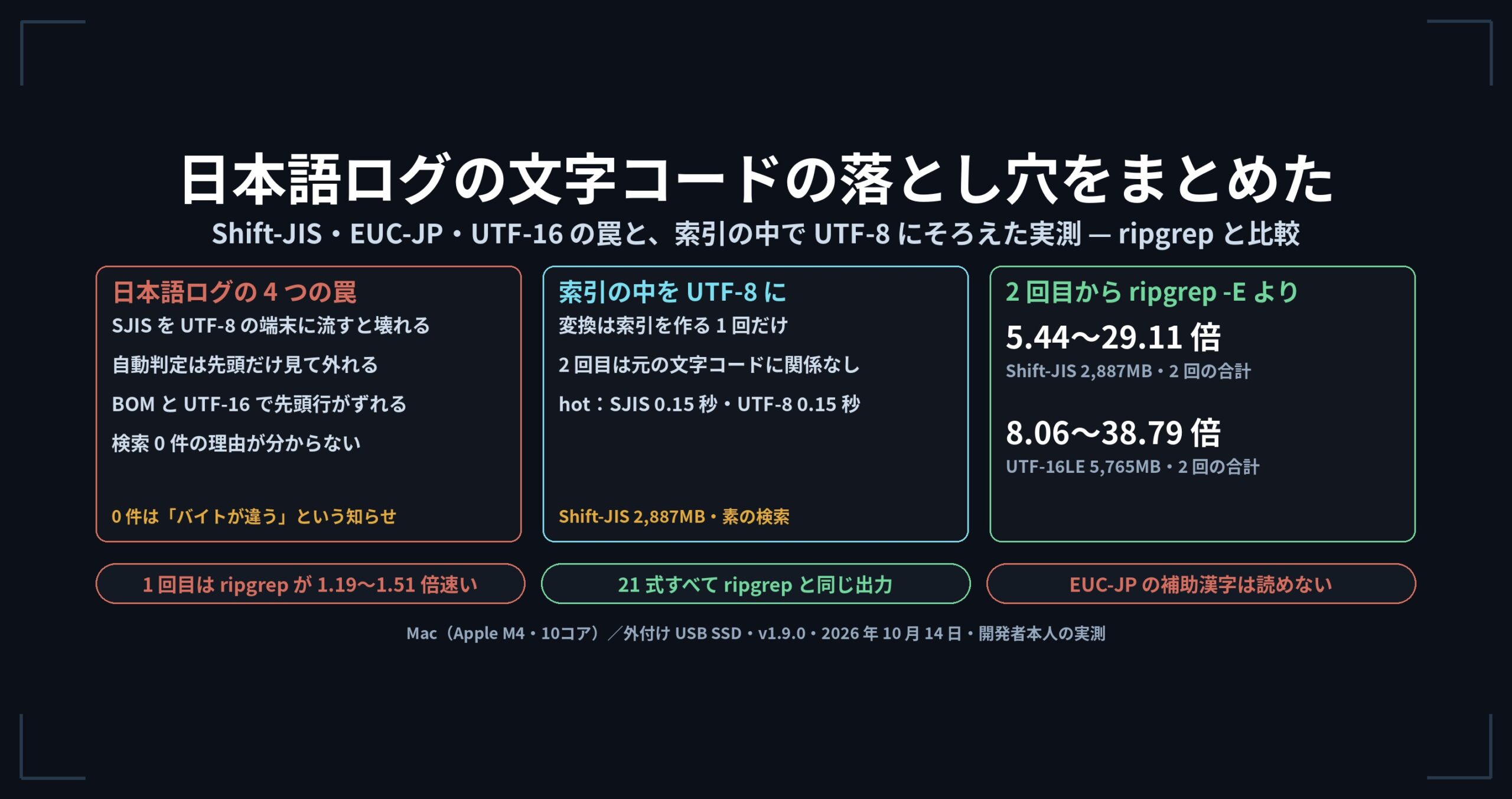
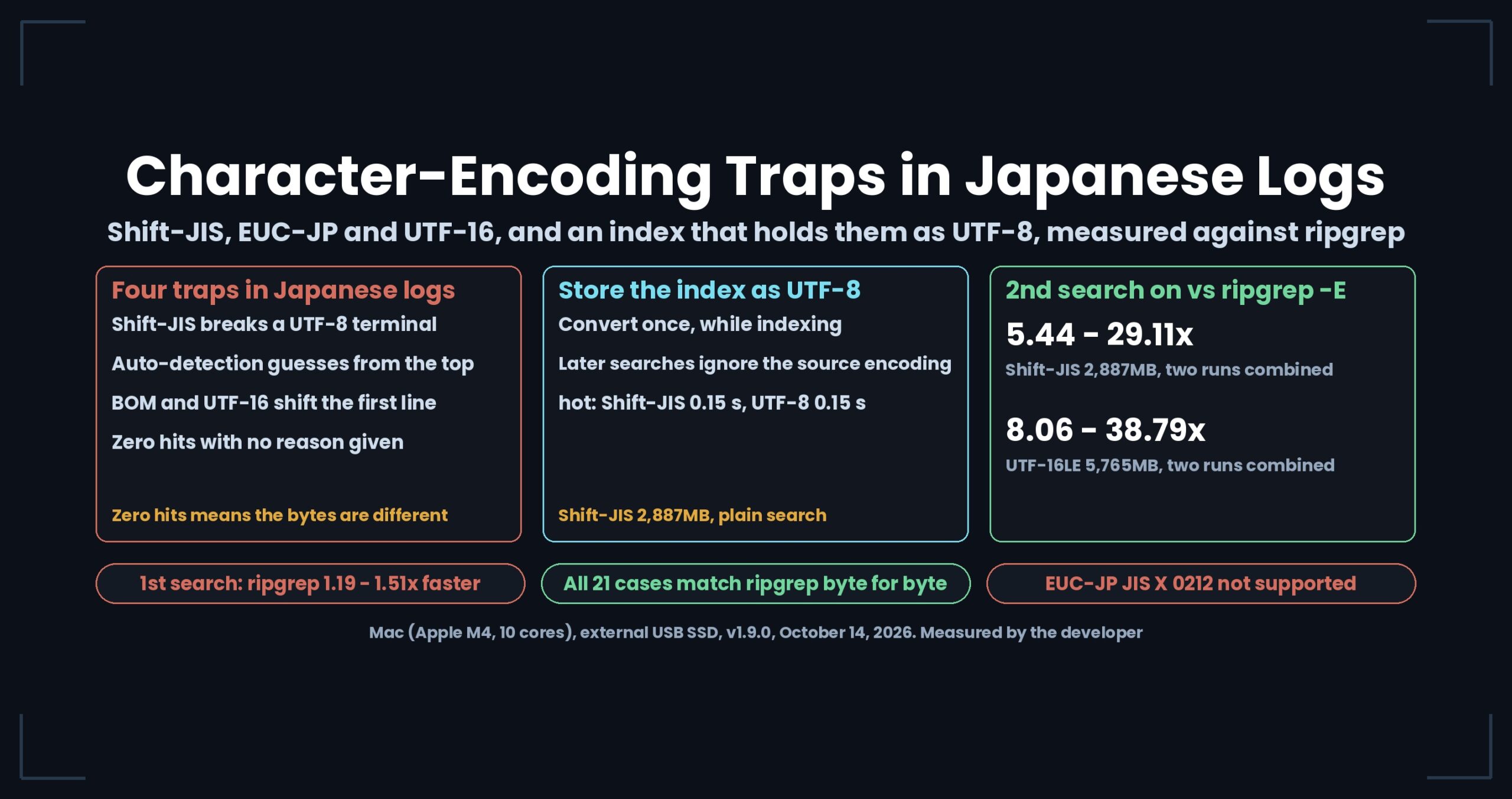
- The traps fall into four kinds. Shift-JIS piped into a UTF-8 terminal breaks the display; auto-detection guesses wrong; a BOM or UTF-16 makes only the first line behave oddly; a search returns zero hits with no explanation. Each one is settled faster by switching how the original is read and comparing, rather than converting it into another file.
- Zero hits does not mean the search failed. It is a quiet signal that the bytes are not what you assumed. When you get zero, look at the first bytes of the file first.
- UwView Pro — Huge Files, No Waiting now stores its index as UTF-8. Conversion happens once, while the index is built. From the second search on, it was 5.44–29.11x faster than ripgrep (
-E shift_jis) on 2,887MB of Shift-JIS and 8.06–38.79x on 5,765MB of UTF-16LE. On the first search, which builds the index, ripgrep is 1.19–1.51x faster, so for a one-off search ripgrep is enough.
1. The terminal breaks the moment you cat — Shift-JIS and a UTF-8 terminal
cat a log from a Windows business system on a macOS or Linux terminal and you may get more than garbled text — the terminal display itself can break (details in this article). In Shift-JIS (CP932 in practice), the second byte of a two-byte character can overlap with an ASCII character. The second byte of 「ソ」, 「表」 and 「能」 is 0x5C, the same as a backslash.
- To read it through a conversion, use
iconv -f CP932 -t UTF-8 app.log | less. Specify-f CP932, not-f Shift_JIS: NEC special characters (①, ㈱) and IBM extended kanji (﨑, 髙) are outside plain Shift_JIS, and the conversion stops there. - But the converted output is no longer the original. If
//IGNOREdrops invalid bytes, the very bytes that were the clue disappear. And piping several GB through a converter every time still costs you the wait.
2. Auto-detection guesses wrong — it judges from the top, and EUC-JP looks like CP932
Encoding detection can only guess from the distribution of bytes. The cases where it fails are fairly predictable (article, follow-up).
| When it fails | What happens |
|---|---|
| The top is pure ASCII | In a log whose Japanese appears only tens of thousands of lines down, a detector that looks at the top settles on “UTF-8” |
| EUC-JP resembles CP932 | Either conversion garbles “plausibly”, two bytes at a time. The more half-width kana in EUC-JP (0x8E plus one byte), the more convincing the wrong conversion looks |
| It changes midway | From the day a server’s locale moved from ja_JP.eucJP to ja_JP.UTF-8, the same file switches encoding partway through. iconv -f takes only one encoding per file |
| It is valid either way | A byte sequence can be valid as both UTF-8 and CP932. Validation narrows the candidates but cannot decide |
Ways to check: ask file, nkf --guess and chardetect, and suspect a mix if they disagree; find where Japanese first appears with grep -n -P '[^\x00-\x7F]' app.log | head -1 and look there; feed just the top through head -c 4000 app.log | iconv -f EUC-JP -t UTF-8 >/dev/null. Even so, what you really want is to switch the reading and see whether the garbling clears. With a tool that rereads 12GB on every switch, that back-and-forth does not work.
3. The first bytes change the behavior — BOM and UTF-16
A CSV parser fails only on line 1, and grep '^timestamp' does not match. The cause is the three-byte UTF-8 BOM (EF BB BF) at the start of the file. It is invisible on screen, and files that pass through Excel often carry it.
UTF-16 stops you even earlier (follow-up). Each ASCII character takes two bytes, so E is 0x45 0x00, not 0x45. The byte sequence grep Error looks for never appears in the file, and you get zero hits. grep only says “Binary file matches”, and wc -l goes wrong too. Exporting Windows event logs with PowerShell produces UTF-16LE by default.
- Looking at the first bytes is the best defense. If
head -c 16 access.csv | xxdshowsefbbbf, orxxd app.txt | head -3showsFF FE(UTF-16LE), you have your answer. - Stripping NULs with
tr -d '\000'makes the ASCII readable but breaks the Japanese, and nothing on screen tells you it broke. Removing a BOM withsedalso rewrites the original.
4. Japanese text that search will not find — three layers: encoding, variant forms and look-alike characters
The screen shows 「エラー」 (error), yet searching for 「エラー」 returns zero hits. Japanese search can miss at any of three layers, and the result never tells you which one (article).
| Layer | How it misses | Generic remedy |
|---|---|---|
| Encoding | 「エラー」 typed in UTF-8 and 「エラー」 written in CP932 are different bytes | Convert the search term instead: grep "$(echo 'エラー' \| iconv -f UTF-8 -t CP932)" app.log |
| Variant forms and normalization | Half-width vs full-width kana; NFC vs NFD (a 「が」 from macOS can arrive as 「か」 plus a combining mark) | Normalize with uconv -x nfc before searching (which rewrites the file) |
| Look-alike characters | 髙 vs 高, 﨑 vs 崎, mixed-up hyphens, the wave-dash problem | Shorten the search term to one or two kanji and search both spellings |
grep -i does nothing for full-width vs half-width Japanese. In all three cases, what settles it is opening the area around the term that did not match and looking at what is actually there.
5. Older layers and newer ones — suspecting EBCDIC, files without newlines, emoji that shift line numbers
The follow-up widened the scope to a log from 1998, data from a mainframe, and emoji typed into an inquiry form.
- Suspect EBCDIC and run
dd conv=ascii, and you break the data twice. If it was CP932 all along, the original bytes are gone the moment the wrong table is applied. The first command should bexxd data.dat | head -20. Even once you know it is plain CP932, mainframe files can be fixed-length records of, say, 250 bytes with no newlines, and SO/SI control characters can switch between one-byte and two-byte regions. That breaks the line-based assumption behindgrep,awkandless. - Lines with emoji shift line numbers and columns. There are four ways to count “one character”: bytes, code points, UTF-16 units and visible characters. The main cause of shifted line numbers is less the emoji itself than raw newlines from user input written to the log without escaping, and lone surrogates.
LC_ALL=Cmakes things fast but stops you from searching in Japanese.
In all four situations, things got stuck the moment you wanted to look again with a different reading. UwView’s screen auto-detects UTF-8, Shift-JIS (CP932), EUC-JP and UTF-16, and when it guesses wrong you can switch on the spot and compare, without rebuilding the index.
6. Storing the index as UTF-8 — confining conversion to one pass, measured
Apart from the screen, the search command had its own encoding problem. The older .uwvz (uvp‘s compressed format plus index) kept the original encoding inside, so a Shift-JIS file was converted all over again, 3GB of it, on every search. With the older version (1.8.1.9), seven patterns run twice each on 2,887MB of Shift-JIS took 2.53–4.41 s.
In v1.9.0 “Full Spectrum” the .uwvz stores Shift-JIS, EUC-JP and UTF-16 content as UTF-8 too (Full Spectrum Part 1). The comparison is ripgrep 15.2.0 with -E <encoding>, so it searches the same encoding correctly. Measured on October 14, 2026, on a Mac (Apple M4, 10 cores, 32GB memory, external USB SSD).
| First search, building the index | uvp (s) |
ripgrep -E (s) | Result | .uwvz size |
|---|---|---|---|---|
| Shift-JIS 2,887MB | 4.93 | 3.35 | ripgrep 1.47x faster (on par) | 262.1MB (9.1% of original) |
| EUC-JP 2,887MB | 5.01 | 3.32 | ripgrep 1.51x faster | 262.1MB (9.1% of original) |
| UTF-16LE 5,765MB | 7.76 | 6.53 | ripgrep 1.19x faster (on par) | 262.3MB (4.5% of original) |
| From the second search (Shift-JIS 2,887MB, cold + hot) | ripgrep (s) | uvp (s) |
ripgrep ÷ uvp (x) |
|---|---|---|---|
Plain search 東京 |
4.44 | 0.48 | 9.25 |
-i ignore case HIGHWAY |
4.79 | 0.79 | 6.06 |
-E regex |
4.69 | 0.81 | 5.79 |
-E anchored at line start |
4.60 | 0.69 | 6.67 |
-E -i combined |
4.74 | 0.85 | 5.58 |
-v non-matching lines |
6.53 | 1.20 | 5.44 |
-E -v combined |
8.15 | 0.28 | 29.11 |
- Across the three encodings, two runs combined: Shift-JIS 5.44–29.11x, EUC-JP 5.38–23.26x, UTF-16LE 8.06–38.79x. The
-E -vrow is an order of magnitude apart for a reason unrelated to encoding — a separate mechanism that skips blocks of non-matching lines without reading them — so the encoding change alone accounts for the 5.44–9.25x range. - Output for all 21 cases (7 patterns × 3 encodings) matched ripgrep byte for byte.
- Looking only at hot runs, a plain search took 0.15 s on Shift-JIS and 0.15 s on the original UTF-8 file. With UTF-8 inside the index, whether the source was Shift-JIS no longer shows up in later search times.
- The older version also had a bug: searching 6GB of UTF-16 in its original encoding crashed with
Specified argument was out of the range. It worked correctly up to 1,000MB, which made it easy to miss.
7. Case-insensitive -i and the Kelvin sign U+212A
One more topic close to encodings. In the free uvf, adding -i (ignore case) made a hot search on 3GB 4.3x slower than ripgrep (First Light Part 3, v1.6.3). Every line was being rebuilt as a UTF-16 string before it reached the regex.
Folding a and A directly in the bytes would be faster, but Unicode case folding does not stay inside ASCII. So we checked all 65,536 characters of the BMP against a–z and A–Z. Exactly one character, the Kelvin sign U+212A for k, is treated as equal to an ASCII letter. Only terms containing k or K take the slow path now; everything else is searched as raw bytes. ripgrep’s -i also folds U+212A; grep -i does not.
| 3GB, hot | Before (s) | After (s) | ripgrep (s) |
|---|---|---|---|
| Plain search | 1.20 | 0.50 | 0.33 |
-i |
2.72 | 0.66 | 0.63 |
-E -i |
9.36 | 1.67 | 0.60 |
Searching raw bytes is only safe for encodings where ASCII appears as the same bytes. The second byte of Shift-JIS 「ソ」 (83 5C) is the same as a backslash, and a UTF-16 newline is 0A 00. Those two are detected by encoding and sent down the original path.
Where we lose, and where it is a tie
- On the first search, which builds the index, ripgrep is faster: 1.47x on Shift-JIS (on par), 1.51x on EUC-JP, 1.19x on UTF-16LE (on par). For a single question,
ripgrep -Eis enough. - EUC-JP supplementary kanji (JIS X 0212) still cannot be read. They show up as 「・」.
- What
-extractgives back is not always byte-identical. Characters with two code points (髙, 﨑, №, Ⅲ and others) come back with the standard code, and broken bytes come back as 「・」. It is not suited to hash comparisons. During development-extractalso got slower for a while (the older version was 2.29x faster) before we parallelized it. -E -istill loses to ripgrep by 2.8x on a hot 3GB search (0.60 s vs 1.67 s, v1.6.3). At 50GB it is on par, 1.05–1.10x for two runs combined (v1.6.6).- Encoding detection and manual switching are features of the screen (GUI). The commands (
uvf,uvp) are geared toward finding the hits. - The seconds here are from a Mac. We do not compare seconds across operating systems.
Read each article
- The Night the Log Wouldn’t Read — Four Character-Encoding Traps and How to Tell Them Apart
- EUC-JP, UTF-16, and a Suspicion of EBCDIC — Reading Legacy Encodings in 2026
- Our Index Now Holds Shift-JIS, EUC-JP and UTF-16 as UTF-8 — Full Spectrum Part 1: 5.4x to 38.8x Over ripgrep -E From the Second Query, 1.2x to 1.5x Behind on the First
- Our -i Was 4.3x Slower Than ripgrep — Part 3: Folding Case in Raw Bytes, With Exactly One Exception (2.72 s to 0.66 s)
Links
- Can’t Open a Huge File? Everything We Measured in One Place (the first summary in this set)
- Download UwView (Windows, macOS, Linux)
- UwView Pro (one license covers every OS)
- Benchmarks
All numbers were measured by the developer and depend on the environment, version and date stated. Your results will vary.