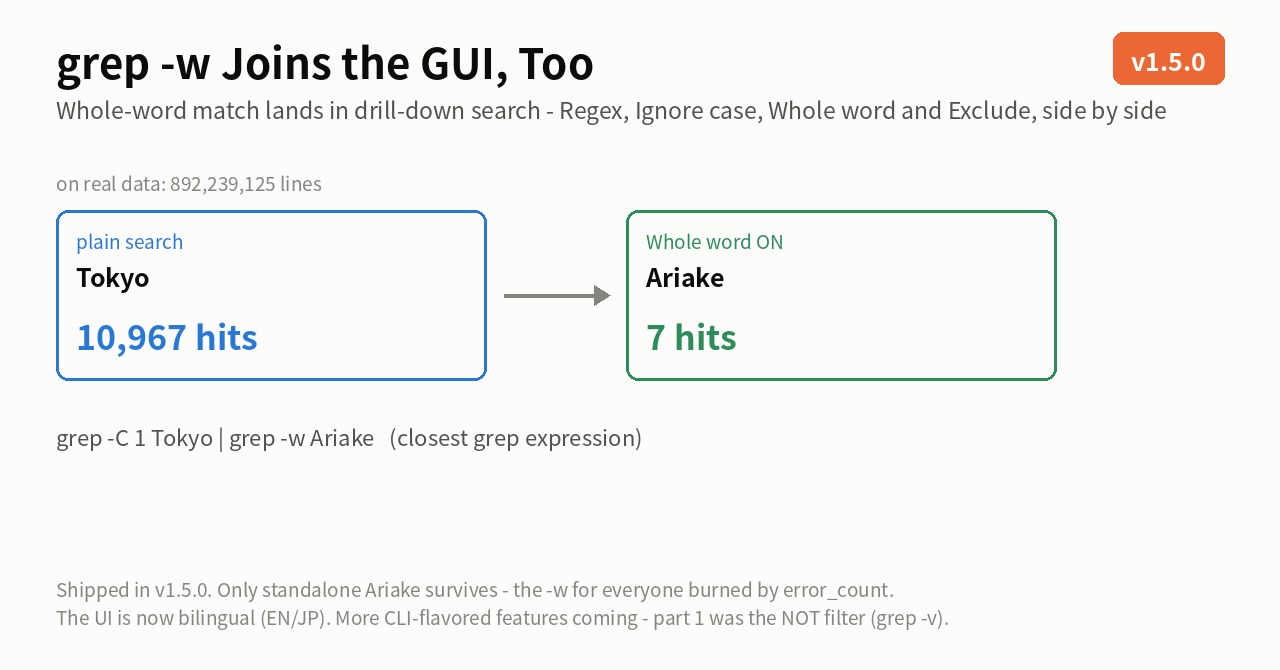
Last time it was grep -v (the NOT filter). Part 2 of the CLI series: grep -w — whole-word match.
Substring search has a classic weakness: search for error and you also catch error_count and the middle of mirror. In CLI land you write grep -w error to keep only error standing on its own. That -w now sits in UwView Pro‘s drill-down search as a “Whole word” checkbox on every stage.
Each stage now carries four checkboxes — Regex, Ignore case, Whole word, Exclude — and they combine freely within a stage.
On real data — 7 rows out of 892 million
Here it is on the OpenStreetMap Japan data (the status bar shows 892,239,125 total lines). And one more thing worth noticing: these screenshots show the English UI — mode names, checkboxes, and export options all in English on the development build.
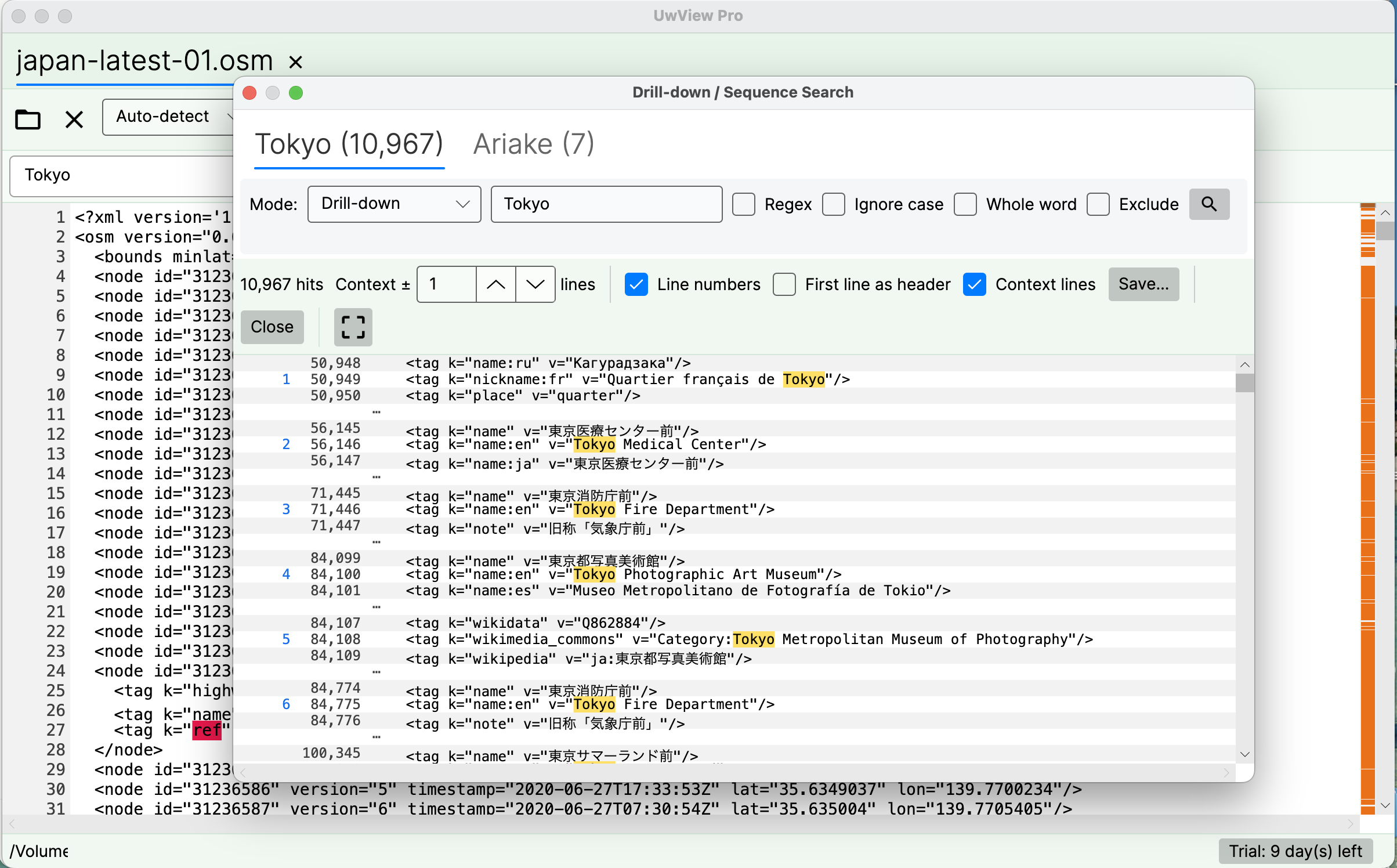
Stage 1 is a plain search for Tokyo — 10,967 hits. Add stage 2: Ariake with Whole word checked (combined with Regex, as shown):
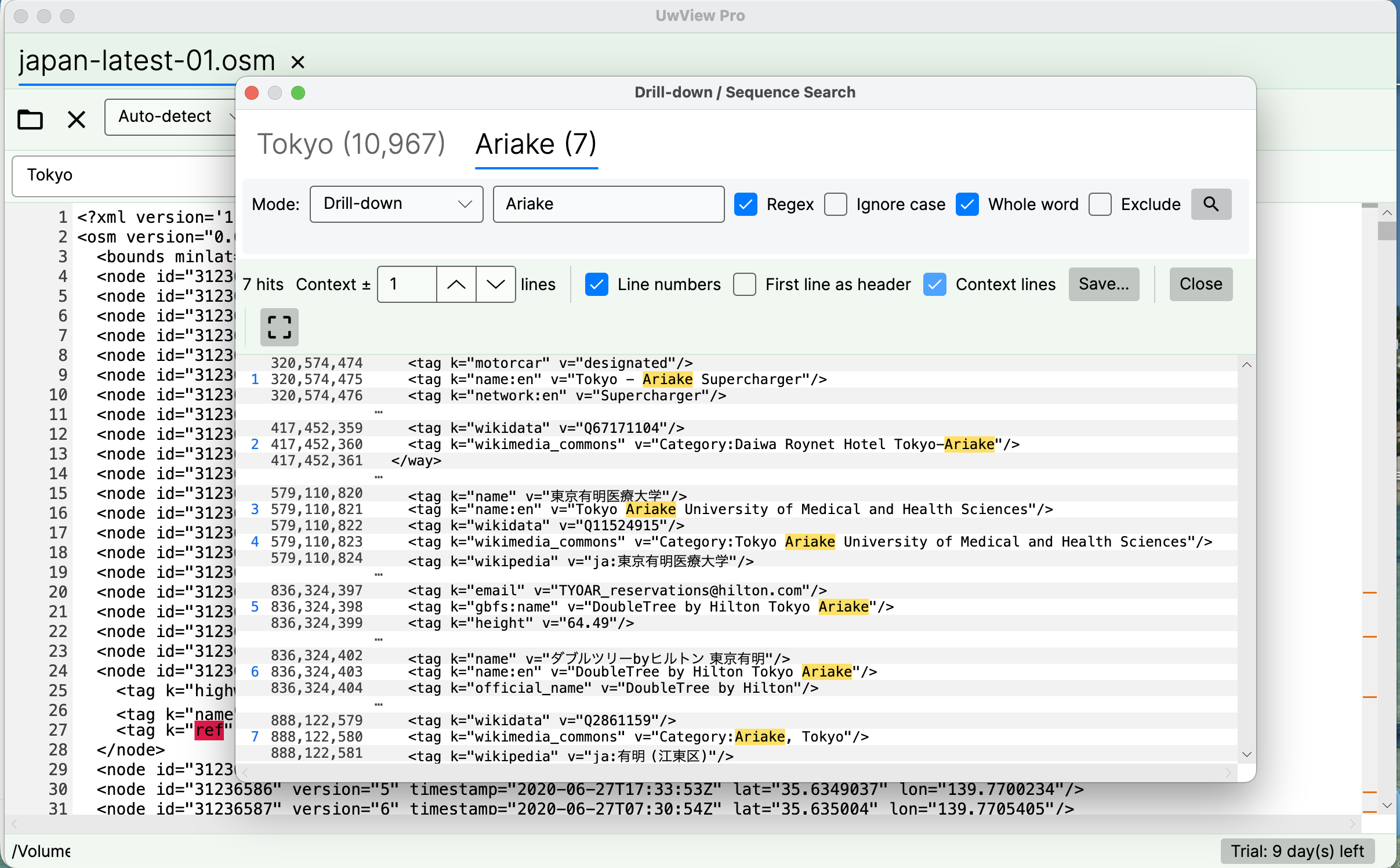
7 hits — rows like “Tokyo – Ariake Supercharger,” “Tokyo Ariake University,” “Category:Ariake, Tokyo,” where Ariake appears as a standalone word. The closest CLI expression is grep -C 1 Tokyo | grep -w Ariake (as before, include stages carry -C 1 for the ±1-line context — close, not identical; word-boundary definitions also differ in their fine print between tools).
The CLI-to-GUI mapping (close, not identical — updated)
| CLI | UwView Pro |
|---|---|
grep -C 1 Tokyo big.xml |
Stage 1: Tokyo (with ±1 line of context) |
\| grep -w Ariake |
Stage 2: Ariake + “Whole word” checked |
grep -v |
the “Exclude” checkbox (part 1) |
grep -i |
“Ignore case” |
grep -E |
“Regex” (combines with Whole word, as shown) |
> hits.txt |
the Save… button (line numbers / header / ±N context options) |
Note: this mapping shows similar behavior, not strict equivalence — drill-down refines ±N-line context blocks while a grep pipe streams lines, so edge cases differ.
What a pipe never hands back — “History (drill-down path)”
Add a third stage, 有明, to bring it down to 4 hits, then right-click a row in the result list.
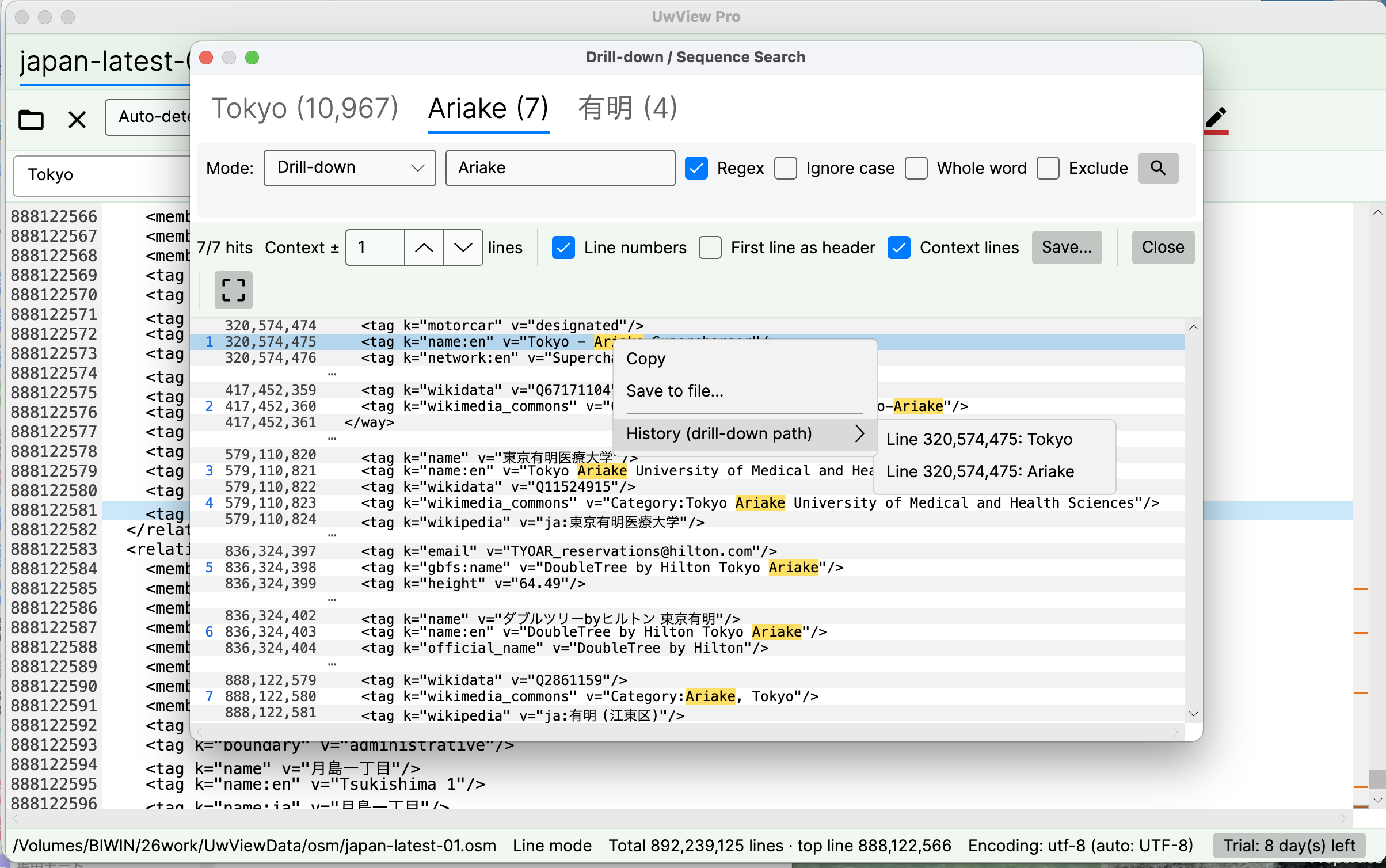
History (drill-down path) lists, in order, which term caught this row and at which original line number. The tabs above still read Tokyo (10,967) → Ariake (7) → 有明 (4), so which condition removed how much is visible at a glance.
A grep pipe drops all three of those.
grep -C 1 Tokyo big.xml \| grep -w Ariake \| grep 有明 |
UwView Pro drill-down | |
|---|---|---|
| Per-stage counts | Gone — you only see the final result | Tabs carry term (count) |
| Original line numbers | Lost from stage 2 on (grep -n counts within the block that reached it) |
Still 320,574,475 — and you can jump there |
| Which term caught it | Unknowable | Listed in History, term and line number, in order |
| Changing your mind | Rewrite the pipe and re-read the file from the top | Click the tab of the stage you want back |
On an 892-million-line file, “maybe stage 3 was too strict” costs you a rewrite and a full re-read with a pipe. With tabs it costs one click, and the file is never rescanned. The drill-down path becomes the record of the investigation — that’s the point of the feature.
Full disclosure
- Whole-word match is available from UwView Pro v1.5.0. The screenshots are from a build earlier than v1.5.0. More CLI-flavored features are on the way
- Word-boundary definitions (what counts as a separator) can differ in detail from grep’s
\b - Hit counts are specific to my environment, this file, and these terms
- Scripting and automation are CLI territory — and since v1.6.0 that includes
uvp(Pro) anduvf(free), which take-wand-vand return grep’s exit codes. For a one-off search on a file with no index yet, grep or ripgrep is still faster
The tool used
UwView Pro is on sale (Windows, macOS, Linux — one license covers all three; one-time or monthly, with a 14-day free trial — editing features included). Drill-down search is a Pro feature.
Links
- I Put grep -v into a GUI — part 1 of the CLI series
- From 90,000 Hits to 54 in Two Refinements — Drill-Down Search
- How to Open and Search a 50GB Log File on a 16GB PC
- Is ripgrep Really the Fastest on a 51 GB Single File?
From the developer: a list of my apps, Kindle books and public projects is on GitHub: amru195704.
A note
The information in this article is provided for reference purposes only, and we do not guarantee its accuracy or completeness. All measurements reflect the specific environment described above and may differ on other hardware. If you notice any errors or inaccuracies, please let us know in the comments and we will review and correct them.